The Gnomon Workshop – Introduction to Maya 2026 Volume 1 Free Download
AD
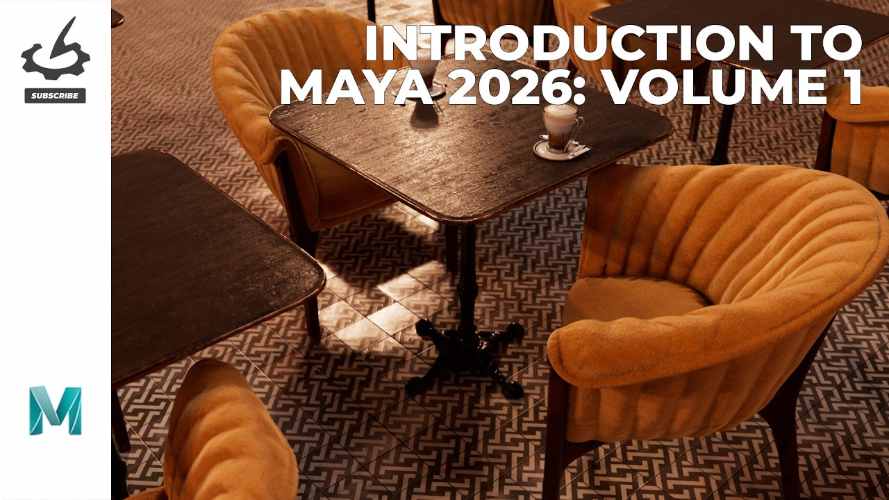
“Introduction to Maya 2026: Volume 1” from The Gnomon Workshop is a beginner-focused training workshop that teaches the fundamentals of Autodesk Maya. It’s designed for artists who are completely new to Maya and want a structured entry point into 3D modeling, scene setup, lighting, and rendering workflows.
This tutorial is the first part of a multi-volume learning series that gradually introduces more advanced Maya tools and production workflows.
🔗 Official page:
https://www.thegnomonworkshop.com/workshops/introduction-to-maya-2026-volume-1
Course Overview
This workshop is taught by Eric Keller, a veteran CG artist and educator who has worked with Maya for more than 20 years. The goal of the course is to help beginners understand Maya’s interface and core tools without feeling overwhelmed by the software’s massive feature set.
Instead of jumping straight into complex modeling or animation projects, the tutorial focuses on learning the essential building blocks of Maya first.
Key details:
Duration: ~4 hours 10 minutes
Lessons: 20 video lessons
Video format: HD 1920×1080
Skill level: Beginner
Software used: Maya 2026
Extras: Downloadable project files for practice.
What You’ll Learn
The workshop focuses on understanding Maya’s environment before diving into deeper production workflows.
1. Maya Interface & Navigation
The course begins with a guided tour of the Maya workspace and how to move efficiently within the 3D viewport.
Topics include:
viewport navigation
camera controls
workspaces and panel layouts
grid and display settings.
Learning this early is critical because Maya’s interface can be intimidating for new users.
2. Core Editors and Panels
Eric Keller explains the main editors that control scene objects and attributes, including:
Outliner
Attribute Editor
Channel Box
Display Layers.
Understanding these panels helps artists manage objects, properties, and scene hierarchies in real production projects.
3. Working with Geometry and Objects
The course introduces the basic tools used to manipulate objects in Maya, such as:
Move
Rotate
Scale
Selection tools
Object vs component modes.
These are the fundamental building blocks for any 3D modeling workflow.
4. Viewport Shading, Lighting & Rendering
Another section focuses on how to preview scenes and lighting using Maya’s viewport tools.
You’ll learn:
shading modes
preview rendering in the viewport
basic lighting setups
how to visualize textures and materials.
This helps beginners understand how scenes will look before doing final renders.
5. Essential Tools and Workflow Tricks
The workshop also demonstrates several important Maya tools and productivity features such as:
Soft Select
pivot manipulation
panel menu display options
Blue Pencil drawing tools.
These small workflow tips can make a big difference when working in production environments.
Lesson Breakdown (Examples)
Some of the lessons included in Volume 1 are:
Introduction
Viewport Navigation
Interface Tour & Workspaces
Maya Projects Setup
Maya Preferences
Grid Options
Viewport Camera Settings
Viewport Shading Options
Viewport Lighting
Selection Tools
Move / Rotate / Scale Tools
Outliner
Attribute Editor
Channel Box
Display Layers.
Each lesson runs roughly 12–15 minutes, making the course easy to follow even in short sessions.
Part of a Larger Maya Training Series
This workshop is only the beginning of the learning path.
The full Introduction to Maya 2026 series includes:
Volume 1: Maya interface and core tools
Volume 2: Modeling and workflow fundamentals
Volume 3: UVs, lighting, shading, rendering, and animation.
Together they provide a full beginner-to-intermediate Maya training roadmap.
Who This Course Is For
This workshop is ideal for:
complete beginners learning Maya
artists switching from Blender or other 3D software
students preparing for game or VFX pipelines
generalists who need Maya fundamentals.
Because the lessons focus on workflow rather than deep theory, it works well as a practical starting point.
Final Thoughts
“Introduction to Maya 2026: Volume 1” from The Gnomon Workshop is a structured entry-level tutorial that helps artists build confidence with Maya’s interface, navigation, and essential tools before moving on to advanced topics.
Instead of overwhelming beginners with complex projects, the course builds a strong foundation that prepares you for modeling, animation, lighting, and rendering workflows later in the series.
The Gnomon Workshop – Introduction to Maya 2026 Volume 1 Free Download
https://zeroupload.com/249ff866503d6a52bcdc7b9d1cdd3bef
https://pixeldrain.com/u/wZrPgQXh
https://filekeeper.net/mj14ndyltomy/TGW_IntMaya26V1_DownloadPirate.com.rar
https://buzzheavier.com/9ndfm6nu2nwh
https://ranoz.gg/file/uRWa4sy6
Those who sell pirated content are losers.
If you're paying for pirated content, you're the biggest loser.
Please read the FAQ if you need basic help.
Use VPN &
FDM if you have download problems.
AD