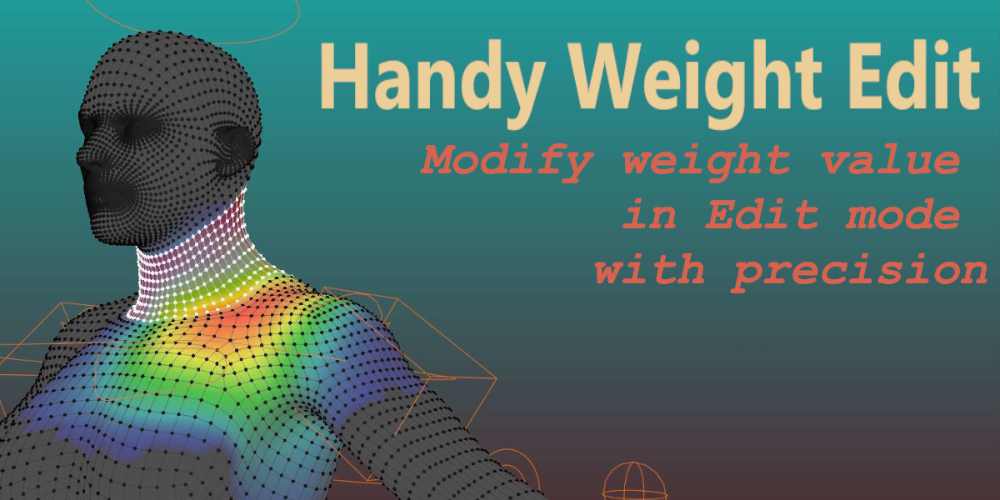
Handy Weight Edit 1.4.4 for Blender Full Version Free Download
AD
Handy Weight Edit 1.4.4 is a Blender addon designed to make character rigging and weight painting much easier and more precise. Instead of relying only on Blender’s brush-based weight painting, the addon allows artists to edit vertex weights directly in Edit Mode, giving better control during the skinning process.
🔗 Official page:
https://superhivemarket.com/products/handy-weight-edit
This addon is widely used by rigging artists, character animators, and game developers who need precise control over how bones influence a character mesh.
What Handy Weight Edit Does
In Blender, weight painting determines how strongly each bone affects different parts of a mesh. The default brush method can be slow and inaccurate, especially in small or hidden areas.
Handy Weight Edit solves this by letting you:
select vertices directly
adjust their weight values numerically
smooth and mirror weights precisely.
This makes it much easier to clean up skinning for characters.
Key Features
1. Edit-Mode Weight Editing
The biggest feature is editing weights directly in Edit Mode instead of Weight Paint Mode.
Instead of painting with a brush, you can:
select vertices with tools like loop select, lasso, or x-ray
adjust weight values precisely.
This approach is especially useful in tight areas where painting is difficult.
2. Mouse Wheel Weight Adjustment
The addon allows artists to increase or decrease vertex weight values with the mouse wheel on selected vertices.
This makes fine-tuning weights extremely fast compared to typing numbers manually.
3. Gradient and Uniform Weight Methods
Two main editing methods are included:
Uniform method: applies the same weight value to selected vertices
Gradient method: adjusts weights gradually across vertices.
These are useful for creating smooth transitions between bones.
4. Smooth Weight Tool
The addon includes a smoothing function that blends weights between neighboring vertices to create natural deformation.
This is particularly useful in areas like:
elbows
knees
shoulders.
5. Mirror Weight Support
Handy Weight Edit can mirror weights across symmetrical meshes.
This allows you to:
edit weights on one side
automatically copy them to the other side.
Proper bone naming conventions are required for mirroring to work correctly.
6. Copy and Transfer Weight Values
The addon provides quick tools to:
copy weight from the last selected vertex
transfer weights between vertices
cycle through vertex groups influenced by a vertex.
These tools speed up the skinning workflow significantly.
7. Optimization Tools
Several utilities help prepare characters for game engines:
limit number of bone influences per vertex
remove very small weight values
normalize weights so the total equals 1.0.
This is important for real-time engines like Unity or Unreal Engine, which often restrict bone influences.
Typical Workflow
A common workflow using the addon looks like this:
Bind a mesh to an armature.
Select the mesh and enter Edit Mode.
Select vertices that need weight adjustments.
Use Handy Weight Edit tools to modify weight values.
Smooth and mirror weights where necessary.
This workflow allows much more precise skinning than brush-based painting.
Advantages
Much more precise weight control
Editing vertices directly avoids messy brush strokes.
Faster character rigging workflow
Hotkeys and mouse wheel adjustments speed up editing.
Better for complex meshes
Works well in small or hard-to-reach areas.
Useful for game pipelines
Includes tools for optimizing vertex weight limits.
Limitations
Requires understanding of rigging basics
Beginners still need to know how vertex groups and armatures work.
Not fully automatic
Artists still manually adjust weights; the addon simply improves the workflow.
Price and Compatibility
Typical details:
Price: around $20–$27
Blender support: roughly Blender 3.6 – 5.0
License: GPL.
Final Thoughts
Handy Weight Edit 1.4.4 is a powerful utility addon that improves Blender’s weight-painting workflow by allowing precise vertex-based editing in Edit Mode. For character rigging and animation work, it can significantly reduce the time spent cleaning up skin weights and fixing deformation issues.
Handy Weight Edit 1.4.4 for Blender Full Version Free Download
https://zeroupload.com/8b039536c2631e28dfb80d0a6fd04804
https://pixeldrain.com/u/7DDvtSLG
https://ranoz.gg/file/mksfIzea
https://buzzheavier.com/jgh4qugz3ivf
https://filekeeper.net/crsz7idmgrql/HandyWeightEdit1.4.4_DownloadPirate.com.rar
Those who sell pirated content are losers.
If you're paying for pirated content, you're the biggest loser.
Please read the FAQ if you need basic help.
Use VPN &
FDM if you have download problems.
AD