Blender Render Queue 5.2.3 Free Download
AD
If you’ve worked with Blender long enough, you already know the biggest time-waster is not modeling or texturing. It’s rendering management. Opening files one by one, hitting render, waiting, repeating… it’s a stupidly inefficient loop.
That is exactly what Blender Render Queue (BRQ) 5.2.3 is built to fix. It turns rendering from a manual chore into an automated system.
What Blender Render Queue Actually Is
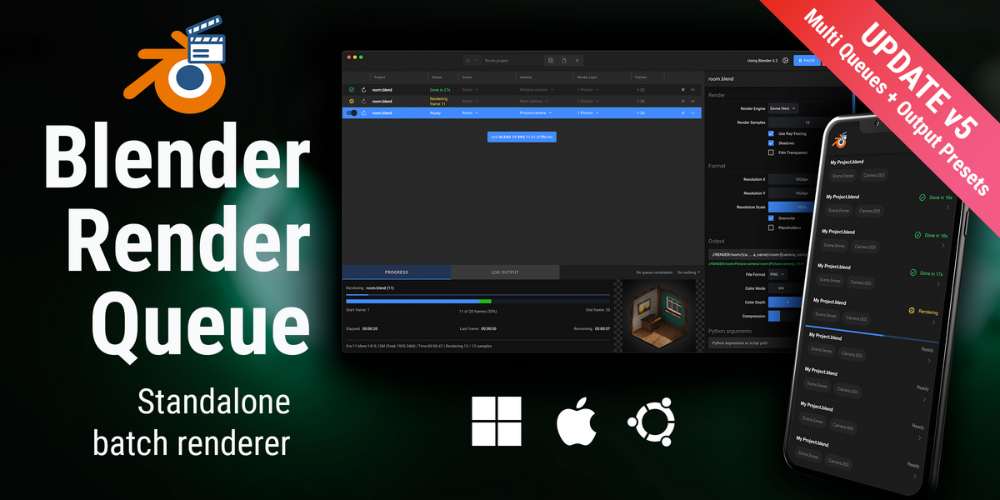
Blender Render Queue is a standalone batch rendering manager designed specifically for Blender workflows.
You can check it here:
https://superhivemarket.com/products/blender-render-queue
Unlike normal addons, this runs outside Blender, meaning:
- You don’t need to keep Blender open
- You can keep working while renders run in background
- It isolates rendering from your main scene for better stability
The Core Idea: Automate Everything
Instead of doing this manually:
- Open file → render → wait → repeat
You do this:
- Add files to queue → press start → leave
The software handles:
- Multiple scenes
- Multiple cameras
- Multiple files
All in sequence.
It is basically like having a render assistant that works non-stop.
Key Features That Actually Matter
This tool is not about fancy UI. It’s about saving time and avoiding mistakes.
Batch Rendering Across Projects
You can queue:
- Multiple
.blendfiles - Multiple scenes
- Multiple cameras
And render everything in one go
Runs Outside Blender (Huge Advantage)
This is the biggest deal.
- Blender stays free for work
- No lag while rendering
- Less chance of crashes
Basically, your system is used more efficiently
Output Presets & Automation
You can save presets for:
- Render engine
- Samples
- File formats
So you don’t repeat settings every time
Remote Monitoring
You can track renders:
- On your phone
- From another device
No need to sit and stare at your PC
Auto Shutdown
Once rendering is done:
- PC shuts down or sleeps automatically
Perfect for overnight rendering.
Time Estimation
You get:
- Remaining time estimates
- Progress tracking
Helps plan work better instead of guessing.
Python Automation
You can attach scripts:
- Before render
- After render
This is useful for advanced pipelines and studios.
Why This Tool Actually Matters
Blender already has basic rendering options. But they suck for anything beyond simple jobs.
Problems with default workflow:
- No proper batch system
- No multi-project handling
- Poor automation
Blender Render Queue fixes all of that by giving you:
- Structured workflow
- Automation
- Better resource usage
Real Workflow Benefits
This is where it becomes genuinely useful.
Instead of:
- Babysitting renders
- Wasting hours clicking buttons
- Risking mistakes
You get:
- Set once → run everything
- Work while rendering
- Wake up to finished results
For animation and archviz work, this is huge.
Who Should Use This
This tool is a no-brainer if you:
- Render multiple scenes or animations
- Work with multiple
.blendfiles - Do client work with deadlines
- Run overnight renders
Especially useful for:
- Archviz artists
- Animators
- Freelancers
- Small studios
Limitations (Be Real About It)
This is not magic.
- It does not make renders faster (just smarter)
- Requires initial setup
- Some UI limitations reported by users
Also, if you only render single images occasionally, you won’t feel much difference.
Real User Feedback (Important)
From actual users:
- “Extremely useful… lifesaver for big projects”
- “Game changer… improved productivity a lot”
But also:
- Some UI scaling issues
- Resume workflow improvements added later
So yeah, mostly positive but not perfect.
Blender Render Queue 5.2.3 Free Download
https://zeroupload.com/d2c0a1c75506e97a38ede4988654779d
https://buzzheavier.com/kc3hal67hqgp
https://filekeeper.net/id5lqbn2f5lw/BlenderRenderQueue5.2.3_DownloadPirate.com.rar
https://ranoz.gg/file/rtefbADN
https://pixeldrain.com/u/YRQd8yGa
Those who sell pirated content are losers.
If you're paying for pirated content, you're the biggest loser.
Please read the FAQ if you need basic help.
Use VPN &
FDM if you have download problems.
AD