Goo Physics 1.0 for Blender Free Download
AD
If you’ve ever tried to animate secondary motion in Blender, you already know how painful it gets. Cloth sims break, soft bodies go crazy, and tweaking results takes forever. That’s exactly the problem Goo Physics 1.0 is trying to solve.
This addon is not about realistic physics. It’s about stylized, controllable motion that actually looks good in animation.
What Goo Physics Actually Is
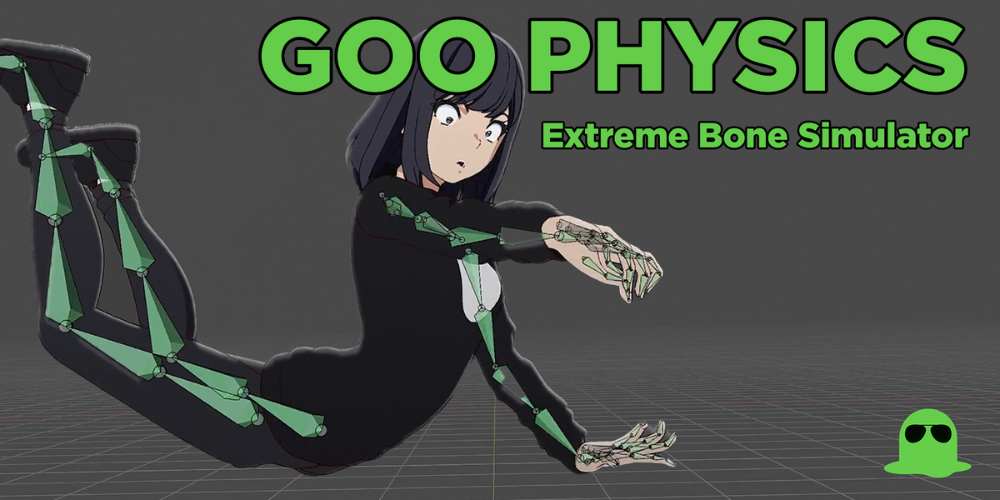
Goo Physics is a custom physics simulation addon for Blender focused on stylized animation like bouncy, floppy, or “gooey” motion.
You can explore it here:
https://superhivemarket.com/products/goo-physics
Instead of relying purely on Blender’s native physics, it builds a simplified and controllable system on top.
- Auto physics system for rigs and objects
- Designed for stylized animation (not realism)
- Works with bones, cloth, and soft bodies
- Includes presets for faster setup
It’s basically a shortcut to getting appealing motion without fighting Blender’s default physics.
The Core Idea: Stylized > Realistic
Blender already has physics systems. The problem is they are built for realism, and realism is often hard to control and ugly for animation.
Goo Physics flips that approach. It focuses on motion that looks good, not motion that is physically accurate.
- Prioritizes smooth arcs and exaggerated motion
- Easier to tweak after simulation
- Designed for animation, not simulation accuracy
- Works well for anime and stylized projects
This is why it stands out compared to native tools.
How It Works in Practice
The addon automates a lot of the setup that normally takes time. Instead of building physics systems manually, you apply Goo Physics and adjust a few parameters.
It uses a mix of Blender systems under the hood but simplifies everything into one workflow.
- Apply physics to bones, cloth, or props
- Choose simulation mode (cloth, soft body, etc.)
- Adjust settings like stiffness, drag, and bounce
- Refine motion without rebuilding setup
It essentially removes the technical barrier and lets you focus on motion.
Key Features That Actually Matter
The strength of Goo Physics is not complexity, but control and speed.
Multiple Simulation Modes
The addon supports different types of physics depending on your need.
- Cloth simulation for flowing elements
- Soft body for squashy motion
- Geometry Nodes-based setups
These modes let you handle different animation scenarios easily.
Auto Physics System
You don’t need to build complex rigs or constraints manually. The addon handles most of the setup for you.
- Automatic physics generation
- Minimal manual setup
- Works quickly on existing rigs
Stylized Motion Control
This is the biggest advantage. You can tweak motion to look appealing instead of physically accurate.
- Control over bounce and drag
- Easy exaggeration of movement
- Smooth, animation-friendly results
Goo Physics is specifically designed to create “bouncy, floppy, and gooey” motion quickly.
Presets and Workflow Speed
Instead of starting from scratch every time, you get presets that speed things up.
- Ready-to-use presets
- Faster iteration
- Consistent results across scenes
Why This Tool Actually Matters
Physics in Blender is powerful, but it’s also one of the most frustrating parts of animation. Small changes can break everything, and getting good results takes time.
Goo Physics simplifies that entire process. It gives you something that works fast and is easy to tweak, which is exactly what animators need.
Instead of fighting simulations, you control them.
Real Workflow Benefits
In real projects, this addon shines when you need quick secondary motion without spending hours tweaking settings.
- Faster animation workflow
- Less time fixing broken simulations
- Easy to add secondary motion to characters
- More consistent and controllable results
It’s especially useful for stylized animation where realism is not the goal.
Who Should Use This
This addon is best suited for people working on animation rather than simulation-heavy VFX.
- Character animators
- Stylized animation artists
- Anime-style creators
- Blender freelancers
- Anyone dealing with secondary motion
If you are doing realistic VFX simulations, this is not the right tool.
Limitations (Be Real About It)
This is not a full physics replacement. It is designed for a specific purpose.
- Not physically accurate
- Limited for realistic simulations
- Requires basic animation knowledge
- Some control trade-offs for simplicity
It’s built for speed and style, not realism.
Final Thoughts
Goo Physics 1.0 is one of those tools that solves a very specific problem. It takes complex, frustrating physics setups and turns them into something fast and usable.
- Strong focus on stylized motion
- Huge time saver for animation
- Easy to use compared to native physics
- Not meant for realism
If you are doing stylized animation in Blender, this is a very practical addon that can save you a lot of time and frustration.
Goo Physics – Extreme Bone Simulator for Blender Free Download
https://zeroupload.com/b70f4f358e74d679aa85726f098ba6eb
https://buzzheavier.com/7om3bbs6opzs
https://ranoz.gg/file/5CDajTDV
https://pixeldrain.com/u/aG4W9e8V
https://filekeeper.net/errz0ri0r89l/Goo_Physics1.0_DownloadPirate.com.zip
Those who sell pirated content are losers.
If you're paying for pirated content, you're the biggest loser.
Please read the FAQ if you need basic help.
Use VPN &
FDM if you have download problems.
AD