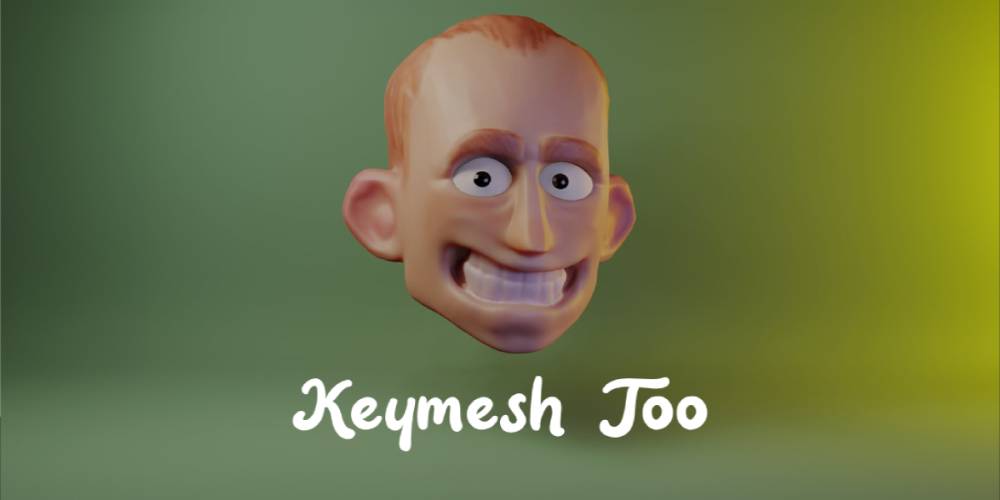
Keymesh Too 2.3.2 for Blender Full Version Free Download
What is Keymesh Too
AD
Keymesh Too is a Blender add-on that lets you animate mesh objects — and a bunch of other object types — frame-by-frame, like old-school stop-motion. Instead of bones or conventional keyframe interpolation, you sculpt/model/modify your object for each frame (or each “block”) and Keymesh swaps the object data per frame. This gives total control over changes: mesh shape, curves, hair, text, materials, whatever — you’re not limited to just animating transforms.
It’s essentially reviving the old tradition of “frame-by-frame sculpt animation,” but inside Blender.
What It Can Do — Key Features
Frame Picker UI — It tracks all versions (blocks) of an object you made. You see them, name them, choose which version shows up on which frame, add or delete versions easily without messing with Dope Sheet.
Support for many object types — Meshes, curves, metaballs, lattices, even hair curves or fur curves. So you can animate not just hard-surface mesh, but flowing hair, shape-changing curves, text changes, stylized fur — pretty wild.
“Object versioning” mode (static or animated) — You can use Keymesh just to store multiple variants of a model (like alternate versions) and switch between them manually — useful for sculpting iterations or variant previews, even if you don’t animate.
Convert conventional animation to Keymesh animation — If you used shape keys or standard keyframes, you can bake them to Keymesh so each frame becomes its own sculpted version. Good if you want rigid control per frame.
“Convert to Separate Objects” export/ baking — For rendering or external tools / 3D printing / render farms: you can convert each Keymesh frame into a separate object mesh. Useful to avoid dependency on add-on when finalizing.
Full potential for stop-motion / replacement-parts style animation — Because you control every frame’s geometry, you can make animations that change topology, do “morphing by replacement,” or even fake “stop-motion with 3D prints.”
Works even for non-animation tasks (versioning, sculpt iterations, alternate designs etc.) — Good even if you don’t plan to animate; you can store multiple versions of your model inside one object and pick whichever you like.
Recent Status & Compatibility
Version 2.3.2 is current and reportedly updated for newer Blender versions.
The add-on gets regular updates: recent versions improved rendering workflow, object-type support, UI and performance.
Keymesh Too is more or less production-ready — it tries to cover a lot of use-cases, from stop-motion-style animation to sculpt/mesh versioning or pipeline work.
When Keymesh Too Is Useful
Use Keymesh Too when:
You want to make stylized or stop-motion style animation inside Blender — not bones, not rigs, but sculpt frame-by-frame.
You need full control of mesh shape, topology changes, or need to animate things that don’t respond to bones (hair curves, text, morphing meshes, topology changes).
You’re doing experimental animation or art where each frame may have wholly different geometry.
You sculpt or model variations and want a built-in versioning system to track all variants without multiple files.
You want to export animations to external tools or 3D print each frame (true “replacement parts” workflow).
When It’s Not Ideal / What to Watch Out For
This workflow is heavy — sculpting or modifying geometry per frame means lots of frames, lots of data. For long animations, this can become huge and unwieldy.
Not ideal for smooth interpolated animation (like character animation) — there’s no tweening between frames: every frame is full geometry. If you expect fluid interpolation you better use bones / conventional rigging.
Might be messy for complex rigs or heavy topology — per-frame sculpt + mesh replacement often leads to high memory + long prep/render times.
For traditional animation pipelines (deformation rigs, shape-key interpolation, realistic motion), this is more of a niche or stylized solution.
Requires discipline: because you’re manually controlling each frame’s version, mistakes or inconsistent versions may creep in.
Verdict — Who Should Use It
Keymesh Too v2.3.2 is a badass tool for artists wanting absolute control over geometry per frame — stop-motion vibes, stylized animations, morphing meshes, or variant sculpting workflows. It’s more art tool than typical animation rig.
If you create stylized animations, experimental 3D art, creature/fantasy animations with wild deformations, or want versioning control as a sculptor/modeler — this addon gives power few others offer.
If you want smooth, rigged, realistic character motion or long smooth animation sequences, traditional rigging + deformers is still better. But Keymesh Too’s power lies in creative control and flexibility.
Keymesh Too 2.3.2 for Blender Full Version Free Download
https://buzzheavier.com/dquddt5rw4x2
https://zeroupload.com/3c4cb3883aeb75774f75837e734362e7
https://ranoz.gg/file/WUBuBsMf
https://pixeldrain.com/u/8kxADBSE
Those who sell pirated content are losers.
If you're paying for pirated content, you're the biggest loser.
Please read the FAQ if you need basic help.
Use VPN &
FDM if you have download problems.
AD