AEScripts Atmos 3D Pro v1.1 Script for After Effects Windows Macintosh Full Version Free Download
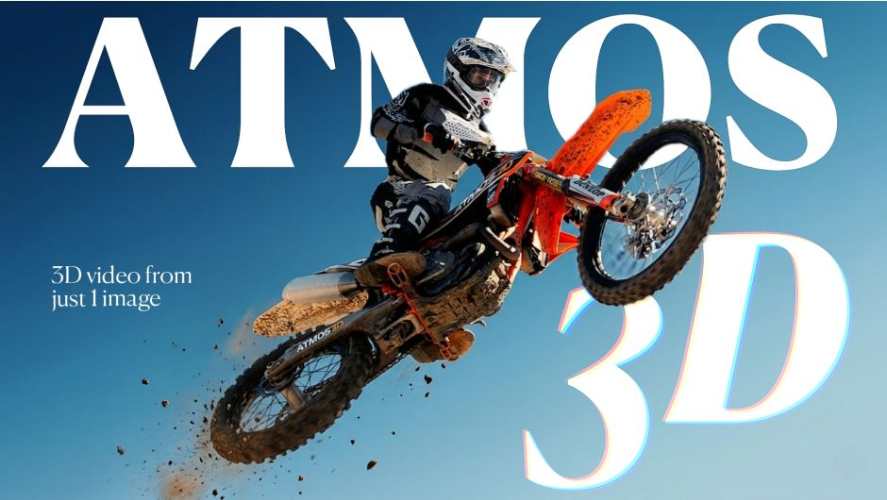
AEScripts Atmos 3D Pro v1.1 is an Adobe After Effects extension that transforms a single static image into a three-dimensional animation with realistic depth and parallax. Developed by Artura.Studio, the tool analyses an image, separates its foreground, subject and background, and creates a 3D scene that can be animated directly inside After Effects.
The extension is designed for motion designers, video editors and visual effects artists who want to create cinematic camera movements without manually rotoscoping every subject or building complex displacement-map setups. Its two motion modes, Cinematic and Wigglegram, provide options for subtle orbital camera movements and looping animations inspired by vintage 3D film photography.
Version 1.1 adds universal language compatibility, a dynamically resizable preview window and a 10-step undo history for refining subject selections. These improvements make the interface more adaptable and give users greater control when preparing complex images for 3D animation.
The official product page is available at AEScripts Atmos 3D Pro.
What Is Atmos 3D Pro?
Atmos 3D Pro is a specialised image-to-3D animation tool for After Effects. It converts a flat image into a layered scene with depth information, allowing virtual camera movement to create the illusion of three-dimensional space.
Traditional techniques for animating a still image often involve manual masking, rotoscoping, displacement maps and background reconstruction. These methods can require considerable preparation, particularly when the subject has complex edges or overlaps with other elements.
Atmos 3D Pro automates much of this process through spatial depth analysis and subject separation. It reconstructs the scene into distinct spatial layers so that the foreground and background can move relative to one another, producing a more convincing parallax effect.
The processing takes place locally rather than requiring users to upload their images to a cloud-based service.
Key Features of Atmos 3D Pro v1.1
AI-Powered Depth Analysis
Atmos 3D Pro analyses a single image to estimate its spatial structure and separate the subject from the surrounding environment. This creates the foundation for generating 3D movement from an otherwise static photograph.
The depth-analysis workflow is designed to reduce the manual preparation associated with conventional image displacement techniques. By separating foreground, subject and background elements, the extension can create relative movement between different parts of the image.
This approach is useful for portraits, landscape photographs, product images, architectural scenes and other still images that benefit from simulated camera movement. Results depend on the original image, its depth cues and the complexity of the subject.
Precision Depth Refinement
The extension includes controls for refining how the image is interpreted during depth analysis. Users can adjust the spatial separation and improve the subject boundary before generating the final animation.
For complex images containing overlapping foreground elements, the preview window also allows users to click directly on the image to define the subject more precisely. This provides a manual correction method when automatic separation does not produce the desired result.
These controls help users refine the balance between depth, subject isolation and the overall appearance of the reconstructed scene.
Cinematic Mode
Cinematic Mode creates subtle orbital camera movements across the three axes. It is designed to add depth and movement to static images while maintaining a smooth, controlled visual style.
Users can adjust the camera trajectory and movement speed to create gentle sweeps, immersive push-ins and other cinematic movements. The effect can be useful for documentary visuals, promotional videos, title sequences, social media content and animated presentations.
Because the source is a single image, the movement should be designed around the available scene information. Excessive camera movement may reveal areas that were not visible in the original photograph.
Wigglegram Mode
Wigglegram Mode creates a looping horizontal movement inspired by vintage 3D film cameras and stereoscopic photography.
The mode is intended for short, repeating animations in which the camera shifts horizontally to create a dimensional effect. An integrated Posterize Time option can reproduce the stepped frame cadence associated with traditional analogue 3D photography.
This makes the tool suitable for looping social media visuals, animated portraits, experimental photography, music artwork and other projects that benefit from a distinctive retro 3D appearance.
Fully Adjustable Animation Controls
Atmos 3D Pro provides editable controls for camera movement, speed, parallax strength and edge refinement. Rather than producing a fixed animation that cannot be changed, the extension allows users to adjust the scene to suit the composition.
These parameters are useful for matching the animation to the original image, refining the amount of depth and reducing distracting edge artifacts.
The resulting scene remains part of the After Effects workflow, allowing users to incorporate the animation into a larger composition with titles, effects, colour grading and other visual elements.
What’s New in Atmos 3D Pro v1.1?
Version 1.1.0 was released on 20 October 2026. Its main improvements focus on interface usability and more flexible subject refinement.
Universal Language Compatibility
The update introduces universal language compatibility, improving the extension’s ability to operate across different system language configurations.
Resizable Preview Window
The preview window can now expand dynamically when the extension panel is resized. The revised layout removes rigid height constraints and uses responsive sizing, allowing the preview canvas to take advantage of the available screen space.
This is particularly helpful on high-resolution and 4K displays, where a larger preview can make it easier to identify subject boundaries and refine selections accurately.
Ten-Step Undo History
Version 1.1 replaces the previous single-reset undo behaviour with a sequential 10-step undo history. Mask changes are cached in memory so users can step backwards through recent refinements without losing all their progress.
This improvement is useful when working with complicated subjects that require several manual selection adjustments. Users can reverse individual changes and return to an earlier state without restarting the entire depth-refinement process.
How to Use Atmos 3D Pro in After Effects
The general workflow involves preparing the source image, refining its depth and creating the desired camera animation.
- Import an image: Add a suitable static photograph to your After Effects project.
- Create the 3D scene: Open Atmos 3D Pro and run the depth-analysis workflow.
- Refine the subject: Use the available depth controls and click directly in the preview to improve subject separation where necessary.
- Choose a motion mode: Select Cinematic for orbital camera movement or Wigglegram for looping horizontal motion.
- Adjust the animation: Refine camera trajectory, speed, parallax strength and edge cleanup.
- Complete the composition: Combine the resulting animation with other After Effects layers, graphics and finishing effects.
The extension also provides a seven-day free trial without a watermark, allowing users to test the workflow on their own images before purchasing a licence.
Compatibility and Version Information
- Software: Adobe After Effects
- Extension: Atmos 3D Pro v1.1.0
- Developer: Artura.Studio
- Release date: 20 October 2026
- Compatible After Effects versions: 2020, 2021, 2022, 2023, 2024, 2025 and 2026
- Processing: Local image analysis
- Official product page: AEScripts Atmos 3D Pro
Check the official listing for the latest installation instructions, licence options and updates.
Who Can Benefit from Atmos 3D Pro?
Atmos 3D Pro is suited to motion designers, photographers, video editors and visual effects artists who want to animate still images without constructing a complete 3D scene manually.
It can be useful for cinematic photo animations, animated portraits, product presentations, parallax effects, documentary sequences and vintage-inspired wigglegram loops. The automated depth workflow can reduce repetitive preparation, while its editable controls allow artists to refine the final result.
Conclusion
AEScripts Atmos 3D Pro v1.1 provides a practical workflow for turning static images into animated 3D scenes inside After Effects. Its depth analysis, subject refinement controls and two motion modes make it useful for both cinematic camera sweeps and looping retro-style animations.
The v1.1 update improves the experience with universal language compatibility, a resizable preview and a 10-step undo history. For creators who regularly animate photographs, the extension offers an alternative to building depth-based effects entirely through manual masking and displacement techniques.
Atmos 3D Pro After Effects, AEScripts Atmos 3D Pro, image to 3D animation, After Effects parallax effect, cinematic photo animation, Wigglegram animation, AI depth estimation, Artura.Studio
AEScripts Atmos 3D Pro v1.1 Script for After Effects Windows Macintosh Full Version Free Download
https://zeroupload.com/adbc40badddb6939ac28e06c46a239f8
https://pixeldrain.com/u/N5kanCxq
https://filekeeper.net/dxohevulddgy/Atmos3DPro1.1_DownloadPirate.com.rar