AEScripts ToneCraft v1.0 plugin for After Effects Full Version Free Download
AD
Halftone effects are a classic graphic-design technique, but creating them in Adobe After Effects with native effects can be surprisingly tedious. Standard dot patterns are easy enough, but once you want custom shapes, mixed patterns, gradients, rotation, grain, paper textures, or distressed print aesthetics, the workflow quickly becomes more complicated.
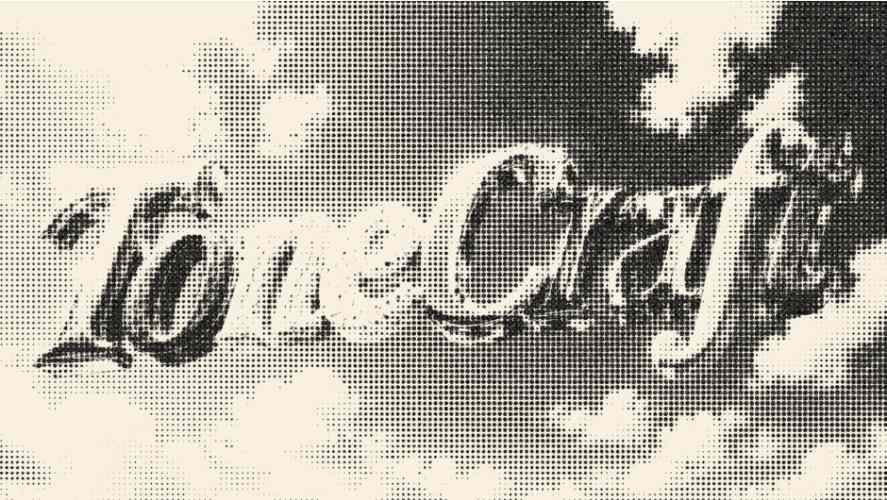
AEScripts ToneCraft v1.0 is a halftone-generation plugin for Adobe After Effects and Premiere Pro that turns footage and images into customizable, shape-based halftone artwork. It goes well beyond basic circular dots, offering 10 different shapes, mixed-shape patterns, gradients, print textures, and extensive pattern controls.
What is ToneCraft?
ToneCraft is essentially a procedural halftone design toolkit.
Instead of manually constructing a halftone effect using multiple layers, masks, and effects, you can generate the pattern directly from your footage or image and control its appearance from one plugin.
It is particularly suited to:
- Motion graphics
- Poster animation
- Music videos
- Title sequences
- Editorial graphics
- Social media content
- Experimental design
- Retro print effects
- Stylized advertising
Create Custom Halftone Patterns
ToneCraft provides the controls you’d expect from a serious halftone generator.
You can adjust:
- Cell Size
- Dot Scale
- Contrast
- Rotation
- Offset
- Mix
This gives you control over both the density and overall appearance of the generated pattern.
10 Different Halftone Shapes
This is one of the more interesting parts of ToneCraft.
Instead of being limited to conventional circular dots, you can choose from 10 shapes:
- Circle
- Square
- Line
- Star
- Star 2
- Hexagon
- Flower
- Number
- Triangle
- Heart
That makes it possible to create substantially different graphic styles from the same source footage.
Mix Multiple Shapes
ToneCraft can combine up to five shapes within a single pattern.
For example, you can combine geometric and decorative shapes to produce a more experimental halftone design rather than the repetitive appearance of a conventional dot screen.
This is particularly useful for:
- Music videos
- Album-style graphics
- Poster animation
- Fashion graphics
- Abstract motion design
Gradient Halftones
ToneCraft isn’t restricted to traditional black-and-white halftones.
It supports:
- RGB colour output
- Two-colour gradients
- Gradient direction
- Gradient intensity
- Black-and-white output
This allows the halftone itself to become part of the colour design rather than simply acting as a monochrome treatment.
Print-Inspired Textures
ToneCraft also includes a collection of controls designed to push the result toward a physical printed aesthetic.
Available treatments include:
- Wave
- Grain
- Paper Tint
- Black Wear
- Hard Mix
- Softness
- Threshold
You can therefore move from a clean digital halftone toward something that looks much more like distressed or imperfect printed material.
Animate the Effect
ToneCraft isn’t limited to creating static poster artwork.
Its parameters can be animated directly in After Effects, making it useful for:
- Animated halftone transitions
- Title sequences
- Logo animations
- Music videos
- Morphing patterns
- Stylized reveals
- Social media animations
The developer specifically positions it for footage, title sequences, music videos, poster animation, and social content.
Transparent Background
ToneCraft also provides a Transparent BG option, which makes the generated halftone easier to integrate into existing compositions rather than forcing it to remain as a full rectangular image treatment.
After Effects and Premiere Pro
ToneCraft isn’t restricted to After Effects.
It supports both:
- Adobe After Effects
- Adobe Premiere Pro
This makes it useful for editors who want to apply the same halftone aesthetic directly during video editing rather than moving everything into After Effects.
Workflow Benefits
AEScripts ToneCraft provides:
- Procedural halftone generation
- 10 different pattern shapes
- Up to five mixed shapes
- RGB colour halftones
- Two-colour gradients
- Adjustable cell size
- Dot scaling
- Rotation controls
- Pattern offset
- Grain and paper effects
- Distressed print treatments
- Transparent backgrounds
- Animated parameters
- After Effects support
- Premiere Pro support
This makes it considerably more versatile than a basic halftone filter.
Who Should Use ToneCraft?
Motion Designers
Great for creating stylized transitions, titles, logos, and abstract graphics.
Graphic Designers
Useful for turning photographs and artwork into poster-style halftone designs.
Music Video Artists
The unusual shapes, gradients, and print textures make it particularly useful for experimental music visuals.
Video Editors
Premiere Pro support means you can use the effect without necessarily opening After Effects.
Social Media Creators
Useful for quickly creating distinctive retro, print, comic, or poster-inspired visuals.
Compatibility
ToneCraft v1.0.0 was initially released on August 5, 2026. The current official listing supports After Effects 2024, 2025, and 2026, as well as Premiere Pro 2024, 2025, and 2026.
For complete product information and updates:
AEScripts ToneCraft official page
Final Thoughts
AEScripts ToneCraft v1.0 is much more than a basic halftone filter. The combination of 10 shapes, five-shape mixing, gradients, procedural pattern controls, grain, paper textures, and distressed-print treatments makes it a proper graphic-design tool for creating stylized halftone artwork.
If your work involves motion posters, music videos, title design, retro graphics, editorial animation, or experimental motion design, ToneCraft is a particularly useful addition to an After Effects toolkit. Its Premiere Pro compatibility is also a nice bonus.
- AEScripts ToneCraft
- ToneCraft After Effects
- ToneCraft Premiere Pro
- After Effects Halftone Plugin
- Halftone Generator After Effects
- Halftone Effect Plugin
- Custom Halftone Shapes
- Motion Graphics Halftone
- Print Effect After Effects
- Retro Halftone Effect
- Poster Animation After Effects
- Distressed Print Effect
- Gradient Halftone
- Shape-Based Halftone
- Motion Graphics Plugin
AEScripts ToneCraft v1.0 plugin for After Effects Full Version Free Download
https://zeroupload.com/8a964f6e0cc1f87005e6a44434ab8fe9
https://buzzheavier.com/3whjyfbtcwjg
https://pixeldrain.com/u/umrPjipL
https://filekeeper.net/646gdgr7jcgc/ToneCraft1.0_DownloadPirate.com.zip
Those who sell pirated content are losers.
If you're paying for pirated content, you're the biggest loser.
Please read the FAQ if you need basic help.
Use VPN &
FDM if you have download problems.
AD