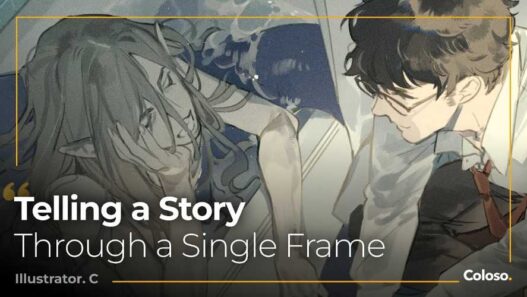
Coloso – Motion Design – Pre-production Planning and Creating 2D Artwork Free Download
Coloso’s Motion Design Pre-production: Concept Development and Creating 2D Artwork is an advanced motion-design course taught by Art Director Haewon Shin. Unlike software-focused courses that concentrate on After Effects, Cinema 4D, Blender, or animation techniques, this course focuses on the part that happens before animation: developing the idea, defining the visual language, creating storyboards, designing artwork, and producing style frames.
The course currently contains 25 videos totaling 13 hours 18 minutes, is taught in Korean, and includes English and Traditional Chinese auto-translated subtitles plus class materials. Coloso currently lists it at $219.
What is the Course About?
The central idea is simple:
Good motion design does not start with animation. It starts with a good concept and good visual design.
The course follows the pre-production stage of a motion project:
Concept → Storyboard → Design → Style Frame → Animation
Haewon Shin specifically focuses on concept development, 2D illustration, design, and art direction rather than teaching a particular software package.
Concept Development
The course teaches methods for turning a vague idea into a usable motion-design concept.
Topics include:
- Concept development
- Idea exploration
- Metaphors
- Visual motifs
- Visual identity
- Visual language
- Storytelling
- Reference analysis
- Concept proposals
One particularly useful aspect is the emphasis on expanding and narrowing ideas rather than simply waiting for inspiration.
Storyboarding
The course then moves from concept to visual planning.
You learn how to:
- Structure a storyboard
- Select important shots
- Communicate movement visually
- Translate a concept into scenes
- Present an idea to clients
- Build a storyboard from an existing concept
The course includes a practical storyboard exercise rather than treating storyboarding purely as theory.
Client Communication
This is an area many motion-design tutorials completely ignore.
Haewon Shin shows the actual concept proposal process used when communicating ideas to clients.
The course covers:
- Presenting concepts
- Writing proposals
- Explaining visual decisions
- Using references properly
- Communicating design intent
- Turning an idea into something a client can understand
That makes this more relevant to professional freelance and studio work than a typical “learn motion graphics” course.
2D Artwork Fundamentals
The second major part of the course focuses on creating the artwork that eventually becomes the basis for animation.
Topics include:
- Light
- Shadows
- Space
- Perspective
- Point of view
- Tone
- Colour
- Layout
- Contrast
- Rhythm
- Style
- Abstract design
The course also covers frequently used Photoshop techniques for creating motion-design artwork.
Realistic and Stylized Artwork
There are separate exercises for both realistic and stylized artwork.
Realistic Still Life
You learn how to construct artwork using:
- Light
- Space
- Perspective
- Shading
- Shadows
- Tone
The goal isn’t simply to teach drawing. It is to develop an understanding of how visual information is constructed so it can later be translated into motion design.
Stylized Still Life
The course then moves toward abstraction and stylization.
You learn how to take an abstract concept and turn it into an actual artwork.
That is particularly relevant to motion designers because the objective isn’t necessarily photorealism. It is creating a deliberate visual language.
Style Frames
Style frames are one of the most important deliverables in professional motion-design pre-production.
The course teaches how to develop a finished style frame from the earlier:
- Concept
- Storyboard
- Artwork
- Colour decisions
- Layout
- Style exploration
There are six practical exercises throughout the course, culminating in a style-frame project.
Overseas Studio Case Studies
Another strong component is the analysis of work produced with international motion-design studios.
Haewon Shin has worked with or collaborated with studios including:
- Ordinary Folk
- The Furrow
- Art&Graft
- Hornet
- Coat of Arms
- Eido
- IV Studio
- Mighty Nice
- Vucko
His client/project experience includes companies such as Google, Hyundai, Nike, Samsung, SAP, TED, and Webflow.
This gives the course a more professional art-direction perspective rather than being purely an educational drawing course.
Curriculum
The major curriculum structure is:
Section 01: Prologue
- Introduction to Haewon Shin
- Growth as a designer
- Course overview
Section 02: Concept Development
- Motion-design workflow
- Real-world workflow case study
- Concept development
- Idea exploration
- Metaphor
- Visual motif
- Visual identity
- Visual language
- Storytelling
- Storyboarding
- Client communication
- Concept proposal
- Reference usage
Section 03: Artwork
- Light and space
- Perspective
- Photoshop techniques
- Realistic still life
- Colour
- Layout
- Contrast
- Rhythm
- Abstract design
- Stylized still life
- Style analysis
- Style-frame production
The curriculum contains 21 numbered lessons across these sections, with practical exercises integrated throughout.
Who Is This Course For?
Beginner Motion Designers
If you already understand basic motion production but your work feels visually weak, this course addresses the part you’re probably missing: design thinking.
Intermediate Motion Designers
This is arguably the course’s sweet spot. If you already know After Effects, Cinema 4D, Blender, etc., but struggle to come up with strong concepts and visual directions, the material becomes much more valuable.
Freelancers
The client communication and concept-proposal sections are particularly relevant if you’re trying to move from simply executing client instructions toward leading the creative direction.
Art Directors
The course is directly relevant to art direction because it focuses on concept, visual language, design decisions, and communicating those decisions.
What You Are NOT Learning
This is important.
This isn’t primarily a:
- Cinema 4D course
- Blender course
- After Effects course
- Houdini course
- Character-animation course
- VFX course
- Rendering course
You are learning how to think and design before opening the animation software.
That distinction makes the course complementary to technical courses rather than a replacement for them.
Software
The course uses Adobe Photoshop for some of its artwork exercises.
The emphasis, however, is on the underlying design principles rather than becoming proficient in Photoshop itself.
Final Thoughts
This is actually a very different kind of course from most of the Coloso motion-design courses you’ve listed.
Most motion-design education focuses heavily on the execution stage: modeling, animation, rendering, compositing, Houdini effects, Unreal, etc.
This one attacks the bottleneck before all of that.
If you already have a large technical toolkit but your projects sometimes lack a strong concept, visual identity, composition, or coherent art direction, this course is potentially more valuable than learning yet another software package.
Haewon Shin’s experience is also relevant here. He has worked as a generalist but now specializes in concept, design, illustration, and art direction, and the course is deliberately built around that specialization.
Bottom line: this is a design-thinking and pre-production course for motion designers, not another software tutorial.
- Coloso Motion Design Pre-production
- Haewon Shin Motion Design
- Coloso Motion Design Course
- Motion Design Concept Development
- Motion Graphics Pre-production
- Motion Design Storyboarding
- Motion Design Style Frames
- 2D Artwork for Motion Design
- Motion Graphics Art Direction
- Motion Design Visual Language
- Motion Design Concept Art
- Motion Graphics Storyboard
- Motion Design Client Presentation
- Motion Design Art Direction
- Coloso 2D Motion Design
Coloso – Motion Design – Pre-production Planning and Creating 2D Artwork Free Download
https://zeroupload.com/a7fed12c894776d14cdbc6ca5ef13154
https://filekeeper.net/qbwsajlzo04b/Coloso_MotionDesign2DAw_DownloadPirate.com.rar
https://pixeldrain.com/u/45fg1iz7
https://buzzheavier.com/esf0h51lqnwe
Those who sell pirated content are losers.
If you're paying for pirated content, you're the biggest loser.
Please read the FAQ if you need basic help.
Use VPN &
FDM if you have download problems.