DxO Nik Collection 9.1 Full Version Free Download
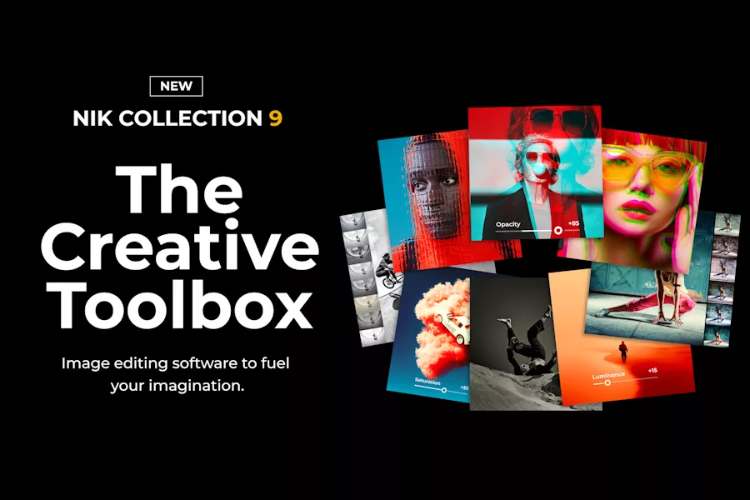
DxO Nik Collection 9.1 is a professional photo-editing suite built around seven dedicated plugins for creative color grading, film emulation, black-and-white processing, HDR, sharpening, noise reduction and tonal adjustments. Version 9 was a major overhaul for the collection, introducing AI-powered masking, Depth Masks, a new Color Grading tool and several new creative effects.
DxO Nik Collection 9 official page
The suite is particularly well known for its U Point local-adjustment technology, which lets you target areas of an image without manually drawing complicated masks. Nik Collection 9 expands this with AI Masks and Depth Masks, making selective adjustments substantially faster.
What is Nik Collection?
Nik Collection is not a single image editor. It is a collection of specialized photography tools that can be used independently or integrated into applications such as Adobe Photoshop, Photoshop Elements, Lightroom Classic, Affinity Photo and DxO PhotoLab.
The suite contains:
Nik Color Efex for creative color and image effects.
Nik Analog Efex for film, camera and vintage effects.
Nik Viveza for tonal and color corrections.
Nik Silver Efex for black-and-white photography.
Nik HDR Efex for HDR and tone mapping.
Nik Dfine for noise reduction.
Nik Sharpener for input and output sharpening.
This makes Nik Collection more of a specialized finishing toolbox than a replacement for Photoshop or Lightroom.
AI Masks
One of the biggest changes introduced with Nik Collection 9 is AI-powered masking.
Instead of manually painting a selection around a complicated subject, AI Masks can identify areas of an image and create targeted selections automatically.
This is particularly useful for things such as:
Sky
People
Vegetation
Buildings
Objects
Backgrounds
Once selected, you can apply adjustments only to that area.
For photographers who frequently make localized corrections, this can eliminate a lot of tedious masking work.
Depth Masks
Nik Collection 9 also introduces Depth Masks.
Rather than selecting an object based purely on its visual appearance, Depth Masks allow adjustments to be targeted according to the object’s distance from the camera.
That makes them particularly interesting for landscape and architectural photography.
You can, for example, adjust contrast or color in the foreground while leaving distant elements relatively untouched.
U Point Technology
U Point remains one of the defining features of Nik Collection.
You place control points on an area of the image and adjust parameters such as brightness, contrast, saturation or structure. The system analyses the surrounding pixels and applies the adjustment selectively.
This is one of the reasons Nik has remained popular despite the enormous number of competing Photoshop plugins.
You don’t necessarily need to construct a detailed mask manually.
Nik Color Efex
Color Efex is probably the centerpiece of the collection for many users.
It contains a large collection of creative filters and image-processing tools, allowing you to build complex looks from individual effects and save combinations as recipes.
Version 9 introduces a completely redesigned Color Grading tool.
Instead of juggling several separate controls, the new system uses a more direct color-grading interface with synchronized color control, making it easier to build cinematic color treatments.
New Color Grading
The new Color Grading system is one of the more important additions in Nik Collection 9.
It provides a single-wheel approach for controlling color relationships, allowing you to create and save cinematic looks without constructing complicated adjustment chains.
This makes Color Efex more relevant to modern grading workflows rather than being purely a collection of photographic filters.
Chromatic Shift
Nik Collection 9 introduces Chromatic Shift, inspired by the slight colour-channel misalignment found in traditional offset printing.
You can independently shift color channels using combinations such as:
Red/Cyan
Magenta/Green
Yellow/Blue
Parameters for angle, strength and scale let you control how subtle or extreme the effect becomes.
This is useful for deliberately imperfect, graphic or retro imagery.
Glass Effect
Another new effect is Glass Effect.
It introduces glass-inspired distortion and refraction, with controls for characteristics such as scale, distortion and smoothness.
It can be used subtly to introduce optical imperfection or pushed much further for abstract transformations.
Halation
Nik Collection 9 also adds Halation, giving photographs a characteristic film-like glow around bright areas.
Combined with Analog Efex’s film-inspired tools, it makes it possible to build much more convincing analog-style treatments without stacking multiple unrelated plugins.
Nik Analog Efex
Analog Efex is dedicated to recreating the appearance of traditional cameras, films and analog photographic processes.
It includes film-inspired presets, light leaks, textures and other effects designed to introduce the imperfections associated with older photographic techniques.
This is particularly useful when a clean digital photograph looks too sterile.
Instead of simply adding grain, you can construct an entire analog character around the image.
Nik Silver Efex
Silver Efex remains one of the strongest reasons photographers buy Nik Collection.
It is specifically designed for black-and-white photography, with film simulations, tonal controls and local adjustments.
The combination of U Point, AI Masks and Depth Masks makes selective black-and-white processing much faster.
For example, you can darken a background, increase contrast on a subject and enhance cloud detail without manually painting several masks.
Nik HDR Efex
HDR Efex handles both traditional multi-exposure HDR and single-image tone mapping.
You can combine multiple exposures to recover information across highlights and shadows or apply HDR-style processing to a single image.
The plugin is deliberately flexible. You can produce natural HDR results or push the processing much further for an obviously stylized image.
It also benefits from the new AI and Depth Mask systems for localized adjustments.
Nik Dfine
Dfine is the noise-reduction component of the collection.
It analyses the image and identifies areas representative of the noise, then applies noise reduction based on that analysis. It can also use U Point technology for localized control.
It’s especially useful for high-ISO photographs where you want to reduce noise without destroying important detail.
Nik Sharpener
Nik Sharpener is split into two stages:
Nik Pre-Sharpener
and
Nik Sharpener Output
The first stage is intended to extract appropriate detail from the image, while the second applies sharpening according to the intended output, such as a display or printer.
This is more sophisticated than simply adding an Unsharp Mask and calling it done.
Nik Viveza
Viveza is the more general-purpose tonal and color-adjustment tool in the suite.
It follows the classic Nik philosophy of making selective adjustments quickly through U Point controls rather than requiring complex masks.
It’s particularly useful when you want to brighten, darken, increase contrast or change color in specific regions of a photograph.
Local Adjustments
One of Nik Collection’s biggest advantages is the ability to combine AI Masks, Depth Masks and U Point adjustments.
You can therefore start with an automatically generated selection and then refine the adjustment using Nik’s traditional local-control tools.
This gives you a much faster workflow than manually creating every selection from scratch.
Copy and Paste Adjustments
Nik Collection 9 also adds the ability to copy and paste local adjustments between images.
This is particularly useful for photographers processing a series of similar photographs.
Instead of recreating the same sky, subject or foreground adjustment on every image, you can transfer the adjustment and then fine-tune it if necessary.
Mask Overlays
Mask overlays provide a clearer visual representation of where an adjustment is being applied.
This is a small workflow improvement, but it becomes important when stacking several local adjustments.
You can see exactly what you’re affecting instead of guessing from the final image.
Photoshop Integration
Nik Collection integrates particularly well with Photoshop.
The Nik Collection Panel provides access to the suite from within Photoshop, while Photoshop workflows can use Smart Objects and masks for non-destructive editing.
That makes Nik useful as a specialized finishing stage rather than forcing you to abandon your existing Photoshop workflow.
A typical setup could be:
RAW processing → Photoshop → Nik Color Efex → Nik Silver Efex / Analog Efex → Photoshop finishing
Affinity Photo Integration
Nik Collection 9 also supports Affinity Photo, including use through the Pixel mode workflow.
This is important for photographers who have moved away from Adobe’s subscription ecosystem.
Standalone Use
You don’t necessarily need Photoshop or Lightroom.
The individual Nik applications can also operate as standalone editors, allowing you to open images directly in the Nik tools.
That makes the suite more flexible than a collection of Photoshop-only plugins.
Who Is Nik Collection For?
Nik Collection is primarily aimed at photographers who want fast, high-quality creative finishing.
It’s particularly strong for:
Landscape photography
Portrait photography
Black-and-white photography
Street photography
Travel photography
Fine-art photography
Film-inspired photography
HDR photography
The suite is less relevant if you’re looking for a complete RAW developer, video color-grading system or general-purpose image editor.
Nik Collection vs Photoshop
Photoshop is vastly more capable as a general image editor.
Nik Collection’s advantage is that it gives you specialized photographic tools with much less setup.
If you want to remove an object, construct a complicated composite or manipulate individual pixels, Photoshop wins.
If you want to create a beautiful black-and-white conversion, apply a film look, selectively change a landscape’s colors or build a cinematic photographic grade, Nik can get you there considerably faster.
Nik Collection vs Lightroom
Lightroom is better suited to cataloguing, RAW development, batch processing and general photographic workflow management.
Nik is more focused on the creative finishing stage.
That’s why the two work well together rather than being direct competitors.
A common workflow is:
Lightroom → Nik Collection → Lightroom
or:
Lightroom → Photoshop → Nik Collection
Version 9.1
One important point about your listing: Nik Collection 9 launched in April 2026, and DxO’s official documentation currently identifies version 9 as the current major generation.
The DxO documentation and product pages I found do not expose a detailed standalone changelog for a separate 9.1 feature release, so I would avoid attributing specific new features exclusively to “9.1.” The features above are documented as part of Nik Collection 9.
That matters because the major improvements you’re likely interested in are the Version 9 additions: AI Masks, Depth Masks, Color Grading, Chromatic Shift, Glass Effect, Halation, mask overlays and copy/paste of local adjustments.
Compatibility
Nik Collection 9 supports Windows and macOS and integrates with Photoshop, Photoshop Elements, Lightroom Classic, Affinity Photo, Canva Affinity Pixel mode and DxO PhotoLab.
DxO currently offers a 30-day free trial with no credit card required, according to its official site.
Final Thoughts
DxO Nik Collection 9.1 is best understood as a specialized photographic finishing suite, not a Photoshop replacement.
Its biggest strength remains the combination of U Point local adjustments with a large collection of highly specialized photographic tools. Version 9 significantly modernized that workflow by adding AI Masks and Depth Masks, making selective editing much faster.
The new Color Grading, Halation, Chromatic Shift and Glass Effect features also make the collection more creatively versatile than previous generations.
For black-and-white photography, Silver Efex remains particularly strong. For creative color work, Color Efex is arguably the most versatile component. Analog Efex is excellent when you want deliberate photographic imperfection, while HDR Efex, Dfine and Sharpener handle more specialized technical tasks.
The biggest advantage is workflow speed. You can perform sophisticated localized edits without constantly constructing masks and complicated adjustment layers.
Bottom line: Nik Collection is still one of the strongest dedicated photographic plugin suites available. Version 9’s AI masking and new grading tools make it substantially more modern, while the classic Nik strengths, especially U Point, Silver Efex and Color Efex, remain the reason to use it.
DxO Nik Collection, Nik Collection 9.1, Nik Collection 9, Nik Collection review, Nik Collection AI Masks, Nik Collection Depth Masks, Nik Color Efex, Nik Silver Efex, Nik Analog Efex, Nik HDR Efex, Nik Dfine, Nik Sharpener, Nik Viveza, DxO photo editing software, Nik Collection Photoshop plugins, Nik Collection Affinity Photo, Nik Collection Lightroom, AI photo editing plugins, photo color grading software
DxO Nik Collection 9.1 Full Version Free Download
https://zeroupload.com/2600fc01c29b9356f0c0e013721e16fb
https://pixeldrain.com/u/58tEWc8N
https://filekeeper.net/wj9bnfhye4b7/NikCol9.1_DownloadPirate.com.rar