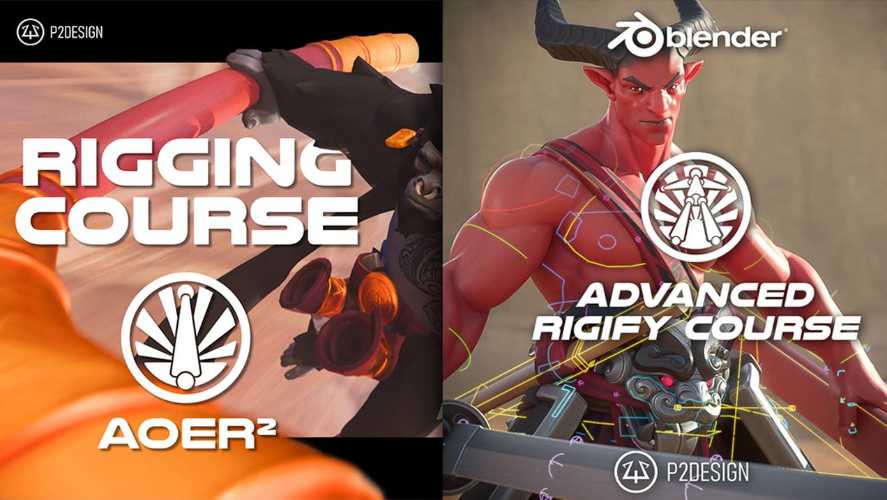
P2Design – Advanced Rigify Course Free Download
P2Design’s Advanced Rigify Course (ARC) is an advanced character rigging training programme created by Pierrick Picaut. Designed for experienced Blender users, the course explores the full capabilities of Blender’s Rigify system, from understanding its modular rig architecture to building sophisticated production-ready character rigs using custom Python scripts.
Rather than focusing exclusively on automatic rig generation, the course explains how Rigify works internally, how its individual modules can be customised and combined, and how to improve generated rigs for professional animation workflows.
With more than 125 videos and over 13 hours of lessons and exercises, the course takes students through a complete character rigging project, including full-body deformation, facial controls, muscle systems and advanced mechanisms for clothing and accessories.
Official Course Page: https://www.p2design-academy.com/p/arc-advanced-rigify-course
Who Is Pierrick Picaut?
Pierrick Picaut is a professional 3D artist, animator and educator known for his detailed Blender training courses. Through P2Design Academy, he develops educational programmes covering character rigging, animation and other aspects of 3D production.
His teaching approach focuses on explaining the underlying mechanisms behind professional workflows rather than simply demonstrating which buttons to press.
In Advanced Rigify Course, he shares techniques for extending Blender’s built-in Rigify system and adapting it to more demanding character production requirements.
What You Will Learn in Advanced Rigify Course
1. Blender Rigging Fundamentals and Workflow
The course begins with a refresher on essential Blender concepts required for advanced rigging.
This section covers:
- Blender shortcuts and Quick Favorites
- Bone and Armature data
- Selection and manipulation techniques
- Naming conventions
- Drivers and their applications
These fundamentals help establish an organised workflow before moving into more complex Rigify systems.
2. Understanding the Rigify System
Rigify is Blender’s modular automatic rigging system. It uses predefined rig components to generate character controls from a MetaRig structure.
The course explores how the system works internally and how its different components can be customised.
Topics include:
- Understanding Rigify architecture
- The MetaRig concept
- Rigify interface and controls
- Available rig types and their applications
- Structure and mechanisms of individual rig modules
- Troubleshooting common rigging problems
- Optimising generated rigs
- Using the Action Manager
This section is particularly valuable for artists who already use Rigify but want greater control over its generated results.
3. Advanced Rig Customisation
One of the central topics of the course is extending Rigify beyond its default functionality.
Students learn how to improve generated rigs through post-generation scripts and custom configuration.
The lessons cover:
- Creating custom MetaRigs
- Developing reusable rig samples
- Improving generated rig mechanisms
- Customising the generated Rig UI
- Exposing custom properties
- Creating selection sets
- Automating repetitive rigging operations
These techniques help transform a standard generated rig into a more specialised character animation system.
4. Python Scripting and Automation
Python scripting is an important part of the Advanced Rigify workflow.
The course includes custom Python scripts and scripting templates that allow users to automate modifications to generated rigs.
Instead of manually rebuilding the same controls for every character, artists can use scripts to introduce consistent improvements and reusable mechanisms.
This is especially useful for production environments where multiple characters require similar rigging features.
5. Production-Ready Full-Body Rigging
The course includes a complete character rigging project designed to demonstrate how the techniques can be combined into a more advanced production setup.
The full-body rigging section covers:
- Deformation helper bones
- Muscle controllers
- Improved joint deformation
- Character skinning workflow
The emphasis is on producing a rig that supports character animation while maintaining good deformation quality.
6. Advanced Facial Rigging
Facial rigging is another major component of the course.
Students learn how to create a detailed and flexible facial control system with minimal dependence on shape keys.
The curriculum includes:
- Custom facial rig construction
- Facial deformation controls
- Lip controllers
- Eyebrow shape controllers
- Flexible facial animation mechanisms
- Shape-key usage and remapping considerations
This approach is useful for animators who need greater control over facial performances and character expressions.
7. Cloth and Accessory Rigging
The course also explores specialised rigging mechanisms for clothing and character accessories.
Topics include:
- Advanced switchable parent systems
- Two-handed sword mechanisms
- Cloth corrective systems
- Sticky strap mechanisms
These systems are particularly useful for characters equipped with weapons, clothing accessories and other objects that need to interact with the body during animation.
The goal is to create reliable controls that make complex character interactions easier to animate.
Course Contents and Included Materials
The official course listing provides the following details:
| Course detail | Information |
|---|---|
| Course name | Advanced Rigify Course |
| Instructor | Pierrick Picaut |
| Software | Blender |
| Specialisation | Advanced character rigging |
| Video lessons | More than 125 |
| Duration | Over 13 hours |
| Documentation | PDF included |
| Scripts | Custom Python scripts |
| Project files | Blender files for dedicated lessons |
| Character asset | High-quality optimised character |
| Updates | Additional lessons and updates planned |
| Paid add-ons | Not required |
The course also provides lifetime access after a one-time purchase, including free content updates.
Software Requirements
The primary software used throughout the course is Blender.
Rigify is Blender’s built-in modular rigging system, so no separate paid rigging add-on is required.
Python scripting is also covered as part of the customisation and automation workflow. Students do not need to purchase a separate Python development application to follow the lessons.
The course includes Blender project files, custom scripts and PDF documentation to support the practical exercises.
Who Should Take This Course?
Advanced Rigify Course is designed for experienced Blender users rather than complete beginners.
It is particularly suitable for:
- Character rigging artists
- Intermediate and advanced Blender users
- Technical artists working with character pipelines
- Animators who want better control over character rigs
- Artists interested in procedural rig generation
- Blender users learning Python-based rig customisation
- Freelancers building reusable character rigging systems
A strong understanding of rigging fundamentals is required. The instructor specifically recommends completing The Art of Effective Rigging beforehand.
Conclusion
P2Design’s Advanced Rigify Course provides an in-depth exploration of Blender’s Rigify system and its potential for professional character production. Its curriculum moves beyond automatic rig generation into custom MetaRigs, Python scripting, advanced deformation, facial controls and specialised accessory mechanisms.
With more than 125 lessons, project files, documentation and reusable scripts, the course offers a structured approach to building sophisticated character rigs.
For Blender artists who already understand basic rigging and want to develop production-ready character setups, Advanced Rigify Course provides a focused path towards mastering Rigify and customising it for more demanding animation projects.
Advanced Rigify Course, P2Design Blender course, Pierrick Picaut, Blender character rigging, Rigify tutorial, Blender Python rigging, advanced facial rigging, production-ready character rigs
P2Design – Advanced Rigify Course Free Download
https://zeroupload.com/9da427784b042ab8b40abe3cc53da61a
https://pixeldrain.com/u/fsVzg1Ej
https://filekeeper.net/ncq7lsia66e2/P2D_AdvRig_DownloadPirate.com.rar