Smart Remesh v3.0.4 for Addon Plugin for Blender Full Version Free Download
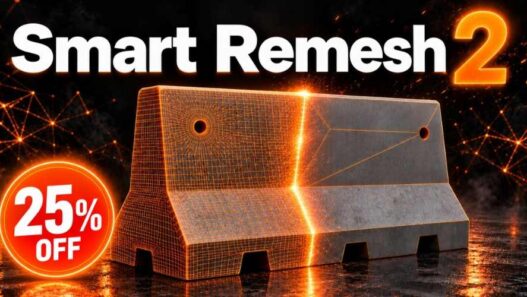
Smart Remesh v3.0.4 is a retopology and mesh optimisation add-on for Blender designed to rebuild dense 3D models into cleaner, more manageable geometry. It provides specialised workflows for both organic surfaces and hard-surface models, helping artists reduce unnecessary topology, create even quad meshes and simplify complex objects while preserving important surface details.
Developed by 3DRedbox Studio, Smart Remesh is intended for 3D artists, sculptors, game developers, technical artists and product visualisation specialists. Its tools are particularly useful for cleaning up scanned models, reducing dense sculpt meshes, optimising purchased assets and preparing hard-surface objects for further modeling or production.
The Smart Remesh product line combines organic remeshing with hard-surface retopology in a single Blender interface. The official product page currently presents Smart Remesh 3, including an updated viewport interface, improved processing for heavy models, cloth retopology and expanded texture-baking capabilities.
Visit the official listing for product information, tutorials and available versions: Smart Remesh on Superhive.
What Is Smart Remesh for Blender?
Smart Remesh is a Blender add-on that automates several common retopology and mesh-cleanup operations. Retopology involves rebuilding a model’s surface with a more suitable polygon structure, which can improve editability, reduce complexity and prepare geometry for animation or real-time rendering.
Different models require different approaches. A sculpted character or scanned object often benefits from a uniform quad grid, while a mechanical part may need flat polygon panels, preserved sharp edges and minimal changes to its original silhouette.
Smart Remesh addresses these requirements through separate Organic and Hardsurface workflows. Rather than applying the same remeshing method to every object, users can select the approach that best matches the geometry and intended use.
Key Features of Smart Remesh v3.0.4
Organic Retopology for Sculpted Models
The Organic workflow rebuilds a model’s surface as a more uniform quad mesh. Users can specify a target face count to control the density of the resulting geometry.
This approach is useful for high-resolution sculpts, scanned assets and curved organic forms. A dense source mesh can be converted into a lighter surface that is easier to edit, subdivide or prepare for further detailing.
For example, a sculpt containing millions of faces may be rebuilt into a much smaller quad mesh, depending on the selected target density and the complexity of the original surface.
The resulting topology is designed to provide a more consistent structure than an irregular or excessively dense source mesh. As with any automated retopology process, complex features may still require manual inspection and refinement.
Hardsurface Retopology
The Hardsurface workflow is designed for mechanical objects, product models, panels, props and CAD-derived geometry.
Instead of rebuilding the entire surface as a uniform quad grid, it identifies meaningful surface boundaries and simplifies unnecessary edge loops. Flat panels can be represented as larger n-gons, reducing polygon counts while retaining the original shape.
This makes the workflow particularly useful for models with flat faces, bevels, fillets and clearly defined edges. Because the method works with the source model’s existing vertices, it is designed to preserve the silhouette and avoid the surface drift that can occur with conventional remeshing methods.
Smart Cleanup and Unnecessary Loop Removal
Dense models often contain edge loops that add complexity without contributing meaningful surface detail. Smart Remesh includes cleanup tools for removing unnecessary loops and simplifying geometry.
Its cleanup workflow can dissolve redundant edges, repair problematic areas and improve the structure of the resulting mesh. Users can also work with selected edges to limit certain operations to specific regions.
Axis-based loop removal provides additional control when simplifying directional edge flows. This is useful for cleaning up hard-surface models while protecting important boundaries and features.
Cloth Retopology
The Smart Remesh 3 product line introduces a dedicated workflow for garment and cloth geometry. It can remesh individual UV islands separately so that garment panels can be processed independently.
Additional tools help align panel borders, weld adjoining vertices, close tears and smooth the resulting surface with a Relax brush.
This approach is useful for clothing assets created through simulation, scanning or other workflows where garment panels may contain irregular topology. Processing individual panels can help maintain the intended structure while making the resulting mesh easier to work with.
UV and Texture Preservation
Retopology can disrupt UV layouts and texture assignments, creating additional work for artists who need to preserve an existing asset’s appearance.
Smart Remesh 3 includes workflows for transferring UVs and baking surface details onto the retopologised result. The product listing describes baking support for physically based rendering channels and normal maps, with options for different texture resolutions and UDIM-aware workflows.
These features can help maintain the visual appearance of a model after its geometry has been rebuilt. Artists can retain useful texture information while working with a lighter or more structured mesh.
The exact results depend on the source asset, UV layout and selected baking settings, so it is important to inspect the baked output before using it in a production pipeline.
Faster Processing for Dense Meshes
The Smart Remesh 3 release introduces performance improvements for processing and transferring data from high-density models. The updated interface also displays live progress during operations, helping users understand when a job is running.
The workflow is designed to keep Blender responsive, allow an operation to be cancelled with Escape and provide a way to return to the original mesh.
These controls are valuable when working with scanned assets or sculpts containing millions of faces, where retopology operations can otherwise be time-consuming.
Subdivision Cage Builder
The product’s Smart Remesh 3 feature set includes a Subdivision Cage Builder for creating a lighter all-quad cage over a model. The workflow can crease hard edges and add a Subdivision Surface modifier.
This is useful when preparing a model for subdivision-based modeling or when a smoother, more structured surface is required. The resulting cage provides a starting point for further refinement rather than requiring artists to construct the entire topology manually.
How to Use Smart Remesh in Blender
The general workflow depends on whether the model is organic or hard-surface.
- Select the model: Choose the mesh that needs retopology or cleanup.
- Open Smart Remesh: Access the add-on’s panel in the Blender viewport.
- Choose a workflow: Use Organic for sculpted, curved or scanned models, or Hardsurface for mechanical objects and flat-panelled props.
- Adjust the settings: Select a suitable face count or retopology preset and configure the available options.
- Run the operation: Start remeshing and monitor the progress indicator.
- Inspect the result: Check topology, silhouette, shading, UVs and material assignments.
- Refine and bake: Use the available cleanup, texture-transfer and baking tools as required.
It is sensible to retain a backup of the source asset until the resulting topology and textures have been checked.
Compatibility and Installation
Smart Remesh is distributed through Superhive, formerly known as Blender Market. The current product listing identifies Blender 4.2 and later within its stated compatibility range, with support for Windows, macOS and Linux.
For Blender 4.2 and newer, compatible extensions can be installed through Edit → Preferences → Get Extensions → Install from Disk, depending on the package provided. Older Blender releases may require a legacy add-on installation method if the seller includes one.
Because the product page now presents the Smart Remesh 3 feature set, check the official listing and your purchased download for the exact version number, installation package and compatibility details before updating an existing project.
Who Can Benefit from Smart Remesh?
Smart Remesh is suitable for sculptors, hard-surface modelers, game artists, technical artists and 3D generalists who need to improve mesh structure without performing every retopology operation manually.
Organic artists can use it to rebuild dense sculpts into more uniform quad meshes. Hard-surface artists can reduce unnecessary loops while maintaining important edges. Game developers can prepare lighter assets, while artists working with scans or purchased models can use the cleanup tools to improve geometry for further editing.
Its UV-transfer and baking capabilities also make it relevant to workflows where preserving the original appearance is important.
Conclusion
Smart Remesh v3.0.4 is presented here as a Blender retopology and mesh-cleanup add-on for simplifying organic and hard-surface models. Its core workflow combines automated quad remeshing, hard-surface topology reduction, loop cleanup and tools for preserving texture information.
The Smart Remesh 3 product line expands these capabilities with cloth-specific retopology, faster processing, a redesigned viewport interface and additional baking tools. For artists working with dense sculpts, scanned geometry, mechanical models or production assets, it offers a collection of tools for making meshes easier to manage and prepare for subsequent stages of 3D production.
Smart Remesh Blender add-on, Blender retopology plugin, organic remeshing Blender, hard-surface retopology, Blender mesh optimisation, quad remesher, cloth retopology, UV preservation, 3DRedbox Studio
Smart Remesh v3.0.4 for Addon Plugin for Blender Full Version Free Download
https://zeroupload.com/567d3847772e4c91247862e3a8f43e86
https://pixeldrain.com/u/QyLYUzAF
https://buzzheavier.com/9z1nv4fujicp
https://filekeeper.net/aa7vmwejf7j1/Smartremesh3.0.4_DownloadPirate.com.zip