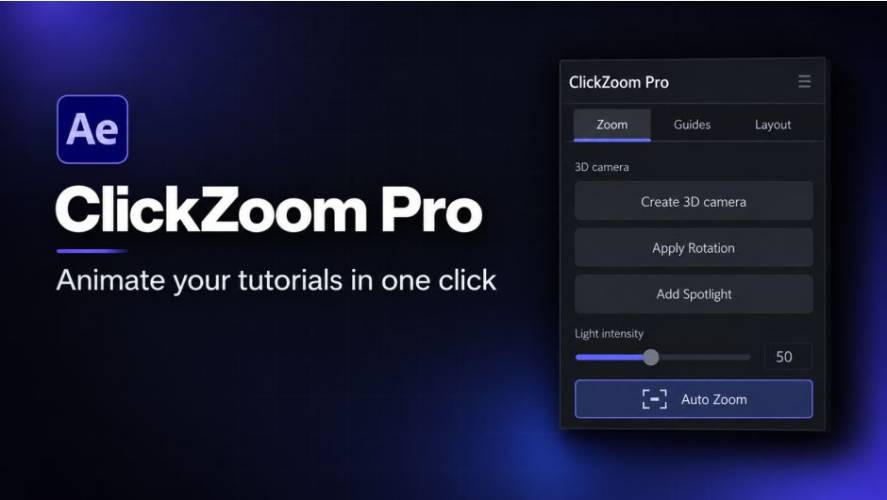
AEScripts ClickZoom Pro v5.3.0 Script for After Effects Windows Macintosh Full Version Free Download
AEScripts ClickZoom Pro v5.3.0 is an animation extension for Adobe After Effects designed to simplify cinematic zooms, camera movements and cursor animations for screen recordings and tutorial videos. Developed by Edgard St Felix, the tool helps creators highlight important interface elements, guide viewers through software demonstrations and transform static screen recordings into more engaging visual presentations.
Instead of manually creating every zoom, pan and transition with keyframes, ClickZoom Pro provides a click-based workflow that automates much of the animation process. It also includes tools for automatic zooming, talking-head footage, cursor effects, 3D camera movement and presentation layouts.
The extension is particularly useful for software tutorials, SaaS product demonstrations, educational videos, online courses and promotional content that requires viewers to follow specific actions on screen.
The official product page is available at AEScripts ClickZoom Pro.
What Is ClickZoom Pro?
ClickZoom Pro is an After Effects extension that automates camera-style movements and visual emphasis within existing footage. It is designed to make zooming, panning and highlighting more accessible without requiring users to construct every animation manually.
The extension works inside After Effects and generates editable animation data, allowing creators to refine timing, movement and framing after the initial setup.
For screen recordings, this means a creator can direct attention to a particular button, menu, panel or other interface element. For talking-head videos, the tool provides a separate workflow for introducing subtle zooms that help maintain visual interest.
Key Features of ClickZoom Pro v5.3.0
Click-Based Zoom and Pan Animation
ClickZoom Pro allows users to click the desired focus point in a composition preview and generate a corresponding zoom or pan animation.
Creators can adjust the zoom percentage, animation duration and easing behaviour to control how quickly the view moves toward the selected area. This makes it possible to produce everything from quick interface close-ups to slower, cinematic movements.
The click-based workflow is useful when demonstrating software interfaces, presenting product features or directing attention to details that might otherwise be difficult to see in a full-screen recording.
Automatic Zoom for Screen Recordings
The Auto Zoom feature analyses screen recordings to identify cursor movement and click activity. It can use this information to create a sequence of zooms and pans that follows the user’s actions.
Instead of manually adding a camera move for every interaction, creators can process the recording and use the generated animation as a starting point. The tool can also create movements back to a wider view when attention needs to shift to another part of the screen.
Auto Zoom is intended primarily for recordings in which the mouse cursor is visible. Results depend on the clarity of the recording and the visibility of cursor activity.
Face Cam Zoom
ClickZoom Pro includes a workflow for talking-head footage. Its Face Cam functionality creates gradual punch-in movements anchored around the face, helping introduce visual variation during presentations and commentary.
This can be useful for online courses, product reviews, video essays, educational content and other formats that combine a presenter with screen recordings or supporting visuals.
The automatic workflow is designed to reduce the need to create repeated manual zooms around a speaker’s face.
Cursor Animation and Click Effects
The extension includes tools for animating cursor movement and adding visual effects to mouse interactions. These can include cursor styles, click animations, highlights and ripple effects, depending on the selected controls.
Cursor animation is especially useful for instructional videos because it makes the relationship between an on-screen action and the resulting interface response easier to follow.
Users can combine cursor movement with zooms and pans to produce a more coordinated presentation of the demonstrated workflow.
3D Camera Depth and Cinematic Movement
ClickZoom Pro provides tools for creating 3D camera effects and depth-based movement. These features can introduce parallax and a sense of dimensionality into footage or presentation layouts.
This can be useful when a project requires more than a conventional two-dimensional zoom. By combining camera movement with controlled depth and other visual effects, creators can produce a more cinematic presentation style.
Demo Frame and Premium Layouts
The extension includes presentation tools for placing screen recordings within designed layouts. These can incorporate framed windows, backgrounds, avatar bubbles, prompt and result cards, slide transitions and match cuts.
These features are useful for software demonstrations, app walkthroughs, product explainers and branded tutorials where the screen recording needs to sit within a consistent visual design.
Click sounds and animated cursor elements can also contribute to the presentation, helping creators develop a more polished tutorial format.
Editable Keyframes and Animation Controls
ClickZoom Pro generates editable keyframes and effects rather than locking the entire animation into a single flattened result. This allows users to adjust the timing, easing, framing and other animation properties within After Effects.
Creators can refine the generated movements to match narration, music, transitions or the pace of the demonstration. This is important when the automatic result needs further adjustment to suit a particular edit.
How to Use ClickZoom Pro in After Effects
A typical workflow involves the following steps:
- Import your footage: Add a screen recording or talking-head video to an After Effects composition.
- Open the extension: Launch ClickZoom Pro from the After Effects Extensions menu.
- Choose a workflow: Use Click Zoom for manual focus points or Auto Zoom to analyse a suitable screen recording.
- Configure the movement: Adjust zoom levels, animation timing, easing and cursor effects.
- Review the sequence: Preview the result and refine the generated keyframes to match the intended pacing.
- Add presentation elements: Apply a frame, background, avatar bubble or other layout components when needed.
- Finalise the composition: Integrate the animation with narration, captions, music and other editing elements.
For recordings with hidden or heavily stylised cursors, manual zoom placement may be more suitable than automatic cursor analysis.
Compatibility and Installation
ClickZoom Pro v5.3.0 is listed for Adobe After Effects 2022 and later, with support for Windows and macOS.
- Software: Adobe After Effects
- Version: 5.3.0
- Developer: Edgard St Felix
- Operating systems: Windows and macOS
- Installation format: ZXP extension
- Installer: ZXP Installer
After obtaining the extension, follow the installation instructions provided by AEScripts. Restart After Effects if required, then open ClickZoom Pro from the Extensions menu and complete any licence activation steps.
Check the official product listing for the latest compatibility information, installation instructions, licensing conditions and update availability.
Who Can Benefit from ClickZoom Pro?
ClickZoom Pro is designed for tutorial creators, educators, video editors, software companies, product marketers and content creators who regularly work with screen recordings.
It is particularly useful for software walkthroughs, SaaS demonstrations, online courses, app tutorials and product presentations. The combination of automatic zooming, cursor animation, talking-head effects and presentation layouts can reduce repetitive animation work while providing greater control over how information is presented.
Conclusion
AEScripts ClickZoom Pro v5.3.0 provides an integrated workflow for creating zooms, pans, cursor effects and presentation layouts in Adobe After Effects. Its click-based controls and Auto Zoom functionality help simplify the process of directing viewer attention, while editable keyframes allow creators to refine the results for their projects.
For creators producing software tutorials, screen-recorded demonstrations and educational videos, ClickZoom Pro offers a practical set of tools for turning ordinary recordings into more structured and visually engaging presentations.
ClickZoom Pro After Effects, AEScripts ClickZoom Pro, automatic zoom animation, After Effects screen recording effects, cursor animation script, tutorial video editing, Face Cam zoom, cinematic pan and zoom
AEScripts ClickZoom Pro v5.3.0 Script for After Effects Windows Macintosh Full Version Free Download
https://zeroupload.com/15c99b32b0d9cfcad296c4737d06fd6d
https://filekeeper.net/djbt7tkkrx02/ClickZoomPro5.3_DownloadPirate.com.zip
https://buzzheavier.com/zi47vbboabkz