AEScripts Glaze v1.0.6 Plugin for After Effects Full Version Free Download
Glass effects are everywhere in modern motion design, from translucent user interfaces and glossy typography to liquid-glass buttons, logos, and polished product graphics. Creating convincing glass in Adobe After Effects, however, can require a complicated combination of distortion, blur, reflections, masks, and pre-compositions. AEScripts Glaze v1.0.6 provides a more direct workflow by turning almost any layer into refractive glass while generating realistic thickness from the layer’s own alpha.
Created by nebulaf, Glaze is designed for interactive glass creation directly inside After Effects. It can work with text, shapes, logos, pre-compositions, and alpha footage, while providing controls for refraction, chromatic aberration, frost, reflection, distortion, and surface appearance.
What Is Glaze for After Effects?
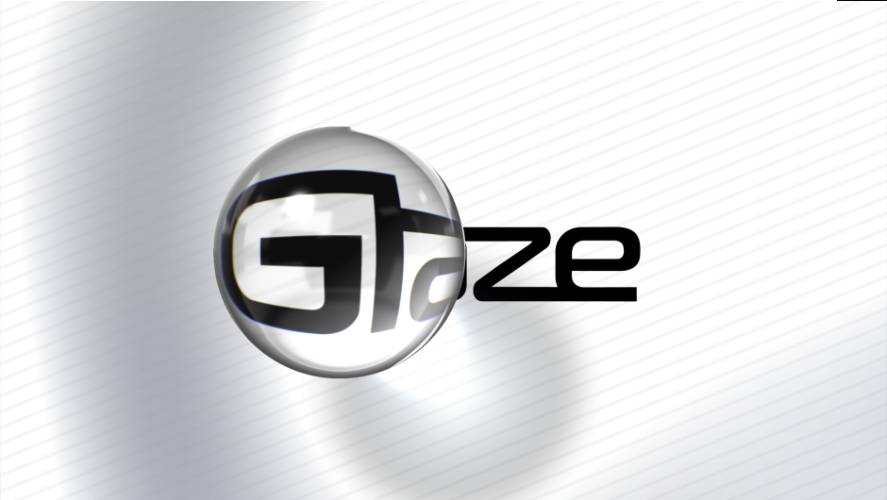
Glaze is an After Effects plugin that creates thick, refractive glass from a layer’s alpha. Instead of applying a simple flat warp to the image, it calculates the glass thickness from the shape of the source layer. This allows the edges of the object to produce more convincing optical distortion.
This workflow is particularly useful for motion designers because the original artwork remains editable. A text layer can be retyped, a logo can be modified, or a shape can be transformed without rebuilding the glass effect from scratch.
For the complete product details, compatibility information, and latest release notes, visit the official AEScripts Glaze page.
Turn Almost Any Layer into Glass
One of Glaze’s strongest features is its ability to use the alpha channel of almost any layer as the foundation for the glass geometry. Outlined text, thin strokes, logos with transparent areas, pre-compositions, and alpha-based footage can all be used.
The result can remain directly connected to the source artwork. Moving, scaling, rotating, or editing the layer causes the glass treatment to follow it, making Glaze well suited to animated titles, logos, interface elements, and graphic compositions.
Five Ways to Bend Light
Glaze includes five distortion modes designed for different types of optical behaviour: Solid, Liquid, Chaos, Crystal, and Real Glass.
Solid produces a clean everyday-glass appearance, while Liquid creates a softer water-drop or lens-like distortion. Chaos introduces more abstract swirling refraction, Crystal produces faceted effects, and Real Glass is designed around thicker optics that wrap around the edges.
These different modes make the plugin useful for both realistic materials and highly stylised motion graphics.
Refraction, Frost and Chromatic Aberration
The plugin provides detailed controls for the properties that make glass visually convincing. Refraction controls how the background bends through the material, while chromatic aberration can introduce colour separation around distorted areas.
Artists can also control frosted roughness, glass blur, reflections, and other surface properties. These settings allow the same source layer to produce anything from polished transparent glass to soft frosted material.
The Refraction Sharpen feature helps keep the background clearer through thicker glass, while built-in anti-aliasing provides cleaner edges at higher-quality settings.
Glass Adjustment for Entire Layer Stacks
Glaze also includes Glaze Adjustment, allowing a single glass surface to refract the layers beneath it. This can be useful for creating glass panels, translucent interface elements, frosted overlays, and other effects involving multiple layers.
Version 1.0.6 expands this workflow with two operating modes. Single-Layer Mode allows the glass effect itself to function as the glass layer and supports fills, strokes, text animators, and modifiers such as Trim Paths. Two-Layer Mode retains the original setup where effects applied to the source layer can also influence the shape of the glass.
Users can switch between these modes with the Split into two layers and Merge into one layer functions.
Chrome and Reflective Materials
Glaze is not limited to transparent materials. By reducing refraction and increasing reflection, the plugin can create polished chrome and metallic-looking surfaces.
Its built-in studio environment provides lighting and reflections without requiring a separate HDRI setup. Studio Light can reshape highlights, while Reflection Blur can move the appearance from a sharp mirror-like surface toward a softer satin finish.
This makes Glaze useful for logo treatments, title design, product graphics, and other projects where reflective materials are needed.
Fine Detail for Thin Shapes
Recent versions of Glaze introduced dedicated controls for thin sections of a layer. Fine Detail Amount, Fine Detail Size, and Fine Detail Roundness give artists additional control over how narrow features refract light.
These controls are particularly useful for typography, line-based logos, and other artwork containing thin strokes. Fine Detail Roundness can even make narrow elements swell into a more rounded, droplet-like appearance.
Real-Time GPU Rendering
Glaze is designed to render interactively while artists work. Changes to thickness, refraction, roughness, reflections, and other properties can be previewed without relying on repeated pre-rendering.
GPU acceleration is available through CUDA and DirectX on Windows and Metal on macOS, with CPU fallback. DirectX support also allows compatible AMD and Intel GPUs on Windows to use GPU acceleration without requiring an NVIDIA graphics card.
Glaze v1.0.6
Glaze v1.0.6 was released on September 7, 2026. Its main addition is the expanded Glaze Adjustment workflow, introducing Single-Layer Mode alongside the existing Two-Layer Mode. The release allows artists to switch between the two approaches while supporting more types of animated and procedural layer content.
Earlier releases added Edge Refraction, Outline Edge, Edge Roundness, Refraction Sharpen, anti-aliasing improvements, and GPU rendering updates.
Compatibility
AEScripts currently lists Glaze for After Effects 2024, 2025, and 2026. The plugin is listed at $45 and a free trial is available.
Who Should Use Glaze?
Glaze is aimed at motion designers, title designers, UI artists, graphic designers, and VFX artists who need sophisticated glass effects without building a separate 3D workflow.
It is especially useful for liquid-glass interfaces, animated typography, logo reveals, frosted panels, social-media graphics, lower thirds, crystal effects, and polished chrome treatments.
Final Thoughts
AEScripts Glaze v1.0.6 provides a specialised workflow for creating realistic and stylised glass directly inside After Effects. Its ability to derive thickness from layer alpha gives artists considerably more control than a conventional flat distortion effect, while the Solid, Liquid, Chaos, Crystal, and Real Glass modes cover a broad range of visual styles.
The new Single-Layer Mode also makes Glaze Adjustment more flexible for animated design work. Combined with real-time GPU rendering, reflections, frost, chromatic aberration, fine-detail controls, and chrome capabilities, Glaze is a powerful option for creating modern glass and reflective visuals without leaving After Effects.
AEScripts Glaze, Glaze v1.0.6, Glaze plugin After Effects, After Effects glass plugin, glass effect After Effects, refractive glass After Effects, liquid glass effect, frosted glass After Effects, glass text effect, chrome effect After Effects
AEScripts Glaze v1.0.6 Plugin for After Effects Full Version Free Download
https://zeroupload.com/d979cbfa68eca940dd70d77fa3ea32ef
https://buzzheavier.com/ts6kvfbenjmx
https://pixeldrain.com/u/8f12a7BX
https://filekeeper.net/ncond28p9tat/Glaze1.0.6_DownloadPirate.com.zip