AEScripts VHSCraft v1.0 Plugin for After Effects Windows Macintosh Free Download
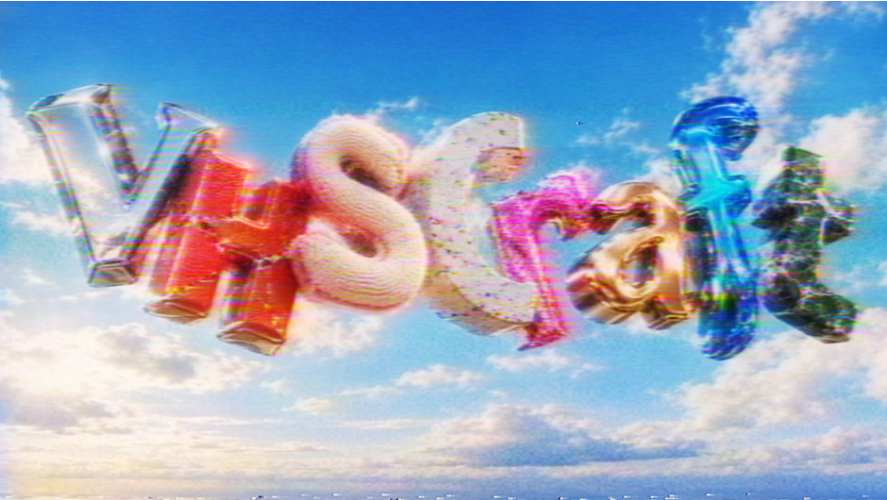
The visual characteristics of VHS footage, including analogue noise, colour distortion, tracking errors, and unstable images, remain popular in music videos, retro-inspired edits, motion graphics, and cinematic productions. AEScripts VHSCraft v1.0 is a video effects plugin designed to recreate the appearance of vintage videotapes directly in Adobe After Effects and Adobe Premiere Pro.
The plugin combines ready-made VHS presets with adjustable controls for noise, tape jitter, distortion, colour bleeding, glow, and tracking artefacts. It provides two main visual styles, Classic VHS and Cinematic VHS, allowing editors to create different interpretations of analogue video without building each effect manually.
What Is VHSCraft?
VHSCraft is an effects plugin for creating custom VHS-inspired video treatments. It is designed for editors and motion designers who want to give modern digital footage the appearance of older analogue recordings.
Rather than applying a single fixed retro filter, VHSCraft provides multiple parameters for adjusting the image. Users can begin with a preset and refine the appearance by changing the intensity of different distortions and colour effects.
The plugin is suitable for music videos, promotional content, retro-themed edits, experimental visuals, title sequences, and other projects that use vintage video aesthetics. Its controls allow the effect to range from relatively clean analogue styling to more visibly damaged tape imagery.
Classic VHS and Cinematic VHS Styles
VHSCraft includes two primary styles for creating different types of VHS imagery.
Classic VHS
The Classic VHS style focuses on the familiar appearance of consumer videotape recordings. It can be used to introduce analogue noise, unstable image details, colour irregularities, and tape-related distortion.
This style is suited to footage intended to resemble home videos, older camcorder recordings, and vintage television imagery.
Cinematic VHS
The Cinematic VHS style provides another approach to the retro-video aesthetic. It can be used when the intention is to incorporate VHS-inspired characteristics into a more controlled visual composition, such as a music video, cinematic montage, or stylized promotional sequence.
The two styles provide starting points for different visual treatments, with additional adjustments available through the plugin’s effect controls.
Eight Built-In Presets
VHSCraft includes eight presets that provide different starting points for creating VHS effects. The available presets are:
- Standard: A general VHS-style treatment.
- Clean: A more restrained analogue appearance.
- Sharp: A sharper interpretation of the VHS aesthetic.
- Purple Tint: Introduces a purple colour treatment.
- Green Tint: Adds a green-toned appearance.
- Damaged Tape: Emphasises the visual characteristics of degraded recordings.
- Camcorder: Provides a camcorder-inspired video treatment.
- Black & White: Creates a monochrome VHS-style appearance.
These presets allow users to establish a visual direction quickly before adjusting individual parameters to suit their footage.
Customisable Tape Distortion and Noise
A major feature of VHSCraft is its collection of controls for modifying the appearance of the image. The plugin allows users to adjust noise, tape jitter, distortion, colour bleeding, glow, and tracking stripes.
Noise controls help introduce the grainy texture associated with analogue recordings. Tape jitter and distortion can make the image appear less stable, while colour bleeding adds a characteristic separation or spreading of colours around image details.
Tracking stripes introduce horizontal interference associated with tape playback problems. These elements can be combined to create different levels of visual degradation, depending on the intended style.
The availability of individual controls also means users can adjust specific aspects of the effect instead of relying entirely on a preset.
Vintage Tape and Soft Film Colour Treatments
VHSCraft also includes Vintage Tape and Soft Film colour-processing options. These features extend the plugin beyond visible tape damage by providing additional ways to shape the overall appearance of footage.
Vintage Tape can contribute to a retro-inspired colour treatment, while Soft Film provides another option for creating a softer visual character. These controls can be incorporated into broader colour-grading workflows alongside the plugin’s distortion and noise settings.
They are useful when a project requires a particular atmosphere without relying exclusively on heavy tracking errors or pronounced image instability.
GPU Acceleration
VHSCraft supports GPU acceleration, allowing supported processing operations to take advantage of the graphics processor. This is relevant when working with multiple effects or making repeated adjustments while developing a particular VHS look.
Actual performance depends on the computer’s hardware, the footage being processed, and the complexity of the effect settings.
After Effects and Premiere Pro Compatibility
VHSCraft is designed for Adobe After Effects and Adobe Premiere Pro, allowing it to be used in both compositing and conventional video-editing workflows. The available compatibility listing includes After Effects 2024, 2025, 2026, and 2027, as well as Premiere Pro 2024 through 2027.
In After Effects, VHS treatments can be incorporated into compositions alongside animated text, graphics, transitions, and other visual effects. In Premiere Pro, the plugin can be used to apply a VHS-inspired look directly within an editing timeline.
For product information and availability, visit the official AEScripts VHSCraft product page.
Conclusion
AEScripts VHSCraft v1.0 provides a collection of tools for creating custom VHS-inspired effects in After Effects and Premiere Pro. With Classic VHS and Cinematic VHS styles, eight presets, adjustable noise and tape distortion, colour bleeding, glow, tracking stripes, and Vintage Tape and Soft Film colour treatments, the plugin offers multiple ways to create retro video aesthetics.
Its GPU acceleration and compatibility with recent versions of Adobe’s video applications make it suitable for music videos, retro-themed content, experimental motion graphics, cinematic edits, and other projects requiring an analogue videotape appearance.
AEScripts VHSCraft, VHSCraft plugin, VHSCraft After Effects, VHS effects plugin, VHS plugin Premiere Pro, retro video effects, VHS distortion effects, analogue video effects, VHS presets, vintage video plugin
AEScripts VHSCraft v1.0 Plugin for After Effects Windows Macintosh Free Download
https://zeroupload.com/8c7c24bdb564760b06c9f986ab04d5b5
https://buzzheavier.com/quy3m6hxudw2
https://filekeeper.net/go82fl53sadm/VHSCraft1.0_DownloadPirate.com.rar
https://pixeldrain.com/u/fkhFdinA
Those who sell pirated content are losers.
If you're paying for pirated content, you're the biggest loser.
Please read the FAQ if you need basic help.
Use VPN &
FDM if you have download problems.