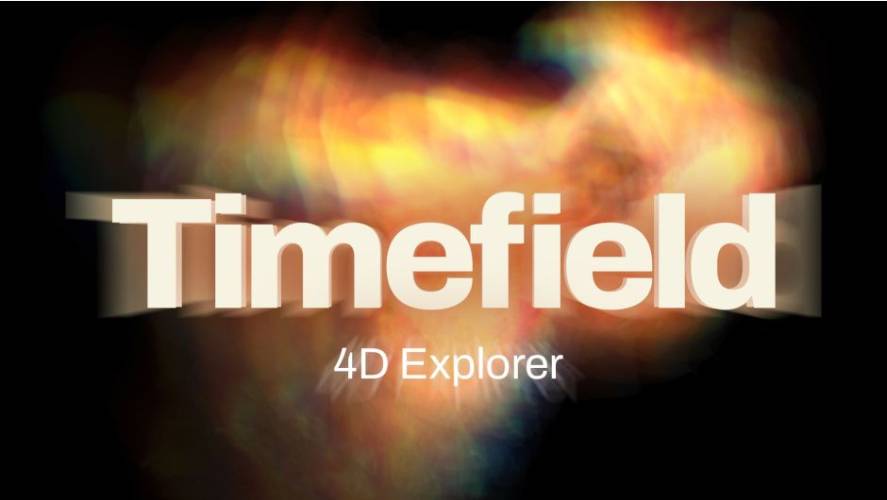
AEScripts Timefield 4D v1.0.1 Plugin for After Effects, Davinci Resolve Free Download
Time-based visual effects can transform ordinary video footage into abstract sculptures, motion trails, volumetric forms, and experimental compositions. AEScripts Timefield 4D v1.0.1 is a GPU-accelerated plugin from Pixel Sorter Studio that explores video through time by arranging frames in 3D space. Instead of treating a clip as a conventional sequence of images, Timefield 4D turns its frames into a moving 4D volume that can be shaped, sliced, bent, shaded, and viewed from different angles.
The plugin is designed for visual effects, motion graphics, experimental animation, transitions, and other workflows where the progression of time itself becomes part of the visual composition.
What Is Timefield 4D?
Timefield 4D decomposes video footage and stacks its frames in 3D space. Users can move around the resulting frame stack, spread frames apart, or slice through the volume to reveal different moments of the source footage simultaneously. As the timeline plays, new frames continue moving through the volume, keeping the structure animated over time.
This approach creates a visual representation of motion where multiple points in time can be viewed as part of a single spatial object.
The plugin also uses GPU acceleration for real-time interaction, allowing users to adjust its parameters while viewing the resulting effect interactively.
Four Ways to Visualize Time
Timefield 4D provides four primary render modes for displaying the video volume.
Solid converts the footage into a sculpted block, with slit-scan imagery appearing along its sides. Translucent Volume presents the frame structure as a glowing, smoke-like volume. Separated Slices spreads individual frames apart like cards, while Cross Section cuts through the temporal volume so that several moments from the footage can appear within a single image.
These different visualization methods allow the same source footage to produce substantially different temporal compositions.
Motion Only and Transparency Controls
Timefield 4D includes a Motion Only function that automatically identifies the static background and removes it, allowing the moving subject to remain visible within the temporal trail.
The plugin also provides controls for determining opacity from different image characteristics, including brightness, luminance, saturation, a selected key colour, or the source alpha channel. This allows parts of the temporal volume to become transparent according to the visual information in the footage.
Bend Video Through Time
The temporal stack does not have to remain straight. Timefield 4D can curve the stack into an arc or close it into a full ring, where the end of the footage meets its beginning. This creates circular temporal structures that can be used for abstract motion graphics and looping visual compositions.
This geometry control changes the spatial relationship between frames while retaining their underlying temporal order.
Glass, Frost, and Lighting Effects
Timefield 4D includes several material and shading options for transforming the frame stack into different visual surfaces. Frames can be rendered as glass panes with reflections and glowing edges, or as frosted surfaces that soften and blur the imagery.
The plugin also supports ambient occlusion and shadows, along with a white studio-floor environment where the temporal structure can cast coloured light. Shadows can additionally be rendered separately onto transparency for compositing over another background.
For more information about the plugin and its complete feature set, visit the official AEScripts Timefield 4D product page.
Point Clouds and Lidar-Style Effects
The footage can also be converted into point clouds. Timefield 4D can display the video as data points with scan lines or dust-like particles moving through the volume. The points can be coloured according to the footage or their position in time.
This provides an alternative representation of video that resembles lidar or data-scanning imagery and can be incorporated into experimental VFX and motion graphics.
Frame Interpolation and Temporal Controls
Timefield 4D includes optical-flow frame interpolation, allowing motion to flow between frames rather than simply repeating individual source frames. This can produce smoother movement within the temporal volume.
The plugin also provides controls for frames before and after the current frame, trail fading, looping footage, and current-frame positioning. These controls allow the temporal range displayed in the volume to be adjusted according to the desired effect.
Camera and Transition Controls
Timefield 4D can work with the After Effects composition camera or its own built-in rotation and position controls. In After Effects, users can also use on-screen handles to resize and stretch the volume directly within the composition.
A Snap to Front function can align the temporal stack with the original footage. The Transition Completion control can then move the volume back into the original shot and dissolve it into the source footage, providing a ready-made transition workflow.
Presets and Compatibility
Timefield 4D includes 17 presets, covering looks such as Ghost Trail, Motion Ghosts, Solid Block, Time Ring, Motion Sculpture, Slit Scan, Frame Stack, Lidar Scan, Data Cloud, Neon Dust, Hologram, Glass Block, Frosted Panes, and Studio Sculpture. All settings are keyframable, including dropdown-based parameters.
Version 1.0.1, released on October 6, 2026, fixes installation for DaVinci Resolve. The official compatibility list includes After Effects 2021-2027 and DaVinci Resolve 16-21, along with Premiere Pro, Media Encoder, and Nuke/NukeX compatibility.
Conclusion
AEScripts Timefield 4D v1.0.1 provides a GPU-accelerated approach to manipulating video through time. By arranging frames as a 4D volume, the plugin allows footage to be transformed into temporal sculptures, separated slices, rings, point clouds, glass structures, motion trails, and other experimental forms.
With Motion Only extraction, optical-flow interpolation, temporal bending, glass and frost materials, point-cloud rendering, built-in finishing effects, camera controls, transition tools, and 17 presets, Timefield 4D provides a broad set of controls for exploring time-based visual effects inside compatible post-production applications.
Timefield 4D, Timefield 4D v1.0.1, AEScripts Timefield 4D, Timefield 4D After Effects, Timefield 4D DaVinci Resolve, 4D video plugin, temporal video effects, video frame stacking, motion trail plugin, 4D VFX plugin
AEScripts Timefield 4D v1.0.1 Plugin for After Effects, Davinci Resolve Free Download
https://zeroupload.com/322d2729ae8e3fa6834efab1d8ba4e75
https://buzzheavier.com/vabrn2a2j1sk
https://pixeldrain.com/u/HjHxhK5J
https://filekeeper.net/53wy3r5b6qex/Timefield4D1.0.1_DownloadPirate.com.rar