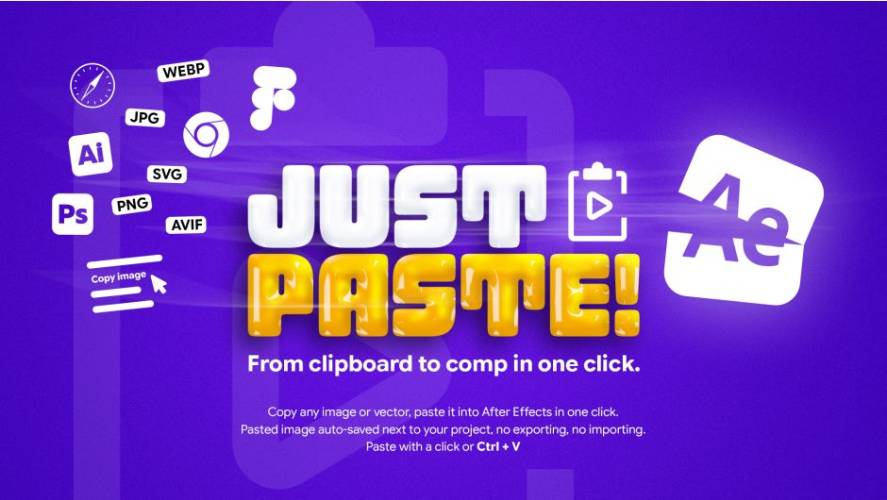
AEScripts JustPaste v2.0 Script for After Effects Full Version Free Download
Importing assets into Adobe After Effects can involve far more steps than it should. Copying something from a browser, saving it to disk, finding the file, importing it, and placing it into a composition becomes especially repetitive when working with dozens of images, videos, vectors, and design assets. AEScripts JustPaste v2.0 is built around a simple idea: turn that entire process into a direct copy-and-paste workflow.
JustPaste! is an extension for After Effects that can take copied images, files, links, vectors, and other supported assets and place them directly into an active composition. It also handles the file organisation behind the scenes, saving pasted assets alongside the project and providing options for how those assets should be imported.
What Is JustPaste for After Effects?
JustPaste! is a copy-and-paste asset management extension for Adobe After Effects. Instead of manually exporting or downloading an asset before importing it, users can copy the asset and paste it directly through the JustPaste! panel.
The extension automatically saves the asset next to the After Effects project, imports it, and places it into the active composition. This makes the workflow particularly useful for motion designers who frequently collect reference images, graphics, footage, or other assets while working.
For the complete feature set and current compatibility information, visit the official AEScripts JustPaste page.
Paste Images Directly into After Effects
JustPaste! can handle images copied from web browsers and applications such as Photoshop, Illustrator, and Figma. Depending on the source, the extension can preserve the original JPG format, save transparency as PNG, or retain vector information as SVG.
This eliminates the need to first save an image manually and then navigate through After Effects’ import dialog. A simple copy followed by Paste is enough to bring the asset into the project.
The extension also supports images copied as data URIs, Base64 data, and raw SVG code, giving it a broader range of clipboard-based workflows.
Paste and Replace Existing Layers
One of the major additions in version 2.0 is Paste and Replace. Artists can select a footage, solid, or pre-composition layer and replace its source with a copied asset while keeping the existing animation setup.
The replacement layer retains its keyframes, effects, masks, name, and timing. This is particularly useful when testing multiple versions of an image or swapping placeholder artwork with final assets.
Instead of importing a new file and manually replacing the source while trying to preserve the layer setup, the operation can be performed directly through JustPaste!.
Import SVG, PSD and Illustrator Artwork
JustPaste! provides several options for importing design files. SVG files can be converted into editable Shape Layers, while PSD and Illustrator files can be imported as compositions containing their original layers or as conventional footage.
This makes the extension useful for motion designers who frequently move artwork between Photoshop, Illustrator, Figma, and After Effects.
Keeping layered PSD and Illustrator artwork intact can also reduce preparation time when an imported design needs to be animated element by element.
Animated GIFs and WebP
The extension goes beyond static images by supporting animated GIFs and animated WebP files. Animated GIFs copied from the web can retain their full animation rather than being imported as a single still frame.
JustPaste! can also loop animated GIFs to the end of the composition or the selected layer, which makes them more convenient for motion-design workflows.
This is particularly useful when using quick references, animated interface elements, or small looping graphics during the creative process.
Paste Links Directly
Version 2.0 adds support for pasting links to supported images, videos, audio files, and PSD files. JustPaste! downloads the linked asset, shows progress for larger files, and then imports the result into After Effects.
This can save another step when the original asset is available online but has not yet been downloaded locally. Instead of copying a URL into a browser and then manually importing the resulting file, the link can become the starting point for the entire process.
Import Multiple Files and Sequences
JustPaste! can import multiple files at once when several files are copied from Finder or File Explorer. Numbered image files can also be recognised as a single image sequence rather than being imported as unrelated stills.
For example, a collection such as walk_0001.png, walk_0002.png, and subsequent frames can be pasted as one image sequence.
This is particularly helpful for animation frames, rendered passes, reference images, or larger asset batches.
Automatic Asset Organisation
Another important feature is automatic file organisation. Pasted files are saved next to the After Effects project inside a folder selected by the user.
The folder structure can include subfolders and date tokens, while filename templates can use dates, times, and counters. This provides a consistent way to keep pasted assets organised without manually sorting every file after import.
The extension also provides options for layer placement and timing, allowing new assets to be positioned above, below, or around the selected layer.
KBar Support
JustPaste! v2.0 also adds KBar support, allowing Paste and Paste and Replace commands to be launched from KBar or other script launchers.
This is useful for artists who prefer shortcut-driven workflows. The supplied scripts can be used from File > Scripts or compatible launcher tools, meaning the JustPaste! panel does not always have to be the starting point.
JustPaste v2.0
JustPaste! v2.0.0 was released on September 26, 2026. The major update introduced Paste and Replace, KBar support, link importing, Base64 and data-URI pasting, numbered image-sequence support, layered PSD and Illustrator imports, GIF looping, smarter folder structures, and several workflow improvements.
Version 2.0 also improves multi-file undo behaviour, preserves file ordering more reliably, provides clearer error messages, and improves support for non-English keyboard layouts.
Compatibility
JustPaste! supports Adobe After Effects CC 2019 and newer on Windows 10/11 and macOS. SVG importing and SVG-to-Shape-Layer conversion require After Effects 2026 or newer, because native SVG import was introduced in that release.
The product uses a Name Your Own Price model for individual users, with $5 currently shown as the suggested price.
Who Should Use JustPaste?
JustPaste! is particularly useful for motion designers, editors, VFX artists, UI animators, and After Effects users who frequently bring assets from other applications or websites into their projects.
It is especially valuable when working with mixed asset types, layered design files, image sequences, animated GIFs, online media, and projects where asset organisation needs to remain tidy.
Final Thoughts
AEScripts JustPaste v2.0 turns a surprisingly repetitive part of After Effects production into a much simpler workflow. By combining direct clipboard importing, Paste and Replace, link downloading, layered PSD and Illustrator support, SVG conversion, animated GIF handling, image sequences, batch importing, and automatic asset organisation, it reduces the number of steps between finding an asset and actually using it.
The biggest benefit is convenience without sacrificing control. Files remain organised alongside the project, existing layer animation can be preserved during replacements, and multiple types of assets can be handled through the same interface. For After Effects users who constantly move artwork and media between browsers, design applications, file managers, and compositions, JustPaste! provides a practical workflow improvement that can save time throughout everyday production.
AEScripts JustPaste, JustPaste v2.0, JustPaste script, After Effects copy paste tool, After Effects asset importer, Paste and Replace After Effects, SVG After Effects, PSD import After Effects, GIF After Effects, image sequence After Effects
AEScripts JustPaste v2.0 Script for After Effects Full Version Free Download
https://zeroupload.com/1b903ce28567b6f5edf03fbeb2f6b832
https://buzzheavier.com/p8d3f7l739w2
https://pixeldrain.com/u/1qZksZFY
https://filekeeper.net/amp5ry5bbm59/JustPaste2.0_DownloadPirate.com.zip
Those who sell pirated content are losers.
If you're paying for pirated content, you're the biggest loser.
Please read the FAQ if you need basic help.
Use VPN &
FDM if you have download problems.