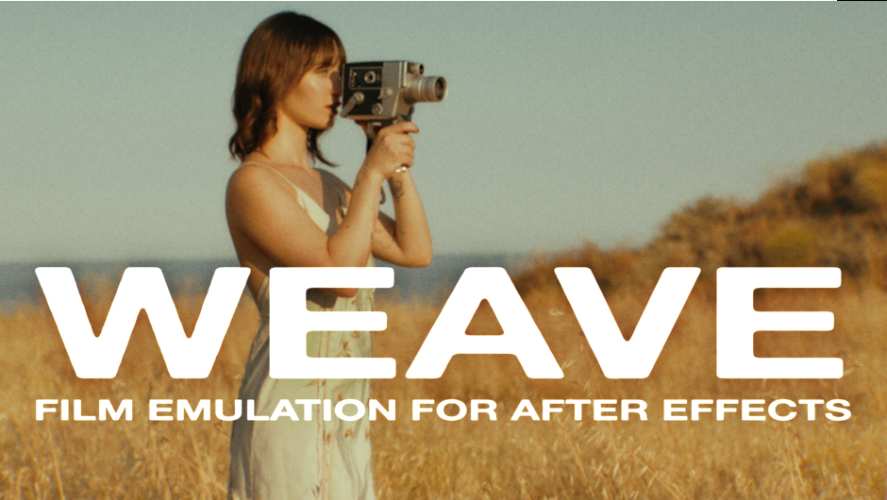
AEScripts Weave 1.3 – Film Emulation for After Effects Windows Macintosh Full Version Free Download
AEScripts Weave is a film emulation tool for Adobe After Effects that transforms digital footage into a cinematic image inspired by analogue celluloid film. Developed by New Gun, it combines film grain, halation, gate weave, flicker, dust, sparkles and optional optical effects in a single dockable panel.
Designed for filmmakers, colourists, video editors and motion designers, Weave simplifies the process of creating a cohesive film look without manually stacking and adjusting numerous effects. Users can choose between different film formats and colour profiles, then fine-tune the result using a set of interactive controls.
The plugin is suitable for cinematic grading, vintage footage treatments, wedding films, music videos, promotional content and retro-style motion graphics.
Official Product Page: https://aescripts.com/weave-film-emulation-for-after-effects/
What Is AEScripts Weave?
Weave is a film emulation panel that recreates visual characteristics associated with shooting and projecting analogue film. Rather than relying solely on colour grading, it combines colour response, grain, highlight effects, frame movement and simulated film imperfections.
The result can range from a subtle cinematic finish to a pronounced vintage aesthetic. Because the effects are grouped in one interface, users can adjust the look without managing a long stack of separate effects.
Weave also supports applying a consistent treatment across multiple clips, making it useful for projects assembled from footage recorded with different cameras or under different lighting conditions.
Key Features of AEScripts Weave
1. Three Film Formats
Weave offers three film format options to establish the character of the emulation:
- 35mm: Suitable for refined cinematic looks with relatively subtle grain.
- 16mm: Useful for a more textured, documentary-inspired appearance.
- 8mm: Ideal for nostalgic home-movie aesthetics and pronounced vintage character.
The selected format influences the overall film treatment. Users can then refine the intensity to suit the footage and creative direction.
2. Five Film-Inspired Colour Looks
The plugin includes five looks based on the colour responses of real film stocks:
- Portra 400: Balanced colour with warm skin tones and cooler shadows.
- Kodachrome 64: Rich saturation, warm highlights and vibrant colours.
- Ektachrome E100: Cooler highlights and distinctive colour separation.
- Fujifilm 400: A natural-looking colour treatment with subtle warmth.
- Vericolor III: Soft contrast and a gentle colour response.
A Look Intensity control allows users to adjust the strength of the selected profile. These presets are designed to evoke the appearance of the referenced film stocks rather than reproduce their physical chemistry exactly.
3. Authentic-Looking Film Grain
Film grain adds texture and helps reduce the overly clean appearance that can characterise digital footage.
Weave includes adjustable grain intensity, allowing users to choose between restrained texture and a more pronounced analogue look. The grain is generated procedurally, with variation between frames to avoid a completely static texture.
This makes the effect useful for adding character to digital cinematography, animation and motion graphics.
4. Realistic Halation
Halation simulates the glow that occurs when bright light scatters within the layers of photographic film. The effect is particularly noticeable around high-contrast boundaries where bright highlights meet darker areas.
Weave provides adjustable highlight threshold and intensity controls. These settings let artists determine which highlights trigger the effect and how strongly the glow appears.
Used subtly, halation can add a filmic quality to bright windows, practical lights, reflections and other luminous elements.
5. Gate Weave and Flicker
Gate weave introduces slight frame-to-frame movement inspired by the mechanical irregularities of film transport. This helps create the impression of footage passing through a physical film camera or projector.
Flicker introduces variations in brightness over time, recreating another characteristic associated with analogue film.
Both effects can be adjusted to suit the desired aesthetic, from barely noticeable imperfections to a more obvious archival-film appearance.
6. Procedural Dust and Sparkles
Weave generates dust and sparkle details procedurally, with different patterns appearing across frames.
Separate intensity and frequency controls help users determine how frequently these imperfections appear and how noticeable they become. Both effects can be reduced to zero when a cleaner result is preferred.
This provides more flexibility than applying a static dust overlay, particularly when creating moving footage that needs changing imperfections over time.
7. Bloom, Vignette and Chromatic Aberration
In addition to its core film effects, Weave offers optional finishing controls:
- Bloom: Adds a soft glow around bright areas for a nostalgic or atmospheric appearance.
- Vignette: Darkens or shapes the image edges to influence the viewer’s attention, with controls for amount, angle and highlight protection.
- Chromatic Aberration: Introduces controlled colour separation near image details to simulate lens-related imperfections.
These effects can be combined with grain, halation and film-inspired colour profiles to produce a more complete cinematic treatment.
8. Twenty-Three Interactive Controls
Weave consolidates its film emulation settings into one dockable panel with 23 interactive controls. The interface includes settings for film format, stock selection, grain, gate weave, halation, bloom, dust, sparkles, flicker, vignette and chromatic aberration.
The effects are designed to scale across a wide range of source resolutions, from HD through 8K and beyond. This allows users to work with different types of footage without manually rebuilding the effect for every resolution.
9. One-Click Application and Repeatable Results
Weave is designed to apply its film treatment with a single click. Users can then adjust the individual parameters to refine the appearance.
The consolidated workflow is useful for editors who need to process multiple clips efficiently. It also helps maintain a consistent visual identity across a sequence, particularly when combining footage from different sources.
Supported Software and Compatibility
According to the official AEScripts listing, Weave supports:
- Adobe After Effects: 2025, 2026 and 2027
- Operating systems: Windows and macOS
- Minimum After Effects version: 25.0
- Third-party dependencies: None required
The effect supports footage of different resolutions, frame rates, sizes and durations. Users should check the official product page for the latest release information and installation requirements.
The current documented version is Weave v1.3, released on 27 October 2026. This update improves interface responsiveness and adds the aescripts framework.
Who Should Use Weave?
Weave is suitable for:
- Filmmakers seeking an analogue-inspired cinematic finish
- Colourists refining the visual character of footage
- Wedding and event videographers creating nostalgic looks
- Motion designers adding film texture to graphics
- YouTubers and content creators establishing a consistent visual style
- Editors processing footage from multiple cameras
It is especially useful for creators who want grain, halation, flicker and other film characteristics in one adjustable workflow rather than assembling them individually.
Conclusion
AEScripts Weave provides an integrated film emulation workflow for Adobe After Effects. Its three film formats, five film-inspired colour looks, procedural grain, realistic halation, gate weave and optional finishing effects make it a versatile tool for cinematic grading and vintage-style visuals.
With 23 interactive controls and one-click application, Weave helps artists build repeatable film treatments while retaining control over the final appearance. It can be used for subtle cinematic enhancement or more stylised analogue-inspired effects, depending on the chosen settings.
Weave After Effects plugin, AEScripts Weave, film emulation plugin, cinematic colour grading, analogue film effects, After Effects film grain, halation plugin, vintage film look
AEScripts Weave v1.3 – Film Emulation for After Effects Windows Macintosh Full Version Free Download
https://zeroupload.com/2992b3aa6e01fa91cfd0b6f7529a9464
https://pixeldrain.com/u/pVBi6BRL