Blaze AutoPose 2.1 Addon Plugin for Blender Full Version Free Download
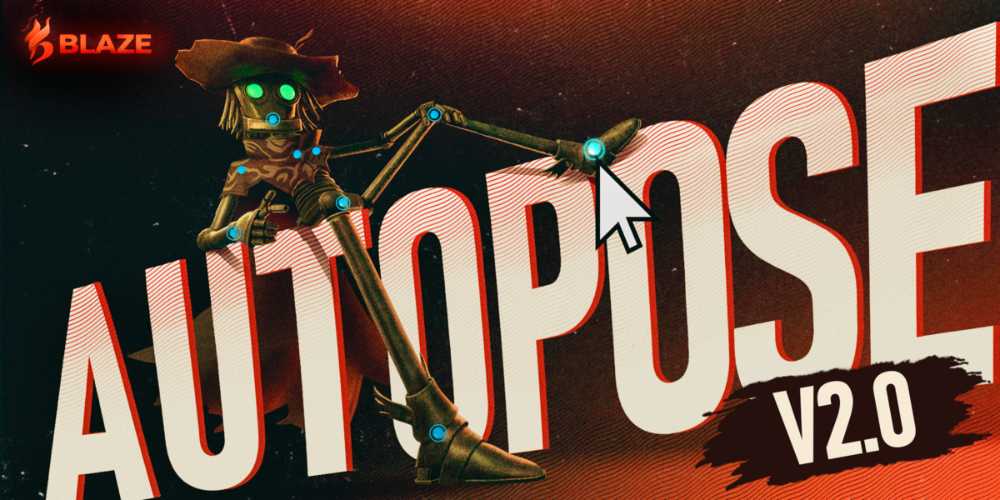
Blaze AutoPose 2.1 is an interactive character-posing add-on for Blender that helps artists create full-body poses by dragging controls directly in the 3D Viewport. Instead of manually adjusting individual bones and repeatedly correcting the rest of the character, AutoPose calculates how the body should adapt when a selected joint or body part is moved.
Developed by Blaze Animation, the add-on works with existing humanoid rigs, including Rigify, Auto-Rig Pro, CloudRig, Mixamo and Puppet Studio. It is designed for character artists, animators, game developers and 3D illustrators who need to create poses, keyframes and animation blocking more efficiently.
Unlike AI motion-generation tools, AutoPose does not generate an animation from a text prompt. It is a hands-on posing system that responds to the artist’s viewport interactions.
Interactive Full-Body Character Posing
The central feature of AutoPose is its ability to adapt an entire character’s pose from a small number of viewport interactions.
Artists can position a hand, foot, hip, chest or head using interactive handles. The solver adjusts the remaining body parts to produce a coordinated pose while respecting the active constraints.
Three principal interaction types are available:
Position: Moves a selected body part to a target location while the rest of the body adapts.
Rotation: Sets the orientation of a body part and adjusts the surrounding pose.
Look At: Controls the direction in which the hips, chest or head should face.
World controls provide additional positioning flexibility. This makes it possible to create standing, crouching, reaching, sitting and other full-body poses without manually manipulating every bone.
What’s New in AutoPose 2.1
Version 2.1.0 was released on November 4, 2026. It introduces several improvements to pose management, rig compatibility and animation workflows.
Blaze Docs
Pose Library Integration
AutoPose 2.1 supports Blender’s pose assets directly within an active AutoPose session.
Artists can save and apply complete character poses using Blender’s existing Pose Library workflow. This allows previously created poses to be reused as starting points for new variations and animation sequences.
Hold Frozen Joints
The new Hold Frozen Joints feature preserves a frozen joint across consecutive keyframes. When a joint is frozen at two keyed frames, it remains frozen between those frames.
This is useful when maintaining hand positions, foot placements or other body-part positions while creating intermediate poses.
Freeze Active Handles
Freeze Active Handles automatically freezes newly activated handles in place. This provides more predictable control when working with multiple constraints and adjusting different parts of a character.
Facing Control
The new Facing option defines the direction a character is considered to be facing. This improves Look At behaviour for characters whose forward direction differs from Blender’s conventional negative Y-axis.
New Character Rig Presets
Version 2.1 adds three additional rig presets:
Roblox R15
Roblox R6
MakeHuman MHX
These presets expand the range of supported humanoid character setups and reduce the amount of manual rig configuration required.
Rigid-Part Character Support
AutoPose 2.1 adds support for characters made from separate meshes parented to bones. These rigid-part characters can use Puppet Mode and self-collision functionality.
This is useful for stylised characters, mechanical characters and other models that do not rely entirely on deforming mesh geometry.
Improved Foot Roll and Pose Mirroring
The update introduces improved foot-roll behaviour. A planted foot can roll onto its toe or heel as the other end moves. Between two keys, it can also transition from heel to ball.
Paste Mirrored allows artists to mirror a copied pose in place, including foot contact and frozen joints. This helps create symmetrical poses and transfer body positions between opposite sides of a character.
Character Keys and Cleanup
The Character Keys feature filters animation editors to show only the active character’s keys during an AutoPose session.
The new Clean Up AutoPose command removes the helper rigs created by the add-on and restores the settings it changed. This provides a cleaner way to return a character to its regular rigging workflow.
Puppet Mode and Direct Mesh Manipulation
Puppet Mode provides an alternative to working with individual rig handles. Instead of selecting a control bone, artists can grab parts of the character’s mesh directly in the viewport.
The system identifies the corresponding body part and adjusts the pose accordingly.
This interaction style can be useful for quickly blocking character poses, especially when working with characters that have many rig controls.
Puppet Mode also supports self-collision handling, helping prevent body parts from passing through one another during posing. The version 2.1 update extends this workflow to supported rigid-part characters.
Foot Contact and Floor Collision
AutoPose includes foot-contact guidance to help maintain believable contact between a character and the ground.
The foot-contact system allows artists to indicate when a foot should remain planted while other parts of the body move. Foot contact is soft guidance rather than an absolute lock, so small adjustments can still occur when other constraints compete.
Floor Collision helps prevent the character’s body from moving below the ground plane. The ground can be fitted or adjusted to match the character’s proportions.
Together, these features help create standing, walking and weight-shifting poses without constantly correcting foot placement manually.
Constraints, Manual Posing and Animation Recording
AutoPose uses constraints to guide the posing solver. Artists can activate, freeze, hide or deactivate handles according to the requirements of a particular pose.
A maximum of 16 constraints can be active simultaneously, although using fewer constraints generally gives the rest of the body more freedom to adapt.
The add-on also supports switching between automated posing and conventional rig manipulation.
Manual Pose allows users to return to Blender’s regular posing workflow, make direct adjustments to the FK controls and then continue using AutoPose from the modified pose.
For animation, users can insert standard Blender keyframes or use the Record function to capture a continuous posing session. Recorded movements are baked into keyframes on the character’s mapped FK controllers.
Supported Rigs and Compatibility
Blaze AutoPose supports several established humanoid rigging systems.
| Rig system | Support |
|---|---|
| Rigify | Built-in preset |
| Auto-Rig Pro | Built-in preset |
| CloudRig | Built-in preset |
| Mixamo | Built-in preset |
| Mixamo Control Rig | Supported preset |
| Puppet Studio | Built-in preset |
| Custom humanoid FK rigs | Manual mapping |
Custom rigs can be configured by mapping their five FK body chains during the initial setup process.
The add-on is designed for humanoid body posing. Fingers and facial controls are not supported and must be adjusted manually. It also does not directly pose non-humanoid rigs.
AutoPose works with FK body controls. Artists who want to continue animating through IK can use the rig’s FK-to-IK snapping functionality after completing a pose.
System Requirements
| Requirement | Specification |
|---|---|
| Blender | 4.5 or later |
| Windows | Windows x64 |
| Linux | Linux x64 |
| macOS | Intel and Apple Silicon |
| Processor | Compatible 64-bit CPU |
| GPU | Not required |
AutoPose performs its calculations on the CPU and does not require a dedicated graphics card.
Blaze Animation+1
Availability and Licensing
Blaze AutoPose is distributed through Superhive as a Blender extension-compatible add-on under the GPL licence.
The product listing includes 12 months of support and product updates with the purchase. The listed regular price is $40, with a discounted price of $32 displayed on the product page at the time of writing.
For installation instructions, documentation, rig compatibility and purchasing information, visit the official Blaze AutoPose product page on Superhive.
Conclusion
Blaze AutoPose 2.1 makes full-body character posing more interactive by allowing artists to manipulate a few viewport handles while the remaining body adapts automatically. Its support for established humanoid rigs, Puppet Mode, foot-contact guidance, pose assets and recorded animation takes makes it useful for both character posing and animation blocking.
The 2.1 update adds important improvements to pose management, frozen joints, foot roll, mirrored poses and rig compatibility. For Blender artists working with humanoid characters, AutoPose provides an alternative to manually adjusting every rig control when developing a pose.
Blaze AutoPose 2.1 Addon Plugin for Blender Full Version Free Download
https://buzzheavier.com/mvux2f7hkpxt
https://pixeldrain.com/u/D2nf2FXJ
https://filekeeper.net/1mhttap6z2n3/BlazeAutoPose2.1_DownloadPirate.com.rar