Drop Cast 1.0.3 for Blender Full Version Free Download
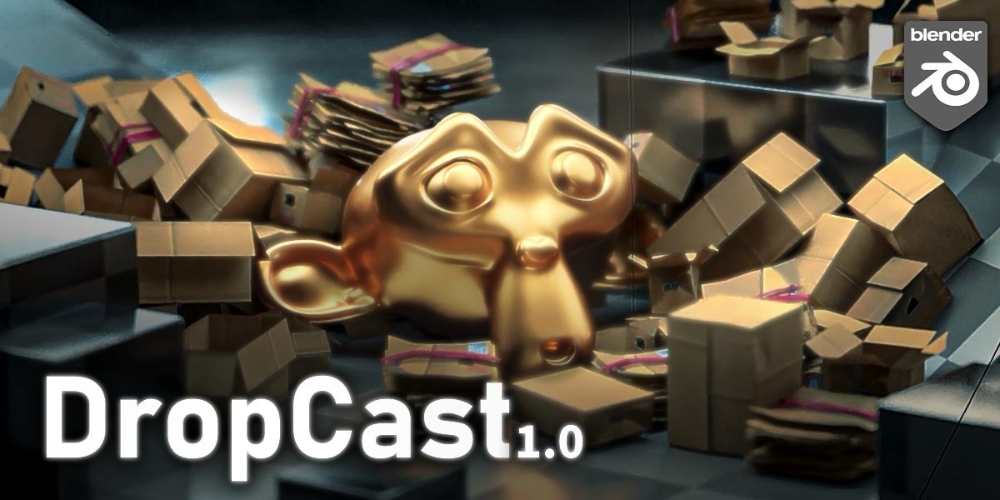
Drop Cast 1.0.3 is a Blender add-on by Casey_Sheep that uses rigid-body physics to scatter collections of objects naturally throughout a scene. Instead of manually placing hundreds of rocks, debris pieces, props, trees, or other assets, you define an asset collection and let physics handle the placement.
The important distinction is that this isn’t just another random procedural scatterer. The objects physically drop, collide, settle, and then become frozen in their final positions.
What is Drop Cast?
Drop Cast is essentially a physics-based asset placement tool.
The workflow is:
Asset Collection → Drop Area → Physics → Objects Settle → Freeze
You can populate an environment in seconds without manually positioning every individual object.
Typical uses include:
- Environment dressing
- Rock and debris placement
- Rubble piles
- Vegetation
- Prop scattering
- Concept art
- VFX
- Architectural details
- Procedural scene filling
Physics-Based Scattering
This is the main selling point.
Instead of simply generating random positions, Drop Cast activates rigid-body physics while the objects are being dropped.
Objects can:
- Fall under gravity
- Collide with the ground
- Collide with each other
- Rotate naturally
- Stack
- Settle into piles
- Be frozen after placement
This produces much more believable arrangements for objects such as rocks, debris, rubble, boxes, or other physical assets.
One-Click Asset Placement
You first place the objects you want to scatter into a single Blender Collection.
You then assign that collection as the asset source and start dropping.
The add-on creates a dedicated drop area around the 3D Cursor, allowing you to control where the assets are generated.
This makes it considerably faster than manually duplicating and positioning objects.
Interactive Drop Mode
Drop Cast provides an interactive viewport workflow.
During Drop Mode:
- Drag the helper to reposition the drop area
- Use Tab to spawn an asset
- Use Ctrl + Mouse Wheel to change base scale
- Use Shift + Mouse Wheel to change spawn range
- Press Enter or Esc to finish
The physics simulation then determines the final arrangement.
This is a nice touch because it makes the process feel more like throwing objects into a scene rather than configuring a complicated node system.
Random Size
You can randomize the scale of spawned assets.
You specify minimum and maximum scale values, allowing the same asset collection to produce more natural variation.
This is particularly useful for:
- Rocks
- Plants
- Debris
- Rubble
- Small props
- Environmental clutter
Without scale variation, procedural scattering tends to look obviously repetitive.
Random Rotation
Drop Cast also provides random rotation controls.
You can independently control rotation across:
- X
- Y
- Z
and define minimum and maximum rotation ranges.
This is another important feature for breaking up repetitive asset placement.
Spawn Weights
One of the more useful controls is per-asset spawn weighting.
Suppose your collection contains:
- 60% small rocks
- 25% medium rocks
- 10% large rocks
- 5% debris
You can adjust the probability of each asset being selected.
You can also hide individual assets, effectively setting their spawn probability to zero while preserving their configured weight.
This gives considerably more control than simply choosing a random object from a collection.
Collision Controls
Drop Cast lets you configure how objects interact with the environment.
Collision shapes include:
- Convex Hull
- Mesh
- Box
- Sphere
Convex Hull is generally faster, while Mesh provides more accurate collision behavior at greater computational cost.
There are also controls for:
- Mass
- Friction
- Collision margin
- Collision collections
These allow you to tune how the assets behave during the drop simulation.
Passive Colliders
Any appropriate scene geometry can be turned into a passive collider.
For example, you could use:
- Terrain
- Floors
- Buildings
- Walls
- Rocks
- Platforms
- Custom meshes
The objects then physically interact with that geometry during the drop.
This is particularly useful for environment dressing because you aren’t limited to dropping objects onto a simple flat plane.
Linked Instances
Drop Cast uses linked instances for generated objects.
That’s important for performance and file size because hundreds of copies don’t necessarily require hundreds of completely independent mesh datablocks.
The resulting scene therefore remains relatively lightweight compared with creating fully independent duplicates.
Freeze the Result
Once the objects have settled into positions you like, the simulation can be finished and the generated objects become passive/frozen.
Each drop operation is stored in a collection named:
DropCast_###
This makes it easier to manage different scattering passes within the same project.
Great for Environment Art
Drop Cast is particularly useful when you need to quickly create believable environmental clutter.
For example:
Rock collection → Drop Cast → Physics → Natural rock pile
or:
Debris collection → Drop Cast → Physics → Collapsed building debris
or:
Prop collection → Drop Cast → Physics → Naturally arranged environment
This makes it useful for concept art and VFX where you want believable randomness quickly.
Concept Art and Previsualization
You don’t necessarily need production-ready assets.
The developer specifically positions the bonus assets toward concept art, quick scene filling, and experimentation, rather than game-ready production.
That makes Drop Cast particularly useful during the blocking and previsualization stage.
You can quickly answer questions like:
“What would this environment look like if I covered the floor with rubble?”
without spending an hour manually arranging objects.
Bonus Asset Pack
The product includes a bonus collection of “trash” assets that can be thrown into scenes using the same workflow.
These assets are intended for experimentation and scene filling rather than game production. The developer explicitly notes that they are not optimized for games and don’t have production-ready UVs or topology.
Workflow Benefits
Drop Cast provides:
- Physics-based scattering
- Interactive asset dropping
- Collection-based asset sourcing
- Random scale
- Random rotation
- Spawn probability weighting
- Custom drop areas
- Rigid-body collisions
- Passive colliders
- Collision-shape controls
- Mass and friction controls
- Linked instances
- Automatic result collections
- Frozen final placements
Who Should Use Drop Cast?
Environment Artists
Excellent for quickly dressing environments with rocks, debris, props, vegetation, and other physical objects.
VFX Artists
Useful for rubble, debris piles, destruction setups, and chaotic environmental arrangements.
Concept Artists
Very useful when you need to rapidly populate a scene without worrying about perfect asset placement.
Blender Generalists
A handy tool when you need realistic object placement without building your own Geometry Nodes or rigid-body workflow.
Architectural Visualization Artists
Useful for rapidly adding physical details and clutter to environments.
What Drop Cast Is Not
This distinction matters.
Drop Cast isn’t primarily a:
- Geometry Nodes scatter system
- Vegetation distribution system
- Surface-density scatterer
- Terrain ecosystem generator
- Procedural foliage tool
Its strength is physics-based placement.
If you want 100,000 grass blades distributed according to a density map, this isn’t the tool I’d reach for.
If you want 500 rocks to fall onto a rocky surface and naturally pile up, that’s exactly where Drop Cast makes sense.
Compatibility
The current Superhive listing identifies Drop Cast as compatible with Blender 3.4 through 4.5, with Cycles, Eevee, and Freestyle listed as supported render engines. The marketplace currently shows the add-on under the GPL license.
Since you’re specifically referring to v1.0.3, verify the exact Blender compatibility of that particular build before installing it, as the marketplace compatibility information can change with newer releases.
Drop Cast official Superhive page
Final Thoughts
Drop Cast 1.0.3 is a very focused tool, and that’s actually its advantage.
It doesn’t try to be another giant Blender ecosystem. It solves one problem:
“I have a bunch of objects. I want them placed naturally without manually arranging every damn one.”
The physics approach makes it particularly good for rocks, rubble, debris, props, clutter, and other objects that should physically settle against each other.
For general surface scattering, I’d use a dedicated procedural scatter system. For physics-driven scene dressing, Drop Cast is considerably more interesting.
- Drop Cast Blender
- Drop Cast 1.0.3
- Blender Physics Scatter
- Blender Scatter Addon
- Physics Based Scattering Blender
- Blender Asset Scattering
- Blender Rigid Body Scatter
- Blender Environment Scattering
- Blender Debris Scatter
- Blender Rock Scatter
- Blender Procedural Placement
- Blender Environment Dressing
- Blender VFX Addon
- Blender Concept Art Tool
- Blender Asset Placement
Drop Cast 1.0.3 for Blender Full Version Free Download
https://zeroupload.com/5ba589214a4f6c2b94fe94ac25a7b932
https://buzzheavier.com/m26ivx5tv5xr
https://filekeeper.net/p2fx8twtwtl8/DropCast1.0.3_DownloadPirate.com.zip
https://pixeldrain.com/u/6pSCV8ty
Those who sell pirated content are losers.
If you're paying for pirated content, you're the biggest loser.
Please read the FAQ if you need basic help.
Use VPN &
FDM if you have download problems.