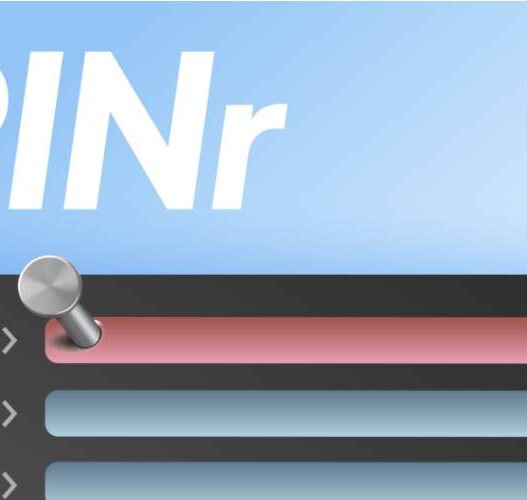
AEScripts Auto Pin v1.0 Script Plugin for After Effects Full Version Free Download
Tracking the corners of a layer in Adobe After Effects can become tedious when the goal is to apply the result to another element or create a perspective-based animation. Standard tracking tools generally analyse image features, but many motion-design tasks are based on the shape of a layer itself. AEScripts Auto Pin v1.0 is built specifically for this situation, automatically tracking the alpha boundary of a layer and transferring the result to After Effects’ built-in CC Power Pin.
Created by Nova Point, Auto Pin combines a high-speed AEX plugin with a script-based interface to provide a simple one-click workflow. The result is a specialised tracking tool designed to remove much of the manual setup normally involved in corner pinning.
What Is Auto Pin for After Effects?
Auto Pin is an automatic corner-tracking tool for Adobe After Effects. Its primary purpose is to analyse a selected layer’s alpha boundary and generate corner-tracking data that can be applied directly to CC Power Pin.
This differs from conventional trackers that search for visual features, textures, or high-contrast points within footage. Auto Pin instead focuses on the shape of the layer itself, making it particularly useful when the tracked element already exists as a graphic, mask, screen, card, or other alpha-based layer.
The workflow is deliberately simple. Select the target layer, press Track, and Auto Pin performs the analysis without requiring manually positioned tracking points.
Track Layer Boundaries Automatically
The defining feature of Auto Pin is its ability to track the alpha boundary of a layer. This means the tool can determine how the corners of an element move without relying on identifiable texture or visual detail.
This is useful for graphic elements that may not contain suitable tracking information. A clean shape, flat-colour graphic, or transparent design can still provide a track because its boundary itself becomes the source of the tracking data.
Once tracking is complete, the generated information can be applied directly to the layer through CC Power Pin.
No Tracking Points or Complex Setup
Traditional point tracking often requires carefully placing points and checking that they remain attached to the desired features. Auto Pin eliminates that preparation step.
The selected layer is analysed automatically, with no need to define tracking points manually. This makes it particularly convenient for quick motion-graphics work where the objective is simply to follow the corners of an existing layer.
The result is a much shorter workflow between selecting an element and generating usable corner-pin animation.
Fast Tracking Performance
Auto Pin uses an optimised algorithm to analyse the layer’s alpha channel. According to the official product information, once frames are cached, four seconds of 24 fps Full HD footage can be tracked in approximately one second.
This speed is useful when working through multiple elements or testing different versions of a composition. Faster tracking also makes experimentation less disruptive because artists can re-run the process without waiting through lengthy calculations.
Handles Large Movements
Because Auto Pin analyses the entire frame, it is designed to remain stable even when there are large movements between frames.
This can be helpful in situations where a layer changes position significantly or moves quickly through the composition. Instead of relying on a small local image feature that may disappear or become difficult to follow, the system evaluates the overall alpha information.
For motion-design elements with substantial movement, this can provide a more practical tracking approach.
Apply Results Directly to CC Power Pin
Auto Pin does not create an entirely separate corner-pin system. It works with After Effects’ built-in CC Power Pin effect, applying the generated tracking data directly to it.
This is an important part of the workflow because CC Power Pin is already a native After Effects effect. Projects can therefore continue to use a familiar Adobe effect after the tracking stage rather than depending on a proprietary playback system.
Null objects can also be created from the tracking result when additional control or rigging is required.
Automatic Size Adaptation
Auto Pin can apply tracking between layers of different sizes without additional setup. This is particularly useful when the tracked element and the destination layer have different dimensions.
For example, a smaller graphic can be tracked and then used to drive a larger or differently sized layer without manually compensating for the size difference.
This makes the tool useful for screen replacements, compositing setups, graphic overlays, and other situations where corner-pin data needs to move between differently sized elements.
High Project Compatibility
Because Auto Pin transfers its result into After Effects’ standard CC Power Pin effect, projects using the effect can be shared and rendered without Auto Pin installed.
This is an important practical advantage for teams and clients. The tracking process requires Auto Pin, but once the resulting Power Pin data has been applied, the project can continue using Adobe’s native effect.
That makes Auto Pin a production utility rather than a dependency that necessarily has to remain installed on every machine rendering the project.
Script and Plugin Working Together
Auto Pin combines two components: an AEX plugin performs the high-speed analysis, while a script provides the user interface and workflow controls.
This hybrid approach allows the computationally intensive tracking process to be handled efficiently while keeping the controls accessible within After Effects.
For users, this results in a workflow that feels like a conventional After Effects panel while providing specialised tracking functionality underneath.
Auto Pin v1.0
Auto Pin v1.0.0 is the initial release, published on September 14, 2026. The first version introduces automatic alpha-boundary tracking, one-click tracking, fast frame analysis, large-movement handling, automatic size adaptation, CC Power Pin integration, and optional null generation.
AEScripts currently lists the product at $49, with a promotional price of $36.99 through September 25, 2026. A seven-day free trial is also available.
For the full feature set and latest release information, visit the official AEScripts Auto Pin page.
Compatibility
Auto Pin currently supports Adobe After Effects 2023, 2024, 2025, and 2026.
The plugin is designed specifically for After Effects and integrates with its native CC Power Pin workflow, making it particularly suitable for compositing and motion-design projects built around corner-pin animation.
Who Should Use Auto Pin?
Auto Pin is aimed at motion designers, VFX artists, compositors, editors, and After Effects users who frequently need to track the corners of graphical or alpha-based layers.
It is especially useful when conventional point tracking is unnecessarily complicated or when the source layer does not contain reliable visual features to track.
Final Thoughts
AEScripts Auto Pin v1.0 provides a focused solution to a common After Effects problem: automatically tracking the corners of an alpha-based layer without manually creating tracking points. Its fast boundary analysis, support for large movements, automatic size adaptation, null generation, and direct CC Power Pin integration make it a practical addition to a motion-design and compositing workflow.
The biggest advantage is its simplicity. Instead of configuring a conventional tracker and then transferring the results manually, artists can select a layer, press Track, and let Auto Pin generate the required corner-pin data. Because the final result uses Adobe’s native CC Power Pin effect, the resulting project also remains highly portable for collaboration and rendering.
AEScripts Auto Pin, Auto Pin v1.0, Auto Pin plugin, After Effects corner tracking, After Effects auto tracking, CC Power Pin tracking, alpha boundary tracking, corner pin plugin, automatic corner pin After Effects, After Effects tracking tool
AEScripts Auto Pin v1.0 Script Plugin for After Effects Full Version Free Download
https://zeroupload.com/21f84f44d6f3ce95a66ecbe83608e541
https://pixeldrain.com/u/mZ1aLvpg
https://buzzheavier.com/8s3f6ldba7b6
https://filekeeper.net/fg8ubs5eypjk/AutoPin1.0_DownloadPirate.com.zip