AEScripts Claude Scripter v1.3.0 for After Effects Script WIN/MAC Full Version Free Download
Writing ExtendScript for Adobe After Effects can dramatically improve productivity, but most motion designers aren’t JavaScript developers. Automating repetitive tasks such as renaming layers, organizing projects, creating expressions, building compositions, or generating animation tools usually requires searching documentation or manually writing code. Recent advances in AI have made it possible to generate working scripts from plain English, allowing artists to automate After Effects without learning the scripting API.
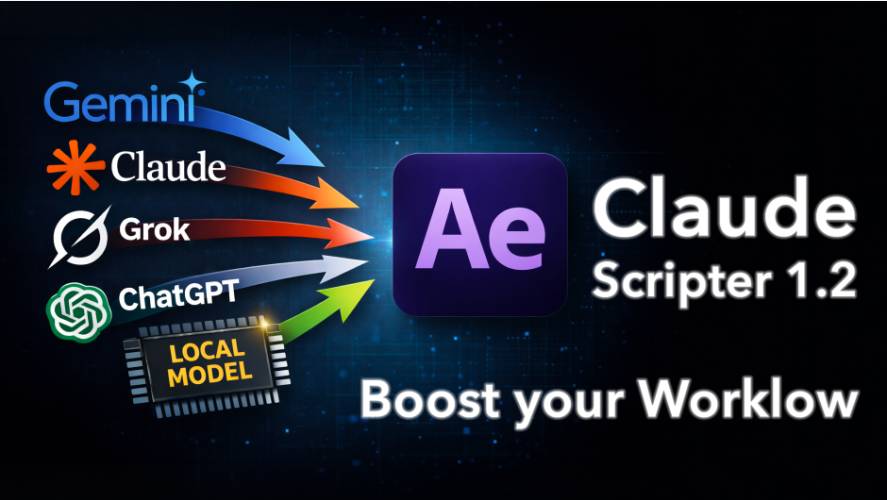
AEScripts Claude Scripter v1.3.0 is an AI-powered scripting assistant for Adobe After Effects that generates, executes, edits, and saves ExtendScript (JSX) code from natural language prompts. Originally built around Anthropic’s Claude models, recent versions now support multiple AI providers including Claude, ChatGPT, Gemini, Grok, and local LLMs through Ollama and LM Studio. The generated scripts execute directly inside After Effects, eliminating the need to copy and paste code from external AI chatbots.
What is Claude Scripter?
Claude Scripter is an AI automation panel that converts plain English instructions into working After Effects scripts.
Instead of writing ExtendScript manually, users simply describe the task they want to perform.
Typical applications include:
- Project automation
- Layer management
- Composition creation
- Expression generation
- Animation setup
- Project cleanup
- Workflow automation
- Custom utility scripts
The script is designed to reduce repetitive production work while remaining fully integrated inside After Effects.
Generate Scripts with Natural Language
Claude Scripter removes the need to memorize the After Effects scripting API.
Users can type prompts such as:
- Rename selected layers
- Create compositions
- Build shape layers
- Apply expressions
- Offset keyframes
- Organize folders
- Generate animations
- Build utility tools
The AI converts these requests into executable ExtendScript automatically.
Execute Scripts Directly Inside After Effects
Unlike browser-based AI assistants, Claude Scripter runs scripts natively.
Benefits include:
- Native execution
- No copy and paste
- Immediate results
- Undo support
- Faster iteration
- Integrated workflow
Generated code executes directly within the active After Effects project, making automation significantly faster.
Support for Multiple AI Models
Although its name references Claude, recent versions support several AI providers.
Supported models include:
- Claude (Anthropic)
- ChatGPT (OpenAI)
- Gemini (Google)
- Grok (xAI)
- Ollama
- LM Studio
Artists can choose cloud-based models or run compatible local models for greater privacy and zero API subscription costs.
Local AI Support
One of the major additions in newer releases is support for local large language models.
Benefits include:
- Offline workflow
- No cloud dependency
- Private code generation
- Zero API charges
- Local processing
- Greater control
Local support works through applications such as Ollama and LM Studio.
Built-in Script Library
Claude Scripter includes an integrated library for storing generated scripts.
Artists can:
- Save scripts
- Reuse automations
- Create custom buttons
- Organize utilities
- Search saved scripts
- Build personal workflow libraries
Frequently used automations can be recalled with a single click rather than regenerated every time.
AI Script Editing
Instead of generating new scripts from scratch, Claude Scripter can refine existing ones.
Users can:
- Edit generated code
- Modify saved scripts
- Ask AI to improve scripts
- Update previous automations
- Refactor code
- Save revisions
This iterative workflow helps artists build increasingly sophisticated automation tools over time.
Common Workflow Automation
Claude Scripter is particularly useful for repetitive production tasks such as:
- Batch layer renaming
- Folder organization
- Layer alignment
- Expression creation
- Animation setup
- Composition cleanup
- Project organization
- Utility generation
These operations often take only a single natural language prompt.
Bring Your Own API Key
Claude Scripter follows a “Bring Your Own Key” model.
Advantages include:
- One-time purchase
- No monthly subscription
- Direct API billing
- Model flexibility
- Choice of providers
- Lower long-term costs
Users only pay the AI provider they choose instead of an additional subscription for the extension itself.
Workflow Benefits
Claude Scripter improves After Effects production by providing:
- AI-generated ExtendScript
- Natural language automation
- Native script execution
- Multi-model AI support
- Local AI compatibility
- Built-in script library
- Script editing
- Workflow automation
- Project organization
- Faster production
These features allow motion designers to automate repetitive tasks without becoming ExtendScript programmers.
Who Should Use Claude Scripter?
Motion Designers
Automate repetitive production tasks using plain English instead of writing JavaScript.
After Effects Professionals
Build reusable automation tools that speed up commercial production.
Technical Artists
Prototype and refine ExtendScript utilities with AI-assisted code generation.
Freelancers
Reduce time spent on project setup, organization, and repetitive edits.
Studios
Create standardized automation workflows that improve consistency across projects.
Compatibility
According to the official product page, Claude Scripter v1.3.0 supports Adobe After Effects CC 2018 through After Effects 2026 on both Windows and macOS. It supports Claude, OpenAI GPT, Google Gemini, xAI Grok, and local models through Ollama and LM Studio, with scripts executed natively inside After Effects.
For complete product information, documentation, updates, licensing details, and tutorials, visit the official product page:
https://aescripts.com/claude-scripter/
Final Thoughts
AEScripts Claude Scripter v1.3.0 modernizes After Effects automation by allowing artists to generate and execute ExtendScript using natural language instead of manual coding. Its support for multiple AI providers, local LLMs, native script execution, editable code, and reusable automation library makes it one of the most capable AI productivity tools currently available for After Effects. For motion designers who frequently automate repetitive workflows, organize projects, or build custom utilities, Claude Scripter can significantly reduce production time while remaining flexible enough for both beginners and experienced technical artists.
- Claude Scripter After Effects
- AI Script Generator After Effects
- ExtendScript AI
- After Effects AI Automation
- After Effects Productivity Script
- Natural Language Scripting
- After Effects Workflow Automation
- Ollama After Effects
- LM Studio After Effects
- ChatGPT After Effects Script
- Claude AI After Effects
- Gemini After Effects
- Motion Graphics Automation
- ExtendScript Generator
AEScripts Claude Scripter v1.3.0 for After Effects Script WIN/MAC Full Version Free Download
https://zeroupload.com/87b03a6dcd99b6d92989e982f7a49d9b
https://buzzheavier.com/uq1gnkax9vjv
https://pixeldrain.com/u/zr9BEMMU
https://filekeeper.net/h7s3r6tcp91i/ClaudeScripter1.3.0_DownloadPirate.com.zip