AEScripts Easify 3 Pro v3.0.15 for After Effects Premiere Pro Full Version Free Download
Smooth animation is often less about creating more keyframes and more about controlling how those keyframes move between their starting and ending values. AEScripts Easify 3 Pro is designed to make that process faster by giving motion designers a dedicated set of tools for easing, curve editing, staggered animation, looping, transitions, and animation presets.
The tool is built for both Adobe After Effects and Premiere Pro, bringing more advanced animation control into workflows that can otherwise require a lot of manual graph editing. Its Pro feature set is particularly focused on creating custom motion curves and applying them efficiently across multiple properties or clips.
What Is Easify 3 Pro?
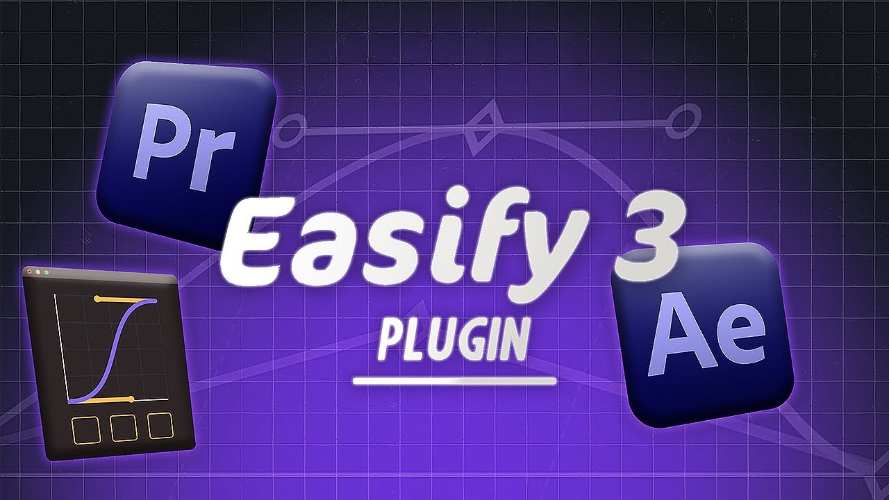
Easify is an animation toolkit designed to simplify the process of creating and refining motion. Instead of relying entirely on After Effects’ Graph Editor or Premiere Pro’s more limited native animation controls, Easify provides a dedicated interface for manipulating easing curves and keyframes.
Its workflow is designed to let artists quickly create smooth movement, adjust timing, reuse animation settings, and apply motion treatments across multiple elements. The Pro edition adds more advanced curve types and animation tools on top of the core easing workflow.
For the latest product information and official details, visit the official AEScripts Easify page.
Custom Easing Curves
At the heart of Easify is its curve editor. Artists can shape the timing and acceleration of an animation using Bezier-style easing curves, providing considerably more control than simply choosing a preset such as Easy Ease.
The Pro version expands this with multi-point curves, allowing three or more anchors to be used within a single path. This gives designers more control over how motion develops throughout an animation instead of being restricted to a simple two-point transition.
The result can be tailored to everything from subtle UI movement to energetic motion-graphics animation.
Back, Bounce and Elastic Motion
Easify 3 Pro includes specialised curve types for Back, Bounce, and Elastic motion. These are useful when an animation needs a more expressive character than a conventional ease in or ease out.
Rather than manually building overshoots and rebounds with several keyframes, artists can generate these behaviours through the easing system and refine them using the curve controls.
This can significantly speed up the creation of playful, energetic, or physically inspired motion.
Combination Curves and Path Easing
Another Pro feature is the ability to create Combination Curves, allowing different easing behaviours to be combined within a single animation.
Easify also supports Path Easing, which is useful when animation follows a spatial path rather than simply changing a value between two points. This makes the system more flexible for motion-design work where both position and timing need to be controlled carefully.
These tools can be particularly helpful when creating more sophisticated transitions and movement patterns without constructing complicated expressions manually.
Multi-Clip and Multi-Property Animation
Easify’s workflow is designed to make animation changes faster across multiple elements. Its After Effects-style timeline allows users to edit keyframes across several clips, while the system can sync easing between different animations so their timing remains coordinated.
This is particularly useful for motion graphics involving repeated elements. Instead of adjusting each layer independently, artists can work with several pieces of animation together and maintain consistency throughout the composition.
Stagger Clips and Keyframes
The Pro edition also includes Stagger controls for clips and keyframes. This allows repeated elements to begin their animations at slightly different times, producing cascade, wave, or sequential movement.
Staggering is commonly used in typography, interface animation, logo reveals, icon systems, and kinetic graphics. Easify provides a dedicated workflow for creating these offsets rather than requiring each layer’s timing to be adjusted manually.
Quick Transitions and Motion Effects
Easify 3 Pro includes Quick In & Out Transitions, Wiggle, and Impact effects. These provide ready-made motion behaviours that can be applied without constructing every animation from the beginning.
The tools are intended to speed up production while still leaving room for customisation. A preset motion can be used as a starting point and then refined using Easify’s curve and timing controls.
Loop Animation
Creating seamless loops can also be simplified with Easify’s Loop Animation tools. Supported behaviours include options such as ping-pong and offset looping.
This can be useful for endlessly repeating background animations, interface elements, decorative motion graphics, and social-media content where an animation needs to repeat without visibly stopping.
Preset Libraries
Easify supports unlimited preset libraries, allowing artists to save and reuse custom easing curves and animation setups.
This becomes increasingly useful when a designer develops a consistent motion language for a project or studio. Instead of rebuilding the same curve or movement behaviour repeatedly, it can be saved and applied again when needed.
Easify and Premiere Pro
Although Easify has a strong After Effects workflow, its support for Premiere Pro makes it particularly interesting for editors who want more control over motion.
The current Easify ecosystem provides Premiere-specific tools such as a multi-clip timeline, alignment controls, and a speed graph. The newer UXP implementation is designed for recent Premiere Pro versions and brings Easify’s animation workflow into the editing environment.
Easify 3 Pro v3.0.15
The requested version is Easify 3 Pro v3.0.15. The current official AEScripts page has since moved to Easify 4, so its visible version history no longer exposes the detailed v3.0.15 release information.
The current product page confirms that Easify has evolved into a broader animation toolkit with advanced curve editing, timeline tools, stagger controls, transitions, and Premiere Pro integration. Specific changes unique to v3.0.15 should therefore not be assumed from the current Easify 4 documentation.
Compatibility
The current Easify product is listed for After Effects 2024 through 2027 and Premiere Pro 2024 through 2027. The latest version is available for Windows and macOS, with the newer Premiere Pro implementation using UXP.
Easify 4 is sold as a perpetual license rather than a subscription, while existing Easify 3 Pro owners have dedicated upgrade pricing.
Who Should Use Easify 3 Pro?
Easify is aimed at motion designers, editors, animators, title designers, and After Effects or Premiere Pro users who frequently work with keyframes and easing.
It is particularly valuable for artists who want faster access to custom curves, expressive motion, staggered animation, reusable presets, and multi-element timing controls without relying entirely on native graph-editing workflows.
Final Thoughts
AEScripts Easify 3 Pro v3.0.15 is built around a simple goal: making animation timing and easing faster to control. Its custom Bezier curves, multi-point curves, Back, Bounce and Elastic motion, path easing, combination curves, staggering, loop tools, transitions, and preset libraries provide a broad toolkit for shaping animation.
Although the official product has now evolved into Easify 4, the core concept remains highly relevant for anyone who spends significant time refining keyframes. For motion designers and editors, a dedicated animation toolkit can make repetitive easing and timing tasks much faster while giving greater creative control over the final movement.
AEScripts Easify 3 Pro, Easify 3 Pro v3.0.15, Easify After Effects, After Effects easing plugin, After Effects animation toolkit, easing curves After Effects, Premiere Pro easing, keyframe animation tool, motion curve editor, animation presets
AEScripts Easify 3 Pro v3.0.15 for After Effects Premiere Pro Full Version Free Download
https://zeroupload.com/b54ea5a4a3d99e8f13d79df44d57b961
https://buzzheavier.com/5vbqh3ebrkn9
https://pixeldrain.com/u/5k9ruUvt
https://filekeeper.net/yhn56ian4qyt/Easify3.0.15_DownloadPirate.com.rar