AEScripts Face Director v1.10.3 Free Download
AEScripts Face Director v1.10.3 is an AI-powered facial performance editing tool from Baskl, distributed through aescripts and also available for After Effects, Premiere Pro, DaVinci Resolve and Nuke. Its purpose is to let artists modify facial expressions, eye direction, head direction and neck height directly from existing footage instead of reshooting a performance or manually rebuilding facial animation.
AEScripts Face Director official page
What is Face Director?
Face Director is essentially a facial-performance correction system for recorded video.
The idea is simple. You already have footage of an actor, but something about the performance isn’t quite right. Perhaps the actor is smiling when the character should look serious, looks away from camera at the wrong moment, breaks character, or has a continuity problem between two shots.
Instead of going back to the set, Face Director allows you to modify the facial performance digitally. The official examples include improving an unsuitable smirk, correcting a mouth position between shots and removing an unwanted laugh.
That makes it much more interesting than a conventional beauty-retouching plugin.
Facial Expression Editing
The central feature is the ability to animate facial expressions after the footage has already been recorded.
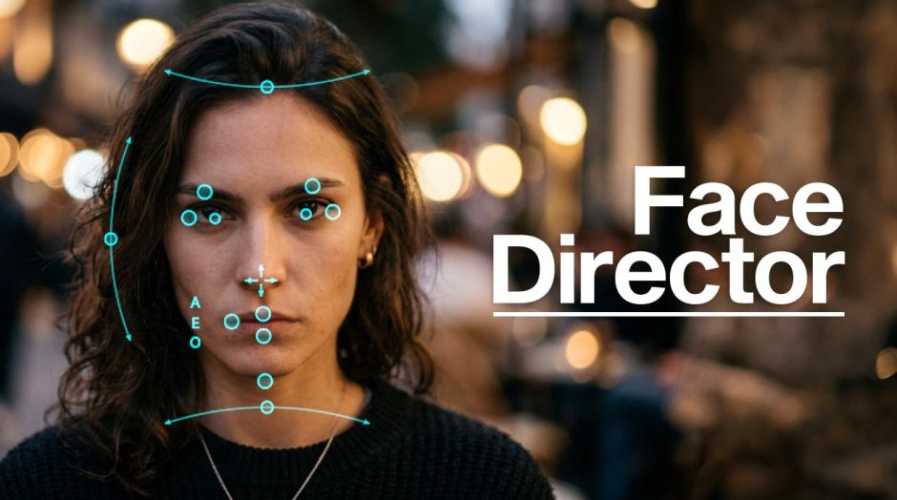
Rather than treating the face as a fixed image, Face Director provides interactive controls for manipulating facial features. The interface lets you drag features directly on a preview window, allowing the artist to make changes visually instead of entering complicated numerical parameters.
This direct manipulation is an important part of the workflow because facial changes are inherently visual. You can see the result immediately and adjust it until the performance feels right.
Improve Bad Acting
One of the clearest intended uses is correcting an otherwise usable performance.
An actor might give a technically good take but have an expression that doesn’t fit the scene. A slight smirk, raised eyebrow or unintended facial reaction can completely change how a shot reads.
Face Director is designed to let the artist correct those problems after filming.
This is particularly valuable in production because reshooting a performance can be expensive or impossible, especially when the problem isn’t discovered until editorial or VFX.
Fix Continuity Problems
Continuity is another strong use case.
Imagine a character’s mouth position changes between two camera angles or the actor’s expression doesn’t match across consecutive shots. Even when each individual take looks fine, the cut can expose a noticeable inconsistency.
Face Director can be used to bring those performances closer together, reducing the apparent difference between shots. The official product description specifically highlights facial continuity correction as one of its primary uses.
This gives editors and VFX artists another option when a reshoot isn’t practical.
Recover Bloopers
The tool can also be used to fix small performance mistakes.
An actor might laugh, break character or make an expression that wasn’t intended for the final scene. Instead of discarding the take completely, Face Director can potentially modify the problematic facial performance.
This is particularly useful for productions where there are limited good takes available.
It doesn’t mean every bad performance can be magically repaired, but it gives the post-production team another tool for salvaging usable footage.
Eye Direction
Face Director isn’t limited to the mouth or general expression.
The official description specifically mentions the ability to manipulate eye direction.
This can be extremely useful because eye direction has a huge influence on perceived performance.
A character looking slightly away from another actor can make an interaction feel wrong. Correcting the gaze can therefore be enough to make an otherwise acceptable shot work.
It can also be useful when matching eye direction across multiple shots.
Head Direction
The system can also modify head direction.
This gives the artist another level of control over the performance without requiring the entire shot to be discarded.
A subtle adjustment to where the subject appears to be looking or turning can change the perceived interaction between characters and the camera.
Combined with eye manipulation, it gives Face Director more control over the apparent direction of a performance.
Neck Height
Face Director also provides control over neck height.
This may sound like a relatively minor feature, but small anatomical changes can have a noticeable impact on facial proportions and posture.
Being able to modify this aspect of the head-and-neck relationship gives the system more flexibility than a simple facial-expression filter.
Puppet Mode
A particularly interesting feature is Puppet Mode.
This allows another layer to be used as a driver video.
In effect, one piece of footage can act as a performance source for another.
This opens up more experimental possibilities and can potentially be useful when you want to transfer aspects of one facial performance onto another layer or shot.
The feature also makes Face Director more procedural because you’re no longer limited to manually dragging controls for every moment.
Direct Preview Manipulation
Face Director’s interface is built around the idea of “Just drag.”
The official product page specifically describes changing facial features by dragging them directly on the preview window.
That makes the tool relatively approachable. Instead of constructing expressions through complicated menus, you work directly with the thing you’re trying to change.
For iterative VFX work, that type of visual interaction can be substantially faster.
Beyond After Effects
Although you’re cataloguing Face Director as an After Effects tool, it isn’t limited to AE.
The official compatibility list includes After Effects, Premiere Pro, DaVinci Resolve and Nuke/NukeX.
That is useful for professional pipelines because facial-performance adjustments may happen at different stages of post-production.
An editor might work in Premiere, a compositor in Nuke, or an AE artist might handle the adjustment alongside other motion-graphics work.
Where Face Director Fits
Face Director is best understood as a post-production performance-editing tool.
It sits closer to facial animation, VFX and AI-assisted image manipulation than conventional After Effects effects.
A broader workflow might look like:
Production Footage → Editorial → Face Director → VFX / Compositing → Final Grade
The ability to work in several host applications makes it easier to insert that facial-adjustment stage where it makes the most sense.
Face Director vs Traditional Retouching
Traditional beauty retouching is mostly concerned with how the face looks.
Face Director is concerned with what the face is doing.
That is a fundamental difference.
Retouching might change:
Skin tone → Blemishes → Wrinkles → Texture
Face Director focuses on:
Expression → Eye direction → Head direction → Neck position
That puts it much closer to performance manipulation than conventional beauty work.
Face Director vs Facial Animation
It’s also important not to confuse Face Director with a complete character facial-animation system.
A traditional facial-animation workflow may involve a 3D character, blendshapes, facial rigs, tracking and animation data.
Face Director works directly with video footage, modifying the apparent performance within the image.
So it’s much more appropriate when the source is live-action or existing recorded material and you want to change the performance without rebuilding the entire character.
AI and Post Production
Face Director is part of a growing class of AI-assisted post-production tools where machine learning is used to solve tasks that would previously require significant manual VFX work.
The important advantage isn’t simply that the tool uses AI. It’s that the AI is being applied to a very specific production problem: modifying facial performance after the fact.
That makes it particularly practical for filmmakers and VFX artists.
Version 1.10.3
The specific version you’re listing is Face Director v1.10.3.
The official version history shows v1.10.3 released May 16, 2026, with “various bug fixes and performance improvements.” It follows v1.10.0, which introduced a new, much faster backend on April 28, 2026.
That means v1.10.3 should be viewed primarily as a refinement release rather than a major feature overhaul.
The new backend introduced in v1.10 is arguably the more significant technical change because it improved the underlying performance of the application.
Compatibility
The current official listing supports After Effects 2022 through 2026, Premiere Pro 2022 through 2026, DaVinci Resolve 16 through 21, and Nuke/NukeX 12.0 through 17.0.
The software runs on Mac and Windows.
The current listed price is $149, with a free trial available.
Who Should Use Face Director?
Face Director is most useful for VFX artists, filmmakers, compositors and editors who occasionally need to repair or modify facial performances.
It is especially interesting when the alternative is a reshoot.
For motion designers working primarily with graphics, it is probably unnecessary. But for live-action VFX work involving actors, faces and continuity, the ability to alter facial performance after filming can be extremely valuable.
Final Thoughts
AEScripts Face Director v1.10.3 is a genuinely interesting AI-assisted post-production tool because it tackles a difficult problem: changing an actor’s facial performance after the footage has already been recorded.
Its ability to modify expressions, eye direction, head direction and neck height gives artists a level of control that goes well beyond ordinary beauty retouching. Puppet Mode adds another interesting layer by allowing a separate video layer to act as the driving performance.
The cross-application support is another strong advantage. Since Face Director works with After Effects, Premiere Pro, DaVinci Resolve and Nuke, it can fit into different editorial and VFX pipelines rather than forcing everything into one host application.
The biggest caveat is that AI-assisted facial manipulation isn’t magic. The quality of the source footage, movement, occlusion, lighting and facial visibility will all affect the result. The tool is best thought of as a way to repair and reshape usable performances, not as a guarantee that any terrible take can be transformed into a perfect one.
Bottom line: Face Director is a powerful specialist tool for situations where the footage is almost right but the actor’s face isn’t. Instead of throwing away an otherwise valuable shot, you have the option to reshape the performance in post.
AEScripts Face Director, Face Director After Effects, Face Director v1.10.3, AI facial editing, AI facial animation, After Effects facial animation, After Effects face editing, facial performance editing, video face manipulation, AI VFX tool, After Effects AI plugin, facial expression editor, eye direction editing, facial continuity correction, VFX face editing, actor performance editing
AEScripts Face Director v1.10.3 Free Download
https://zeroupload.com/667e955453146f7eed7821d2b03fdfbd
https://buzzheavier.com/8ntyc2uo1n9p
https://filekeeper.net/i4ui5onpaigj/FaceDirector1.10.3_DownloadPirate.com.zip