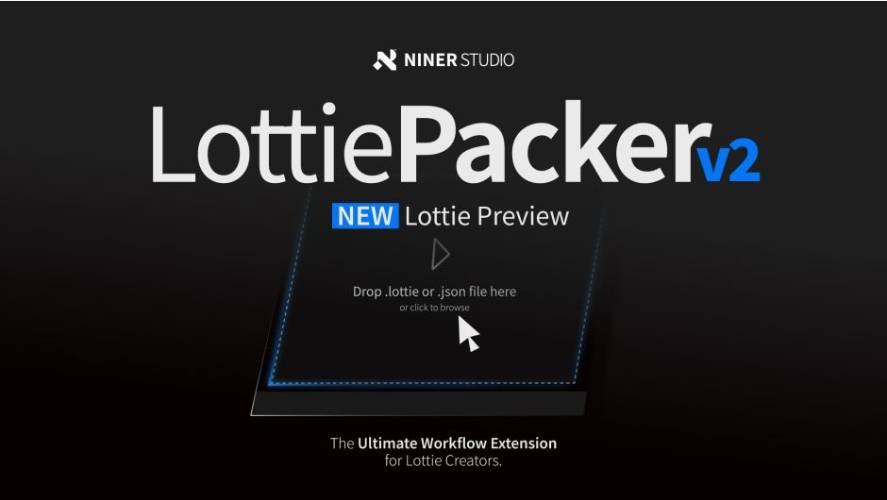
AEScripts LottiePacker v2.2 for After Effects Script WIN/MAC Full Version Free Download
AEScripts LottiePacker v2.2 is an After Effects workflow extension for artists and developers creating Lottie and dotLottie animations. It combines preparation, validation, export, preview and project packaging into a single panel, reducing the amount of manual work normally involved in taking an After Effects animation into a Lottie-based workflow. Version 2.2 adds an in-panel Lottie previewer, while the 2.1 release introduced direct .lottie export and a cross-platform validation system.
AEScripts LottiePacker official page
What is LottiePacker?
LottiePacker is designed around the production problems that appear when an After Effects animation needs to become a lightweight, web- or app-friendly Lottie asset.
Instead of creating the animation in After Effects and then manually checking supported properties, exporting through another tool, opening the resulting JSON somewhere else to test it, and preparing a clean project for handoff, LottiePacker brings those stages together.
Its workflow is essentially:
Prepare → Validate → Export → Preview → Deliver
The extension is particularly useful when you’re creating animated icons, UI elements, logos, illustrations or motion graphics intended for websites and applications.
In-Panel Lottie Preview
The headline feature in v2.2 is the new In-Panel Lottie Previewer.
After exporting, you can immediately inspect the resulting animation without leaving After Effects. The previewer includes playback controls and a timeline scrubber, along with Dark, Light and Grid canvas modes. External Lottie files can also be dragged into the panel for inspection.
This is useful because Lottie exports don’t always behave exactly like the original After Effects composition. Being able to check the actual exported animation immediately can catch problems before the file reaches a developer or client.
Version 2.2 also adds a one-click preview button directly on composition rows after export.
Direct JSON and dotLottie Export
LottiePacker can export animations directly to JSON or .lottie from its Export Settings.
The .lottie format is particularly useful because it provides a packaged Lottie asset rather than leaving you with a collection of separate resources. Version 2.1 added direct dotLottie export with built-in asset compression and introduced a unified interface for choosing between JSON and .lottie.
This makes the extension much more than a preparation utility. It can now function as the actual export point for a Lottie production workflow.
Cross-Platform Validation
One of LottiePacker’s most useful features is its Smart Cross-Platform Validation Matrix.
Lottie support isn’t identical across every implementation, so an animation that behaves correctly in one environment can potentially use properties that another platform doesn’t handle properly.
LottiePacker can check the composition against target libraries for Android, iOS, Windows and Web, identifying unsupported After Effects features before export. The validation system provides layer-by-layer diagnostic information so you can identify what needs to be changed.
That makes it particularly valuable when you’re delivering assets to developers rather than simply rendering a visual for yourself.
Shape Preparation
LottiePacker includes several tools for preparing vector artwork before conversion.
It can convert AI and EPS vector layers to After Effects shape layers, remove hidden Illustrator artboard paths, and merge or extract shapes as required.
This helps address a common problem in Lottie workflows: artwork imported from Illustrator can contain unnecessary paths, hidden elements or structures that aren’t ideal for Lottie conversion.
Cleaning those elements before export can reduce compatibility problems and unnecessary complexity.
Composition Preparation
LottiePacker also handles repetitive composition preparation.
You can trim compositions to the current playhead or define custom cut durations, and these operations can be applied across multiple compositions.
That becomes particularly useful when a project contains multiple animations that need to be delivered as separate Lottie files.
Instead of opening each composition and manually adjusting its duration, the extension can handle the preparation as part of a batch workflow.
Batch Processing
Batch processing is one of the reasons LottiePacker makes more sense for production environments than a simple exporter.
Multiple compositions can be processed together, allowing you to prepare and export a collection of animations rather than handling every composition independently. The current v2 workflow combines its shape tools, composition tools, validation and export functionality in a single panel.
This is useful for projects involving large sets of:
Animated icons
UI animations
Product illustrations
App graphics
Web animations
The more assets you need to deliver, the more useful automation becomes.
Clean AEP Packaging
LottiePacker isn’t only concerned with the exported animation.
Its 1-click Comp to AEP Extraction feature can batch-export animated compositions into clean, independent After Effects project files.
This is useful when handing individual animations to clients, developers or other artists.
Instead of giving someone a huge production .aep containing the entire project, you can create isolated project files containing the relevant composition.
Local Processing
Another important feature is that the workflow operates locally on your computer.
The developer explicitly states that LottiePacker does not upload your projects to a cloud service. Exports and processing happen locally, which is particularly relevant for commercial projects under NDA or projects containing unreleased client material.
For studios and freelancers, this is a meaningful advantage over cloud-based conversion services.
Built Around Bodymovin
Version 2.0 introduced a built-in Bodymovin engine, allowing LottiePacker to render and export animations to Lottie JSON directly from After Effects.
This is the foundation for the direct export workflow in the current versions.
It also means that LottiePacker isn’t merely organizing files around an external conversion process. The Lottie export engine is integrated into the extension itself.
Typical Workflow
A practical workflow could look like this:
Create animation in After Effects
→ Convert and clean vector artwork
→ Trim compositions
→ Run platform validation
→ Export JSON or .lottie
→ Preview inside LottiePacker
→ Package the corresponding AEP if required
This is considerably cleaner than treating each stage as a separate tool.
Who Should Use LottiePacker?
LottiePacker is particularly useful for motion designers creating Lottie assets for developers, especially when several animations need to be delivered as a consistent package.
UI designers, product designers, app teams, web-animation artists and agencies can also benefit from the batch-processing and validation features.
For someone who occasionally exports one simple animation to Lottie, the native Bodymovin ecosystem may already be sufficient. LottiePacker becomes more valuable as the number of assets, target platforms and revisions increases.
Version 2.2
LottiePacker v2.2.0 was released on August 26, 2026. The major addition is the in-panel Lottie previewer, along with the one-click preview button, modern native Save As dialogs, composition-list refresh controls and faster file-location access.
Version 2.1, released August 18, 2026, added direct .lottie export, the target-library selector and cross-platform validation. Version 2.0, released July 31, 2026, introduced the built-in Bodymovin engine and combined the Lottie export and AEP packaging workflows.
Compatibility
The official listing currently supports After Effects CC 2018 through After Effects 2026.
The current regular price is $29.99, with a listed promotional price of $24.99 through September 2, 2026. A free trial is available.
Final Thoughts
AEScripts LottiePacker v2.2 is best thought of as a complete Lottie production workflow inside After Effects, rather than just another export script.
The combination of direct JSON and .lottie export, platform validation, vector cleanup, batch processing, composition trimming, AEP extraction and the new in-panel previewer covers almost the entire journey from an After Effects composition to a developer-ready Lottie asset.
The v2.2 previewer is particularly useful because it closes an annoying gap in the workflow. You can export and immediately inspect the actual Lottie result without leaving After Effects.
For a single animation, that may not matter much. For designers producing dozens or hundreds of Lottie assets, the validation, batch processing and packaging features can save a lot of repetitive work.
Bottom line: LottiePacker is a strong production utility for anyone regularly turning After Effects animations into Lottie or dotLottie assets, especially when cross-platform compatibility and clean handoff to developers matter.
AEScripts LottiePacker, LottiePacker v2.2, LottiePacker After Effects, After Effects Lottie exporter, After Effects Lottie plugin, After Effects dotLottie export, After Effects JSON export, Lottie animation workflow, Lottie validation tool, Lottie cross-platform validation, After Effects Lottie preview, Bodymovin After Effects, Lottie batch export, Lottie AEP packaging, After Effects animated icons, After Effects Lottie workflow
AEScripts LottiePacker v2.2 for After Effects Script WIN/MAC Full Version Free Download
https://zeroupload.com/5351b7dd6422130f85881bb2065b9fc0
https://buzzheavier.com/s1thm747nlth
https://pixeldrain.com/u/4JNVQH5e
https://filekeeper.net/mect1mrppccj/LottiePacker2.2_DownloadPirate.com.zip