AEScripts Falloff v1.0 Plugin for After Effects Full Version Free Download
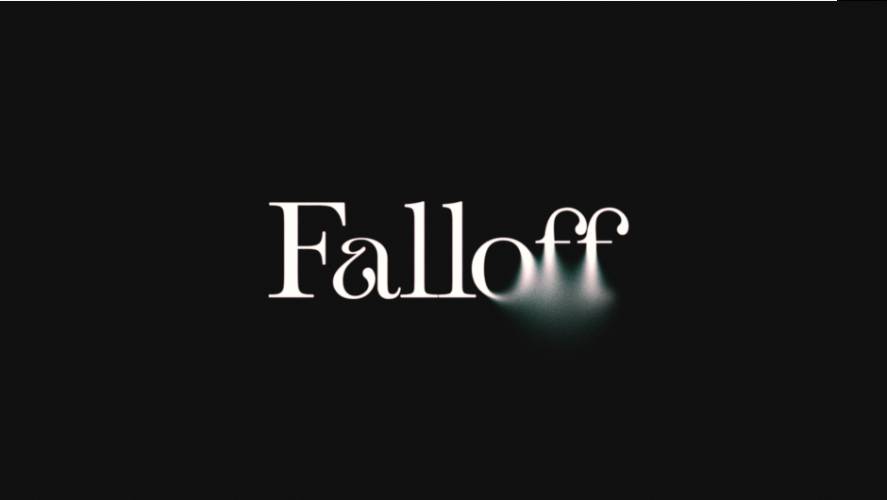
AEScripts Falloff v1.0 is a variable-radius blur plugin for Adobe After Effects that gives artists precise control over how blur spreads across an image. Instead of applying uniform blur or blending a blurred copy over the original footage, Falloff calculates the blur radius individually for every pixel.
The plugin uses masks, matte layers, luminance, alpha information or edge distance to determine where an image becomes sharp or soft. It also processes blur in linear light, allowing highlights to bloom more naturally, similar to the behaviour of a real camera lens.
Developed by irrealix and Ilya Sinitsyn, Falloff is designed for motion designers, compositors and visual effects artists who need more sophisticated focus transitions, atmospheric effects and depth-based blur.
What Is Falloff for After Effects?
Falloff introduces a different approach to blurring images in After Effects. Traditional blur effects generally apply a consistent blur radius across the selected image or rely on manually combining sharp and blurred layers.
Falloff calculates the blur radius pixel by pixel using a user-defined falloff source and curve.
This makes it possible to create gradual transitions between sharp and blurred regions, control the shape of the transition and introduce different types of distortion and texture.
It is particularly useful for simulated depth of field, atmospheric haze, selective focus, directional motion effects and stylised image treatments.
Key Features of Falloff v1.0
1. Variable-Radius Blur
The central feature of Falloff is its ability to vary blur intensity across an image.
Rather than applying the same blur strength everywhere, the plugin uses a falloff map to determine how much each pixel should be blurred.
This allows users to maintain sharp details in selected areas while gradually increasing blur in surrounding regions.
It provides more control over focus transitions without requiring multiple duplicated layers and complicated masking arrangements.
2. Five Different Blur Types
Falloff includes five blur algorithms, each designed for different visual effects.
- Gaussian Blur: Produces smooth, natural-looking softness suitable for general image blurring.
- Box Blur: Creates a simpler blur distribution with a different visual character.
- Directional Blur: Introduces blur along a chosen direction, useful for motion-inspired effects.
- Radial Blur: Includes Spin and Zoom modes for circular and zoom-based distortion.
- Field Blur: Uses individual control points to define different blur strengths across an image.
The availability of multiple blur types makes Falloff useful for both realistic optical effects and more stylised motion graphics.
3. Five Falloff Sources
The plugin offers five different ways to determine how blur is distributed.
- Edge Distance: Calculates blur based on the distance from the layer’s edges.
- Matte Layer: Uses a separate matte layer to control the blur distribution.
- Layer Mask: Uses an After Effects mask as the falloff source.
- Luma: Uses the luminance values of the source layer.
- Alpha: Uses transparency information to determine where blur should appear.
Additional Invert and Pre-Blur controls provide further flexibility when preparing the falloff source.
This makes it possible to create anything from a simple edge-based blur to more complex selective-focus effects driven by existing artwork.
4. Custom Falloff Curves
Falloff includes preset curves as well as an editable curve graph.
Users can shape how quickly the image transitions from sharp to blurred by adjusting the falloff response.
Additional controls include:
- Gamma: Changes the distribution of the falloff response.
- Midpoint: Adjusts the centre of the transition.
- Contrast: Controls the separation between sharp and blurred regions.
These controls are useful when a simple linear transition does not produce the desired result.
5. Directional Distortion Controls
Falloff goes beyond conventional blur by providing additional distortion controls for directional effects.
Available controls include:
- Bend
- Jitter
- Wave
- Dispersion
These can introduce irregularity and variation into the blur, making it possible to create more organic or stylised results.
They are particularly useful for experimental motion graphics, atmospheric effects and distorted visual transitions.
6. Field Blur with Four Control Pins
The Field Blur mode provides four individual control pins.
Each pin has its own strength setting, allowing users to define different blur regions within the same image.
This offers a more flexible approach to selective focus than applying a single uniform blur or relying on a simple gradient mask.
Artists can use the pins to establish multiple focus areas and create more complex sharp-to-soft transitions.
7. Three Noise Types
Falloff includes three noise styles that add texture to the blur.
- Grain: Introduces a grain-like texture.
- Spray: Creates a more scattered texture.
- Coverage: Adds variation to the coverage of the blur.
The noise scales with the blur, helping the texture remain connected to the effect rather than appearing as an unrelated overlay.
This is useful for creating less sterile blur effects and introducing texture into stylised compositions.
8. Linear-Light Blur Processing
One of Falloff’s notable features is its linear-light processing.
The plugin performs blur calculations in linear light by default, which allows bright highlights to spread more naturally into surrounding areas.
This is particularly useful when working with bright light sources, highlights and glowing elements.
The result can resemble the optical behaviour of a real lens more closely than conventional blur calculations performed directly in gamma-encoded image space.
9. Falloff Visualisation
Falloff includes a Show Falloff option that allows users to inspect the falloff map while adjusting the effect.
The map can be displayed as an overlay on the original image or independently.
This makes it easier to understand how the plugin interprets the selected source and how the blur transitions are distributed across the composition.
10. Native C++ Plugin and Colour Depth Support
Falloff is built as a native C++ plugin for After Effects.
It supports 8-bit, 16-bit and 32-bit per-channel processing, making it suitable for different production requirements and higher-bit-depth compositing workflows.
What’s New in Falloff v1.0?
Version 1.0.0 was released in October 2026 and represents the initial release of the plugin.
The first version introduces:
- Pixel-by-pixel variable-radius blur.
- Five blur types: Gaussian, Box, Directional, Radial and Field.
- Five falloff sources: Edge Distance, Matte Layer, Layer Mask, Luma and Alpha.
- Editable falloff curves and presets.
- Gamma, Midpoint and Contrast controls.
- Directional distortion with Bend, Jitter, Wave and Dispersion.
- Four-pin Field Blur.
- Grain, Spray and Coverage noise.
- Linear-light blur processing.
- 8-bit, 16-bit and 32-bit colour depth support.
System Requirements and Compatibility
| Requirement | Details |
|---|---|
| Host application | Adobe After Effects |
| Minimum version | After Effects 2024 |
| Listed compatibility | After Effects 2026 and 2027 |
| Windows | Windows x64 |
| macOS | macOS 12 or newer |
| Apple Silicon | Supported |
| Intel Mac | Supported |
| Plugin architecture | Native C++ |
| Colour depth | 8-bit, 16-bit and 32-bit per channel |
The macOS version is universal and supports both Apple Silicon and Intel processors.
Who Should Use Falloff?
Falloff is designed for After Effects users who need more control over blur distribution than standard blur effects provide.
It can be particularly useful for:
- Motion designers: Create selective-focus transitions, animated blur and stylised visual effects.
- Compositors: Introduce depth-based softness and atmospheric haze into footage.
- Visual effects artists: Create directional distortion, radial blur and more complex blur treatments.
- Video editors: Simulate focus changes and draw attention to specific areas of a shot.
- Graphic designers: Add controlled softness and optical effects to layered artwork.
Conclusion
AEScripts Falloff v1.0 offers a more flexible approach to blurring images in Adobe After Effects. Its variable-radius calculations, five blur types, multiple falloff sources and editable curves provide precise control over how sharp and blurred regions interact.
The ability to process blur in linear light is another useful feature, particularly when working with bright highlights and realistic optical effects.
For artists who frequently create selective focus, atmospheric blur, depth transitions and stylised image distortion, Falloff provides a dedicated solution that goes beyond conventional After Effects blur effects.
- AEScripts Falloff
- Falloff v1.0
- After Effects blur plugin
- Variable-radius blur
- Selective focus After Effects
- Depth of field effects
- Radial blur plugin
- After Effects optical effects
AEScripts Falloff v1.0 Plugin for After Effects Full Version Free Download
https://zeroupload.com/f3f16aade51c1f786d5f790392c764d7
https://filekeeper.net/wmgsans9cjh6/Falloff1.0_DownloadPirate.copm.rar
https://buzzheavier.com/rzj41f9nolkp