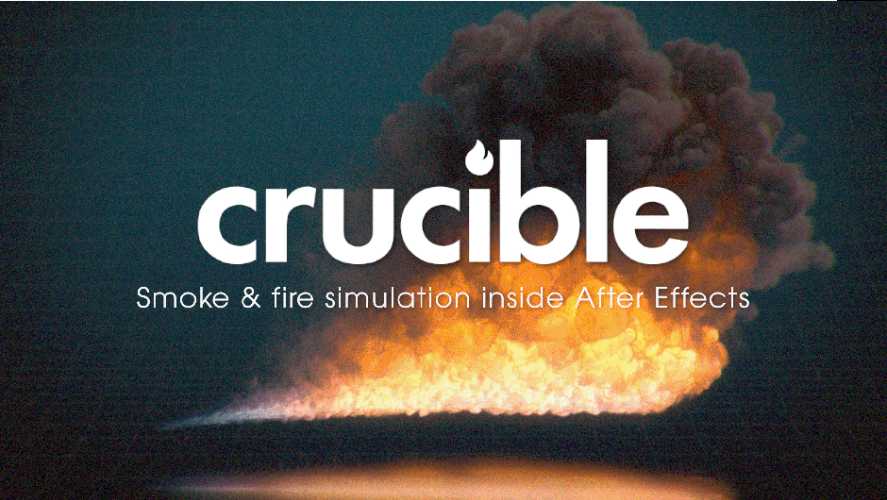
AEScripts Crucible v1.0.2 Plugin for After Effects Full Version Free Download
AEScripts Crucible v1.0.2 is a GPU-accelerated volumetric simulation plugin for Adobe After Effects that allows artists to create realistic smoke, fire and combustion effects directly inside their compositions.
Developed by Simplecubed, Crucible brings a 3D simulation workflow into After Effects without requiring users to move between multiple applications for simulation, lighting and compositing. Artists can generate smoke plumes, explosions, burning objects, flames and atmospheric effects, then light and composite them over existing footage.
Unlike conventional 2D particle effects, Crucible simulates smoke and fire as three-dimensional volumes, allowing the effects to interact with the surrounding scene and respond to forces such as wind and turbulence.
What Is Crucible for After Effects?
Crucible is designed to make volumetric smoke and fire simulation accessible within After Effects. It uses the GPU to calculate and render simulations, allowing artists to create effects directly in their existing motion graphics and compositing projects.
One of its notable characteristics is its open-ended simulation space. Unlike traditional simulations that operate inside a fixed container, Crucible does not require users to define a bounding box. Smoke and fire can travel beyond their initial emission area as the simulation develops.
The plugin also uses GPU memory selectively, allocating resources where smoke is present rather than maintaining a fully occupied simulation domain.
Key Features of Crucible v1.0.2
1. Real-Time GPU-Accelerated Volumetric Simulation
Crucible simulates smoke and fire as actual 3D volumes rather than relying on flat 2D elements.
This allows artists to create more convincing depth, movement and interaction within their compositions. The simulation runs entirely on the GPU, making compatible NVIDIA RTX hardware essential.
Users can adjust simulation detail independently of the underlying behaviour through the Voxel Scale setting.
Available simulation resolutions range from 256³ to 1024³, allowing artists to work with lower detail during look development and increase resolution for final rendering.
2. Emit Smoke and Fire from Any Layer
Crucible allows users to generate smoke and fire from existing After Effects layers.
Both footage and precomposition layers can act as emission sources. Their position, rotation and scale can be adjusted, with the generated smoke following the source layer.
Two particularly useful controls are:
- Color From Layer: Transfers the source layer’s colours into the generated plume.
- Inherit Motion: Passes the movement of the source layer into the simulation.
This makes it possible to create burning logos, smoking typography, animated objects and other effects using existing artwork.
3. Particle-Driven Smoke and Fire
Crucible includes a particle system that drives the behaviour of the simulated gas.
Particles inject smoke, heat and flame along their paths while also pushing the surrounding volume. This allows artists to create more varied and dynamic effects, including irregular fireballs and expanding explosions.
Available particle burst types include:
- Stream
- Explosion
- Blast
- Shockwave
Users can also control the behaviour of particles throughout their lifetime using over-life curves for smoke, heat, flame and particle size.
Particles can bounce, stick to surfaces or continue burning after landing.
4. Natural Fire Behaviour and Combustion Controls
The plugin provides dedicated controls for shaping flame behaviour.
Flames can push outward as they burn, leaving soot behind and generating additional smoke. Turbulence, shredding and disturbance controls introduce irregular movement and tearing, helping create more natural-looking fire.
Important controls include:
- Flame Lifespan: Controls the duration and height of the flames.
- Soot Release: Determines how much soot and smoke are produced.
- Wind: Introduces directional movement.
- World-Space Turbulence: Adds environmental turbulence and gust-like motion.
These controls make Crucible suitable for both realistic combustion effects and stylised fire simulations.
5. Floors and Collision Obstacles
Crucible supports a floor and up to three colliders, allowing smoke and fire to interact with objects in the scene.
Smoke can accumulate against surfaces or flow around obstacles instead of passing through them.
For users working with After Effects 2026 and later, the plugin also supports extruded shapes and meshes as collision objects.
This provides additional flexibility when integrating volumetric effects into more complex compositions.
6. Physically Grounded Lighting
Lighting plays an important role in making volumetric smoke and fire look convincing.
Crucible includes physically grounded lighting features such as:
- Self-shadowing
- Light scattering
- Fire glow
- Ambient occlusion
These features help give smoke volume and depth while allowing flames to illuminate the surrounding soot.
The plugin is designed to integrate with the lighting environment of the composition, helping generated effects sit more naturally within existing footage.
7. Advanced Compositing and Render Passes
Crucible is built for compositing workflows rather than simply generating an isolated simulation.
It supports straight alpha, holdouts, cast shadows and separate render passes.
Available passes include:
- Smoke
- Fire
- Scatter
- Depth
- Normals
Artists can use these outputs to adjust the appearance of individual elements during post-production.
The plugin can also hold out effects behind up to four layers and cast shadows onto them, making it easier to integrate smoke and fire into a scene containing foreground objects.
8. VDB Import and Export with Crucible Render
Crucible includes a separate rendering component called Crucible Render, which is provided under the same product licence.
Users can bake simulations to .vdb or .nvdb files and use Crucible Render to play back VDB simulations, including files generated in other digital content creation applications.
One important advantage is the ability to relight an existing VDB simulation without running the simulation again.
This is useful when the simulation itself is already satisfactory but the lighting or compositing treatment needs further refinement.
9. Built-In Simulation Presets
Crucible includes several demonstration shots that provide starting points for exploring its simulation capabilities.
The included examples are:
- Smoke Plume
- Candle
- Log Fire
- Incense
- Explosion
These presets help users understand the plugin’s workflow and provide a starting point for creating their own effects.
What’s New in Crucible v1.0.2?
Version 1.0.2 was released on November 10, 2026.
This update focuses primarily on GPU optimisation and stability.
The changes include:
- GPU optimisation: Improvements to GPU resource management.
- Improved memory handling: Hidden Crucible Render layers no longer retain GPU memory required by an active simulation.
- Minor bug fixes: General stability and reliability improvements.
Version 1.0.1, released on October 27, 2026, was the initial release of Crucible.
System Requirements and Compatibility
| Requirement | Details |
|---|---|
| Host application | Adobe After Effects |
| Compatible versions | After Effects 2024, 2025, 2026 and 2027 |
| Operating system | Windows 10 or Windows 11, 64-bit |
| GPU | NVIDIA RTX 20-series or newer |
| Minimum VRAM | 8 GB |
| Recommended VRAM | 12 GB or more |
| Processing | GPU-based simulation and rendering |
| macOS | Not supported |
Important: Crucible is Windows-only and requires an NVIDIA RTX graphics card. AMD GPUs, older NVIDIA graphics cards and macOS systems are not listed as supported configurations.
Who Should Use Crucible?
Crucible is aimed at visual effects artists, motion designers and compositors who need volumetric smoke and fire effects without leaving After Effects.
It can be particularly useful for:
- VFX artists: Create volumetric explosions, smoke plumes and combustion effects.
- Motion designers: Produce burning typography, animated logos and dramatic title sequences.
- Compositors: Integrate smoke and fire into existing footage using holdouts, shadows and separate render passes.
- Advertising studios: Create stylised fire, atmospheric effects and cinematic product visuals.
- 3D artists: Bring existing VDB simulations from other applications into After Effects for relighting and compositing.
Conclusion
AEScripts Crucible v1.0.2 brings GPU-accelerated 3D smoke and fire simulation directly into Adobe After Effects. Its particle-driven gas simulation, combustion controls, collision support, volumetric lighting and VDB workflow make it a substantial tool for creating both realistic and stylised visual effects.
The ability to simulate, light and composite effects within After Effects reduces the need for a separate simulation application for many workflows. However, its hardware requirements are important: users need Windows and a compatible NVIDIA RTX GPU with at least 8 GB of VRAM.
For After Effects artists who regularly work with fire, smoke, explosions and volumetric effects, Crucible offers an integrated simulation and compositing workflow.
- AEScripts Crucible
- Crucible v1.0.2
- After Effects smoke plugin
- After Effects fire simulation
- GPU smoke simulation
- Volumetric fire effects
- After Effects VFX plugin
- VDB rendering in After Effects
AEScripts Crucible v1.0.2 Plugin for After Effects Full Version Free Download
https://zeroupload.com/9ea3a0ddd8329327c6104c93f475dcd7
https://buzzheavier.com/z4um2764ts1b
https://filekeeper.net/rgf1ndejcrqw/Crucible1.0.2_DownloadPirate.com.zip