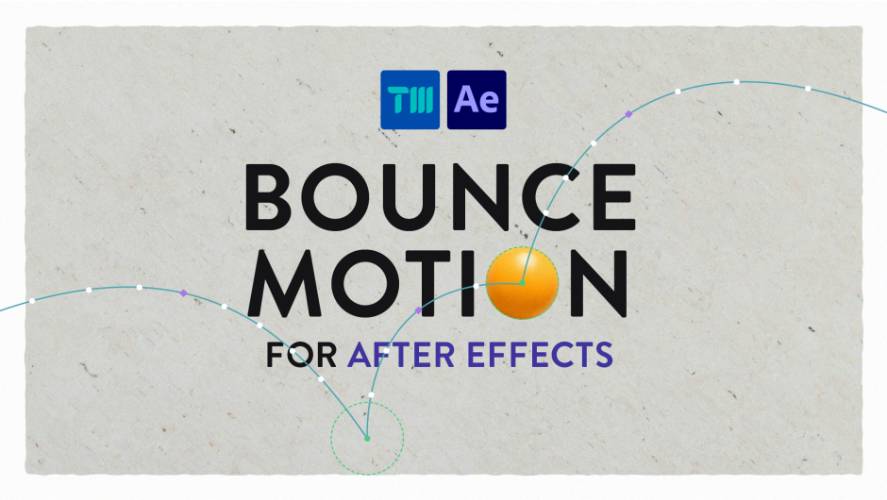
AEScripts Bounce Motion v1.0 for After Effects Script WIN/MAC Full Version Free Download
AEScripts Bounce Motion v1.0 is an After Effects animation script designed to make believable bouncing motion without manually building dozens of keyframes. It turns the traditionally tedious process of animating a bouncing object into a much simpler point-and-click workflow.
AEScripts Bounce Motion official page
The concept is deliberately straightforward: choose where the object starts, click where you want it to land on each bounce, and Bounce Motion calculates the animation between those points.
What is Bounce Motion?
Animating a bouncing ball is one of the classic exercises in animation because it teaches timing, spacing, arcs, squash and stretch. It’s also surprisingly tedious to do properly.
You normally have to create the keyframes, adjust the trajectory, manipulate the timing, edit the Graph Editor and then add squash and stretch to make the movement feel believable.
Bounce Motion handles much of that setup automatically.
The workflow is essentially:
Choose starting point → Place bounce locations → Adjust motion → Preview → Export
The result can then be exported as either baked keyframes or editable expressions.
Creating Bounce Paths
The main interface is based around placing points directly in the composition.
First, you click where the animation should begin. Then you click each location where the object should land. Bounce Motion calculates the movement between those points and generates the bouncing animation.
This is much faster than manually creating position keyframes for every impact.
It also makes experimentation easier. If you don’t like the trajectory, you can change the bounce locations instead of rebuilding the entire animation.
Natural Bounce Animation
Bounce Motion is designed to create realistic-looking bounce behaviour automatically.
The tool handles the underlying motion between the points, allowing you to concentrate on deciding where the object should go rather than manually calculating every movement.
This is especially useful for objects that need to feel physically responsive rather than simply moving along a basic linear path.
Arc Control
A believable bounce isn’t simply a sequence of straight lines.
The object needs to travel through an arc between impacts, and the height of that arc affects the perceived energy of the movement.
Bounce Motion provides controls for adjusting the arc of the bounce, allowing you to refine the trajectory after placing your landing points.
This makes it possible to create anything from a shallow, heavy bounce to a much more exaggerated cartoon-style movement.
Timing
Timing is just as important as the trajectory.
A light object might bounce rapidly, while a heavy object might hit the ground and settle much more slowly.
Bounce Motion allows you to adjust the timing of the bounce sequence instead of forcing you to manually move individual keyframes around the timeline.
That makes it easier to experiment with the overall rhythm of the animation.
Squash and Stretch
Bounce Motion also includes squash and stretch controls.
This is important because a mathematically correct bouncing animation can still look stiff if the object remains completely rigid.
Squashing the object when it hits the ground and stretching it during fast movement gives the animation a more traditional animated feel.
You can therefore create something closer to a polished animation rather than simply generating a path between several points.
Export as Keyframes or Expressions
One of the most useful aspects of Bounce Motion is that you’re not locked into one type of output.
The animation can be exported as baked keyframes or as editable expressions.
Baked keyframes are useful when you want direct control over the resulting animation curves.
Expressions are useful when you want a more procedural setup that remains editable through expression controls.
That gives the tool a reasonable balance between convenience and control.
Background Images as Guides
Bounce Motion also allows you to import background images as guide layers.
This can be useful when the bouncing object needs to interact with an existing layout or follow specific visual reference.
For example, you could place a background illustration underneath the animation and use it to determine exactly where the object should land.
This makes Bounce Motion more useful than a tool intended only for isolated bouncing-ball exercises.
Fully Editable Animation
The generated bounce isn’t treated as a final baked effect that you have no control over.
The product description emphasizes that each bounce remains fully editable, allowing you to refine the motion after generating it.
That’s important in real production work because the first version is rarely the final version.
You might decide that the second bounce needs to be higher, the third impact needs to happen sooner, or the object needs to settle more slowly.
Bounce Motion is designed to let you make those changes without rebuilding everything.
Motion Graphics Applications
Although the bouncing-ball example is the obvious demonstration, the underlying system can be useful for many other types of animation.
You can use the same principles for bouncing:
- Logos
- Icons
- UI elements
- Typography
- Cartoon objects
- Product graphics
- Abstract shapes
The tool becomes particularly useful when an object needs to move through several deliberate landing points while maintaining believable bounce behaviour.
Squash-and-Stretch Motion Design
Bounce Motion is especially relevant to motion designers who like traditional animation principles.
The combination of arcs, timing and squash and stretch can give otherwise simple graphics considerably more personality.
For example, a logo could fall onto a surface, compress on impact, rebound, make a smaller second bounce and finally settle.
Doing this manually is perfectly possible in After Effects, but it requires more keyframing and Graph Editor work than the basic concept would suggest.
Workflow Compared With Manual Animation
A manual workflow might look like:
Position keyframes → Graph Editor → Adjust velocity → Adjust arcs → Add squash → Add stretch → Refine timing → Repeat
With Bounce Motion:
Place start → Place landings → Adjust → Export
That is the real value of the script.
It doesn’t necessarily create motion that an experienced animator couldn’t create manually. Instead, it removes a lot of the repetitive setup.
Who Should Use Bounce Motion?
Motion designers are the obvious audience, especially those working with playful or physically inspired animation.
2D animators can use it for objects that need believable bouncing and settling.
UI designers can use it for interface elements that pop, fall or bounce into position.
Logo animators can use bounce behaviour to give simple logo reveals more character.
Beginners can also benefit because the tool lets them experiment with bounce animation without first mastering the Graph Editor.
For experienced animators, the biggest advantage is simply speed.
What Bounce Motion Is Not
Bounce Motion isn’t a complete physics simulation system.
It’s designed specifically around creating polished bounce animation quickly. If you need accurate rigid-body physics, collisions between multiple objects, complex physical interactions or simulation-driven animation, After Effects’ physics-oriented tools or a dedicated 3D application would be more appropriate.
Its strength is controlled animation rather than physically accurate simulation.
Compatibility
Bounce Motion v1.0 was initially released on August 17, 2026. The official AEScripts listing currently supports After Effects 2021 through After Effects 2026.
The current listed regular price is $14.99, with a promotional price of $11.99 through August 28, 2026. A free trial is also available.
Final Thoughts
AEScripts Bounce Motion v1.0 is a focused animation utility that tackles one very specific problem: creating believable bouncing motion without drowning in keyframes.
Its workflow is simple but effective. You choose the starting position, place the bounce locations, adjust the arc, timing, squash and stretch, preview the result and then export it as keyframes or expressions.
The important thing is that it doesn’t try to replace animation fundamentals. Instead, it automates the tedious parts while leaving the creative decisions to you.
For a basic bounce, After Effects can obviously do the job itself. But if you regularly animate logos, icons, objects, UI elements or playful motion graphics, Bounce Motion can turn a tedious setup into a few clicks.
Bottom line: a small, inexpensive tool with a very clear purpose, and a good fit for motion designers who want believable bounce animation without manually wrestling with the Graph Editor every damn time.
AEScripts Bounce Motion, Bounce Motion After Effects, Bounce Motion v1.0, After Effects bounce animation, After Effects bounce script, After Effects animation script, After Effects squash and stretch, After Effects bounce effect, After Effects motion design, After Effects keyframe animation, After Effects Graph Editor alternative, After Effects bouncing ball animation, After Effects animation tools, After Effects motion graphics tools, After Effects physics animation
AEScripts Bounce Motion v1.0 for After Effects Script WIN/MAC Full Version Free Download
https://zeroupload.com/e0fc93edde40d0990c2c9a87cda08c82
https://buzzheavier.com/7su9k8z3q3ru
https://filekeeper.net/putqcxpp26m1/BounceMotion1.0_DownloadPirate.com.rar