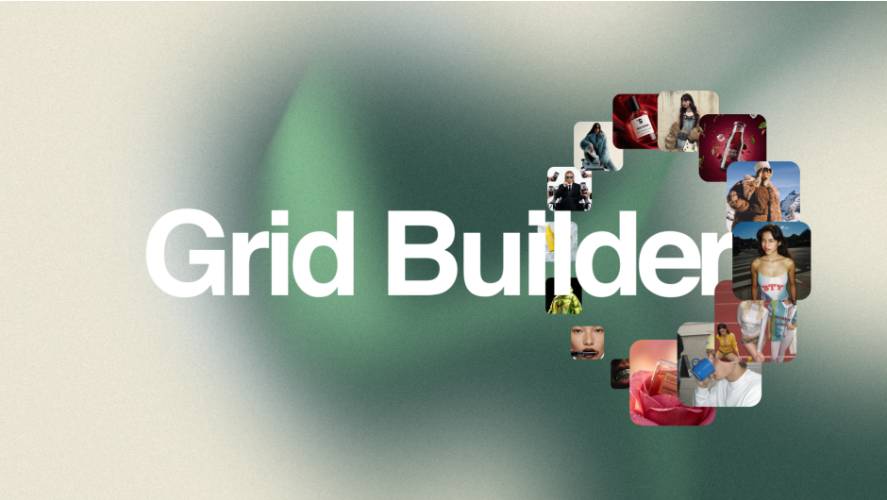
AEScripts Grid Builder v2.0.2 Script for After Effects WIN/MAC Full Version Free Download
Creating and animating complex layer layouts in Adobe After Effects can involve extensive manual positioning, alignment, and keyframe work. AEScripts Grid Builder v2.0.2 is a grid engine for After Effects designed to simplify this process by allowing users to create, manage, animate, and transform complex layouts from a single Null controller. The tool supports text, shapes, vectors, footage, and precompositions, making it suitable for a wide range of motion graphics projects.
What Is Grid Builder?
Grid Builder is an After Effects tool developed by Sebastian Jelic and Rico Rambke. It provides a dedicated extension panel for creating and managing grids while placing the primary controls on a generated Null layer through a Pseudo Effect. This approach keeps the composition timeline organized while providing centralized control over the generated layout.
The system is designed to work with practically any layer that can be placed on an After Effects timeline. Text layers, shape layers, vector assets, footage, and precompositions can all be incorporated into grids.
Four Grid Modes
Grid Builder provides four different grid modes for arranging layers in two-dimensional and three-dimensional layouts.
Rectangular Grid
The Rectangular Grid creates structured layouts based on columns. It is suitable for arranging multiple assets in conventional rows and columns, including image galleries, typography layouts, and repeated graphic elements.
Radial Grid
The Radial Grid arranges layers in a circular pattern. This provides a way to create circular compositions while maintaining control through the generated Null.
Path Grid
Path Grid allows layers to follow a selected path template or a custom path drawn by the user. The assets can subsequently be oriented along the path, providing additional options for curved and directional layouts.
Spherical Grid
The Spherical Grid distributes layers mathematically across a sphere. This mode can be used for three-dimensional arrangements where multiple assets need to be positioned around a spherical structure.
One Null for Centralized Control
Each Grid Builder layout generates a single Null layer that acts as the primary controller. The Pseudo Effect is placed directly on this Null, bringing the grid parameters into one centralized location.
Despite the centralized control system, individual layers remain independently editable. Users can animate individual assets, apply effects, or modify layers without breaking the underlying grid logic.
This combination of global and individual controls allows a layout to remain procedurally organized while still supporting manual animation and customization.
Four Orientation Modes
Grid Builder includes four orientation modes that determine how individual layers respond to the grid.
Forward makes layers follow the rotation and orientation of the control Null. Orient to Center keeps layers pointed toward the center of the grid. Face Screen keeps assets facing the camera regardless of the grid’s rotation, while Orient to Path aligns layers with the direction of the selected path when using Path Grid.
These modes provide different approaches to controlling the visual direction of assets in both conventional and three-dimensional layouts.
Morph Between Grid Layouts
Grid Builder also includes a Morph mode that allows users to animate between different grid layouts using a single slider. The system retains access to individual layout controls while transitioning between arrangements.
This makes it possible to transition from one spatial organization to another without manually repositioning every layer. The feature can be used for animated layout changes, transformations, and more dynamic motion graphics sequences.
Smart Target Focusing
The Spherical Grid includes a Smart Target Focusing feature designed to create transitions between individual layers. A single slider can control movement between targets, with the system calculating a direct route between them and bypassing unnecessary intermediate layers.
This provides an additional method for creating focused camera or layout movements within spherical arrangements.
Proximity Effects and Effectors
Version 2.0 introduced the Proximity feature, expanding Grid Builder beyond conventional grid arrangement. Proximity allows transformation properties such as Position, Rotation, Scale, and Opacity to respond to effectors. It also includes Attract and Repel controls.
A Look At option can make assets continuously face an effector, while Custom Properties allow users to select effects and properties for proximity-based control. Multiple Proximity Groups can also be created, with each group affecting different properties.
Users can add multiple effectors to a Proximity Group, with those effectors automatically applying the configured properties. This provides a flexible system for creating interactive-looking motion and spatial transformations.
For the complete feature set and documentation, visit the official AEScripts Grid Builder page.
Layer Sorting and Workflow Control
Grid Builder includes drag-and-drop layer sorting directly within its extension panel. This allows users to reorder assets inside the grid without manually changing the layer order in the After Effects composition timeline.
The feature can be particularly useful when working with large collections of images, text elements, footage, or repeated graphic assets where the desired visual order changes during production.
Version 2.0.2 and Compatibility
Grid Builder v2.0.2 was released on August 17, 2026. The update fixed the Twist behavior when changing orientation modes. Version 2.0.1 previously added Morph directly to the grid creation process, while version 2.0.0 introduced the Proximity feature.
The official AEScripts compatibility information lists support for After Effects 2022, 2023, 2024, 2025, and 2026.
Conclusion
AEScripts Grid Builder v2.0.2 provides a centralized system for creating and animating complex layer layouts in Adobe After Effects. With Rectangular, Radial, Path, and Spherical grid modes, four orientation systems, Morph transitions, Smart Target Focusing, layer sorting, and the newer Proximity system, the tool covers both structured layouts and more advanced interactive-style animation.
The single-Null control system keeps grid parameters organized while preserving independent control over individual layers. With support for text, shapes, vectors, footage, and precompositions, Grid Builder can be incorporated into typography, image layouts, infographics, 2D and 3D motion graphics, and other After Effects projects.
AEScripts Grid Builder, Grid Builder After Effects, Grid Builder v2.0.2, After Effects grid plugin, After Effects grid tool, After Effects layout animation, After Effects Proximity, After Effects Morph, 3D grid After Effects
AEScripts Grid Builder v2.0.2 Script for After Effects WIN/MAC Full Version Free Download
https://zeroupload.com/3c3e343b561cc54ff74b2d3d5ff4cbe4
https://buzzheavier.com/x536bzdjjgzs
https://filekeeper.net/q1f5bm7isohk/GridBuilder2.0.2_DownloadPirate.com.rar