AEScripts Project Typo Hunter v1.0 Script for After Effects WIN/MAC Full Version Free Download
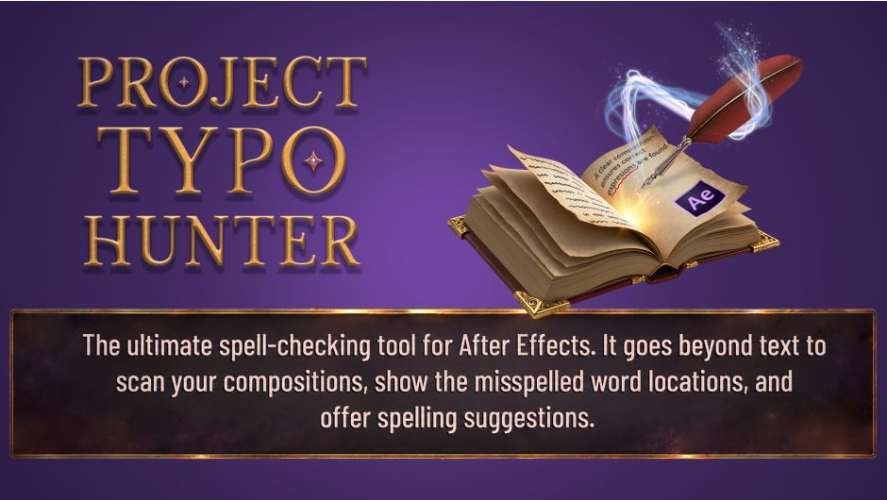
Finding spelling mistakes in a large Adobe After Effects project can be surprisingly time-consuming. A project may contain dozens or hundreds of compositions, with text layers hidden deep inside nested precompositions. Manually opening and checking every composition can make a simple typo difficult to locate. AEScripts Project Typo Hunter v1.0 is designed to solve this problem by scanning an entire After Effects project for spelling errors in a single pass.
Rather than limiting the search to the active composition, Project Typo Hunter checks text layers throughout the project and presents the detected errors in a results list. Users can then jump directly to the relevant composition and text layer to correct the mistake.
What Is AEScripts Project Typo Hunter?
Project Typo Hunter v1.0 is an After Effects script focused on project-wide spelling and text quality control. It scans text layers across compositions, including text that may be located inside nested precompositions.
The tool is designed for both new and existing projects. An existing project can be opened and scanned retrospectively, making the script useful for reviewing completed projects, inherited projects, templates, and large projects containing numerous compositions.
The main purpose is straightforward: identify spelling mistakes before the project is delivered for review, rendered, or sent to a client.
Scan an Entire After Effects Project
One of the main differences between Project Typo Hunter and a conventional spelling workflow is its multi-composition search.
Instead of checking only the currently active composition, the script scans every text layer in the project in one operation. This includes text contained inside nested compositions, where spelling mistakes can otherwise be easy to overlook.
This makes the tool particularly relevant to projects containing large numbers of compositions, multilingual versions, templates, presentations, explainer videos, and other text-heavy motion graphics projects.
Find Typos Inside Nested Precompositions
Nested compositions can make proofreading After Effects projects particularly difficult. A main composition may contain several precompositions, which can themselves contain additional compositions and text layers.
Project Typo Hunter searches through this structure and identifies spelling errors buried inside precomps. Once an error is found, the results interface can take the user directly to the relevant composition and text.
This eliminates the need to manually open each precomposition simply to find a suspected typo.
Filterable Results List
After the project is scanned, detected spelling issues are displayed in a filterable results list.
The list provides a centralized view of the errors found throughout the project. This makes it easier to work through multiple issues without repeatedly restarting a search from individual compositions.
The results also identify where the problematic text is located, allowing users to navigate directly to the relevant content.
Ranked Spelling Suggestions
Project Typo Hunter provides ranked suggestions for detected spelling mistakes.
When a word is flagged, the tool can present potential corrections so that the user can select an appropriate replacement rather than manually determining the correct spelling for every result.
This is particularly useful when processing a large project containing numerous typographical errors.
Replace and Replace All
The script includes both Replace and Replace All functionality.
Replace can be used when an individual occurrence needs to be corrected, while Replace All can address multiple occurrences of the same incorrect word. This is useful when the same typo appears repeatedly throughout a project.
A Custom Replacement field is also available, giving users more control over the replacement text when the suggested correction is not appropriate for the project.
Personal Dictionary
Not every word that appears in a motion graphics project will be present in a standard spelling dictionary. Brand names, product names, technical terminology, character names, locations, and other specialized terms may be intentionally spelled in unusual ways.
Project Typo Hunter includes a personal dictionary that can be expanded with custom words. Once an appropriate term has been added, it can be recognized as an accepted word during subsequent spelling checks.
This makes the tool more practical for professional projects containing proprietary terminology or specialized vocabulary.
Quick Word Lookup
Project Typo Hunter also provides Quick Word Lookup, allowing users to check individual words without necessarily treating the entire project as a proofreading task.
Combined with the full-project scanner, this provides both a broad project-wide checking workflow and a more focused way to investigate individual words.
Find the Error Directly in the Composition
After a spelling mistake has been identified, the Find in Composition function can take the user directly to the relevant location.
This is one of the main workflow advantages of Project Typo Hunter. Instead of simply reporting that a word is misspelled somewhere in the project, the tool helps locate the actual text that needs to be corrected.
Misspelled words are also highlighted, making them easier to identify during the correction process.
Useful for Completed and Inherited Projects
Project Typo Hunter is not limited to projects created from scratch with the script installed. The official product description specifically highlights its ability to work retroactively with existing projects, including old or inherited projects.
This can be useful when receiving an After Effects project from another designer or revisiting an older project before repurposing it.
Templates can also benefit from a project-wide spelling check before being distributed or reused.
Compatibility With Adobe After Effects
AEScripts Project Typo Hunter v1.0 was released on October 2, 2026. The official AEScripts product page currently lists compatibility with Adobe After Effects 2026 and 2027.
The product is available for both macOS and Windows, according to the official feature list.
For complete product information, licensing, trial availability, and the latest release details, visit the official AEScripts Project Typo Hunter product page.
Key Features of AEScripts Project Typo Hunter
- Project-wide spelling check
- Scans text layers across all compositions
- Searches nested precompositions
- Multi-composition search
- Quick Word Lookup
- Filterable spelling results
- Ranked spelling suggestions
- Replace function
- Replace All function
- Custom Replacement field
- Expandable personal dictionary
- Find in Composition
- Highlights misspelled words
- Works with existing and inherited projects
- Compatible with macOS and Windows
- Compatible with After Effects 2026 and 2027
Conclusion
AEScripts Project Typo Hunter v1.0 provides a dedicated proofreading workflow for Adobe After Effects projects. Its main advantage is the ability to scan the entire project rather than requiring users to manually inspect individual compositions and nested precompositions.
The filterable results list, ranked spelling suggestions, Replace and Replace All functions, custom replacement field, and personal dictionary provide tools for both identifying and correcting errors. The Find in Composition feature then allows users to move directly from a detected spelling issue to the relevant text layer.
For large After Effects projects where text appears across numerous compositions, Project Typo Hunter provides a straightforward way to perform a final spelling and text-quality check before the project is delivered.
AEScripts Project Typo Hunter v1.0 scans every text layer across an After Effects project, finds typos in nested comps, and provides fast correction tools.
AEScripts Project Typo Hunter v1.0 Script for After Effects WIN/MAC Full Version Free Download
https://zeroupload.com/e4cb90b3378224a076deb842d0f49ce9
https://buzzheavier.com/h4urv9ujttm6
https://pixeldrain.com/u/n9W1Zk2G
https://filekeeper.net/0wcl8ugmwih1/ProjectTypoHunter1.0_DownloadPirate.com.rar