AEScripts Glassary v1.7 Script and Plugin for After Effects WIN/MAC Full Version Free Download
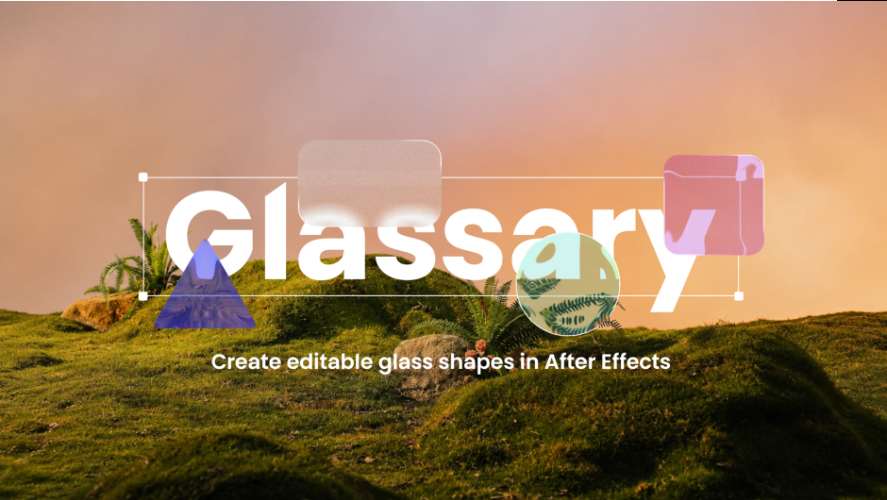
Creating convincing glass effects in Adobe After Effects often requires combining blur, distortion, refraction, lighting, color, and texture effects. AEScripts Glassary is an After Effects plugin designed to simplify this process by providing an intuitive control panel for creating customizable glass from shapes, precompositions, and 3D layers.
Instead of manually assembling multiple effects to simulate transparent materials, Glassary provides dedicated controls for refraction, frost, depth, dispersion, lighting, noise, color, and shadows. The plugin is designed to provide live control over the appearance of the glass while keeping the underlying artwork editable.
What Is AEScripts Glassary?
AEScripts Glassary is a glass-effect plugin for Adobe After Effects developed by Mor. It can turn shapes and other supported artwork into customizable glass while providing controls for optical distortion, transparency, lighting, texture, and color.
The plugin can also work with precompositions and 3D layers, allowing glass effects to be incorporated into more complex After Effects compositions.
Its interface is built around live controls, allowing users to adjust the glass appearance without having to construct the effect manually from multiple individual After Effects effects.
Create Glass From Any Shape
Glassary is designed to create glass effects from shapes. This makes it suitable for a range of motion graphics elements, including interface components, abstract graphics, typography-related designs, icons, panels, and other shape-based artwork.
The plugin also includes preset shapes, while allowing users to customize the shape used for the glass effect. This provides a starting point for creating different glass objects before adjusting their optical characteristics.
Control Glass Refraction
Refraction controls how light bends as it passes through the glass. This is one of the primary controls for creating the visual distortion associated with transparent materials.
Users can adjust the refraction from subtle optical displacement to stronger, more stylized distortion. Because the effect changes the appearance of what is positioned behind the glass, refraction can help create depth and separation between the glass element and the background.
This makes the control useful for both subtle transparent interfaces and more exaggerated glass effects.
Add Frosted Glass Effects
Glassary includes a Frost control for creating a diffused, frosted appearance.
Frost softens and blurs the content visible behind the glass. Lower settings can produce a lightly diffused surface, while stronger settings can make the glass appear considerably more opaque.
This provides a way to create different glass materials without changing the underlying artwork or manually combining multiple blur effects.
Depth and Dispersion Controls
The Glassary interface also includes Depth and Dispersion controls.
Depth contributes to the dimensional appearance of the glass, while dispersion can introduce optical color separation associated with refractive materials. These controls provide additional ways to move beyond a simple transparent blur and create a more detailed glass appearance.
The official tutorial specifically demonstrates Refraction, Depth, Dispersion, Frost, Splay, and Noise as part of the effect-control workflow.
Add Texture With Noise
Glassary includes a Noise control for adding fine texture inside the glass.
Lower noise values can provide subtle grain, while higher settings can create a more visible stylized texture. This can help prevent the glass from appearing completely uniform and can be used when a more organic or textured material is required.
The noise control can therefore be combined with refraction, frost, and lighting to produce different material treatments.
Customize Glass Lighting
Lighting controls are another part of the Glassary workflow. The plugin allows users to customize the lighting applied to the glass, giving the material additional depth and visual definition.
Lighting can be combined with the refraction, depth, and surface controls to create different appearances without requiring a separate lighting setup for every glass element.
The official tutorial includes a dedicated section covering Glassary’s light controls before moving into glass color and 3D workflows.
Add Color to Transparent Glass
Glassary includes a Color control that allows users to tint the glass while retaining its transparency and refraction.
This can be used for subtle colored glass or stronger stylized treatments. Because the color is integrated into the glass effect, users can adjust the appearance without simply replacing the glass with a solid-colored layer.
Add Shadows for More Depth
The plugin includes an Add Shadow feature for giving glass additional depth and separation from the background.
The shadow can help ground a glass element within a composition and make the object appear more dimensional. Shadow support also works with 3D layers. This feature was added in Glassary v1.5.0.
Support for 3D Layers
Glassary can be applied directly to 3D layers while retaining their depth and perspective.
This allows glass elements to be integrated into 3D After Effects scenes instead of being restricted to flat 2D artwork. The plugin can therefore be used for compositions where glass objects need to interact visually with a 3D environment.
Works With Precompositions
Glassary also supports precompositions. This allows more complex artwork to be prepared inside a precomp and then processed through the glass effect.
This can be useful when the glass needs to contain or distort multiple elements rather than a single basic shape. The workflow keeps the source composition separate while allowing Glassary to process the resulting visual content.
Apply Glassary to Multiple Shape Layers
The latest verified version, v1.6, introduced the ability to apply Glassary to multiple selected shape layers of the same type with a single click.
Each selected layer receives its own Glassary effect, making the feature useful when several similar elements need to receive the same glass treatment.
Earlier updates also improved rendering performance across different glass sizes. Version 1.4.0 introduced these rendering improvements, while v1.5.0 added the shadow system.
Compatibility With Adobe After Effects
The official AEScripts page currently lists Glassary as compatible with Adobe After Effects 2024, 2025, 2026, and 2027.
The verified version history currently lists:
- v1.6, September 29, 2026: Added one-click application to multiple selected shape layers of the same type.
- v1.5.0, September 13, 2026: Added shadow support, including support for 3D layers.
- v1.4.0, September 9, 2026: Improved rendering times across different glass sizes.
- v1.3.0, September 8, 2026: Initial release.
For the latest release information and product documentation, visit the official AEScripts Glassary product page.
Key Features of AEScripts Glassary
- Create customizable glass from shapes
- Refraction controls
- Depth controls
- Dispersion controls
- Frosted glass effect
- Splay controls
- Adjustable noise and texture
- Customizable lighting
- Glass color controls
- Add Shadow feature
- 3D layer support
- Precomposition support
- Preset shapes
- Live effect controls
- Apply Glassary to multiple selected shape layers
- Compatible with After Effects 2024 through 2027
Conclusion
AEScripts Glassary provides a dedicated workflow for creating customizable glass effects inside Adobe After Effects. Instead of building a glass material from numerous separate effects, users can control refraction, depth, dispersion, frost, noise, lighting, color, and shadows through a centralized plugin interface.
Its support for precompositions and 3D layers makes Glassary suitable for both standard motion graphics and more complex compositions. The ability to apply the effect to multiple selected shape layers also provides a faster workflow when several elements require the same type of glass treatment.
The current official AEScripts page lists v1.6 as the latest verified release. If your intended title is specifically v1.7, it would be safer to update the version number once the v1.7 release appears on the official product page rather than publishing unverified release information.
Glassary After Effects, AEScripts Glassary, After Effects glass plugin, After Effects glass effect, After Effects refraction plugin, After Effects frosted glass, After Effects 3D glass, After Effects glass effect plugin
AEScripts Glassary v1.7 Script and Plugin for After Effects WIN/MAC Full Version Free Download
https://zeroupload.com/63edf6de72e9407eb2d0eca39186c680
https://buzzheavier.com/f0lk3s70xrbj
https://pixeldrain.com/u/FaWwapwK
https://filekeeper.net/idolo58xqvu2/Glassary1.7_DownloadPirate.com.zip