AEScripts Text Styles AE v1.0 Script for After Effects WIN/MAC Full Version Free Download
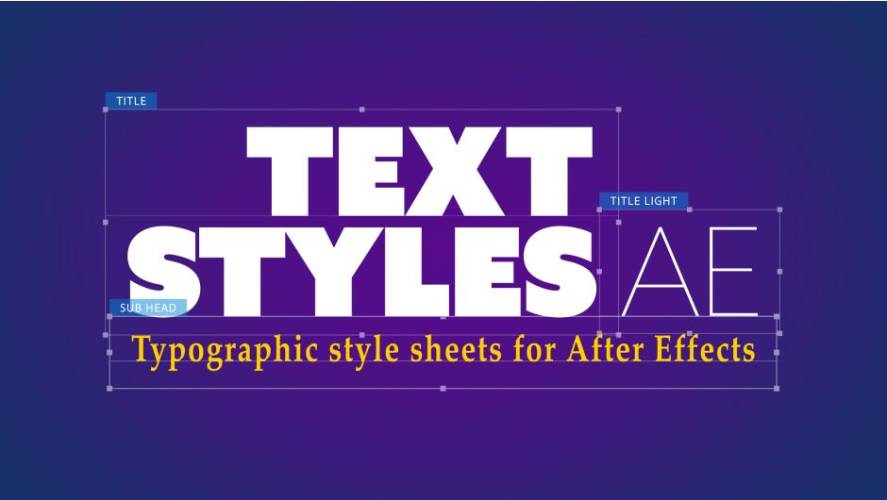
Maintaining consistent typography across a large Adobe After Effects project can become difficult when multiple text layers require the same font, size, color, spacing, alignment, and paragraph settings. AEScripts Text Styles AE v1.0 provides a project-wide typography style system that allows users to save complete text formatting configurations and apply them to other text layers with a single click.
The script is designed to help motion designers create reusable typography styles, update multiple styled text layers when a design changes, and export styles for use in other projects or with other designers.
What Is AEScripts Text Styles AE?
AEScripts Text Styles AE v1.0 is an After Effects script for creating and managing reusable typography styles. A style can store the design settings of a text layer, including character settings, paragraph formatting, and supported layer styles such as Drop Shadow and Outer Glow.
Once a style has been created, it can be applied to other text layers from the Text Styles AE panel. This provides a centralized way to maintain typography consistency throughout an After Effects project.
Create Reusable Text Styles
Text Styles AE allows users to create a style directly from an existing text layer.
After selecting a text layer, users can choose Create From Layer in the Text Styles AE panel and give the new style a name. The style is then added to the Project Styles window, where it can be reused on other text layers.
Multiple styles can be created within the same project, allowing different typography treatments to be organized into a reusable style library.
Save Complete Typography Settings
The script stores more than just the font and font size. A Project Style can include character settings, paragraph formatting, and supported layer styles.
This includes settings such as:
- Font
- Font size
- Text color
- Leading
- Tracking
- Alignment
- Indents
- Spacing
- Hyphenation
- Supported Drop Shadow settings
- Supported Outer Glow settings
These settings can then be reapplied to another text layer through the saved style.
Apply Styles With One Click
Once a style has been saved, applying it to another text layer is straightforward. Users select an unformatted text layer, choose a style from the Project Styles window, and click Apply Style.
The selected text layer is then formatted according to the saved typography configuration.
This workflow can be useful for projects containing repeated headings, subtitles, captions, labels, lower thirds, or other text elements that need to follow the same design system.
Update Styles Across an Entire Project
Text Styles AE also provides a workflow for updating an existing style after the typography design has changed.
Users can modify a text layer that already represents a saved style and then choose Update From Layer. The saved style is overwritten with the new settings.
After updating the style, the Update All Styled Text function can apply the new version to all text layers using that style across the After Effects project. This makes it possible to change a typography system centrally instead of manually editing every text layer.
The official documentation notes that updating a style replaces the previous version, so users who want to preserve the original style should create a new style before performing the global update.
Export and Reuse Styles
Text Styles AE allows saved styles to be exported as JSON files. These files can then be imported into another project using Text Styles AE.
This provides a way to move typography systems between projects or share predefined text styles with other designers.
For teams working on multiple After Effects projects, exporting styles can help maintain the same typography configuration across different project files.
Project-Wide Typography System
A major purpose of Text Styles AE is to provide a reusable typography system rather than treating each text layer as an isolated element.
For example, a project can contain separate styles for headings, subtitles, body text, captions, or other recurring typography elements. Each style can then be applied consistently throughout the composition or project.
When a design specification changes, the corresponding style can be updated and the new configuration can be propagated to the text layers using that style.
Compatibility With After Effects
AEScripts Text Styles AE v1.0 supports Adobe After Effects 2024, 2025, 2026, and 2027. Version 1.0 is the initial release, dated October 2, 2026.
The official AEScripts page also provides a free trial and product documentation. The current product page lists a regular price of $39.99 and a special price of $29.99 valid until October 16, 2026.
For complete product information, visit the official AEScripts Text Styles AE product page.
Key Features of AEScripts Text Styles AE
- Project-wide typography style libraries
- Create styles directly from After Effects text layers
- Save character settings
- Save paragraph formatting
- Support for selected layer styles
- Font, size, color, leading, and tracking settings
- Alignment, indents, spacing, and hyphenation settings
- One-click style application
- Update existing styles from modified text layers
- Update all text layers using a selected style
- Export styles as JSON files
- Reuse styles in other After Effects projects
- Share typography styles with other designers
- Compatible with After Effects 2024 through 2027
Conclusion
AEScripts Text Styles AE v1.0 provides a centralized approach to managing typography in Adobe After Effects. Instead of manually reproducing font, paragraph, spacing, and supported layer-style settings across individual text layers, users can create reusable Project Styles and apply them whenever required.
The ability to update a saved style and propagate the changes across all associated text layers is particularly suited to projects where typography needs to remain consistent throughout multiple compositions. JSON export also allows styles to be reused across projects and shared with other designers.
Text Styles AE After Effects, AEScripts Text Styles AE, After Effects text styles, After Effects typography styles, After Effects text formatting, After Effects typography workflow, After Effects text style library
AEScripts Text Styles AE v1.0 Script for After Effects WIN/MAC Full Version Free Download
https://zeroupload.com/1b006bdc47ae48c537139aee0a9d285e
https://buzzheavier.com/5e7uqccqbgwv
https://pixeldrain.com/u/WabzaNHq
https://filekeeper.net/bqhq83povuar/TextStylesAE1.0_DownloadPirate.com.zip