AEScripts Putty v1.1.2 Plugin for After Effects, Premiere Pro Free Download
Deforming text, logos, illustrations, and graphic elements in Adobe After Effects can require complicated setups when standard transformation tools are not enough. AEScripts Putty v1.1.2 is a deformer plugin designed to give users direct control over the shape of artwork through a customizable lattice or cage. It can be used to bend, reshape, animate, and distort visual elements while maintaining control over specific areas of the artwork.
Putty is designed for motion graphics workflows where conventional scaling, rotation, and position controls cannot provide the required deformation. Instead of applying a basic transformation to an entire layer, users can manipulate individual control points and allow the surrounding artwork to deform smoothly.
What Is AEScripts Putty?
AEScripts Putty is a deformation plugin for Adobe After Effects and Premiere Pro that provides a customizable mesh-based workflow for reshaping visual elements.
The plugin creates a deformation structure around the artwork, allowing users to move specific points and control how the surrounding areas respond. This makes it possible to bend text, logos, illustrations, icons, and other graphic elements without manually creating a complex collection of masks or animated paths.
Putty provides two primary deformation approaches, Lattice and Cage, giving users different ways to control the shape of their artwork.
Lattice and Cage Deformation
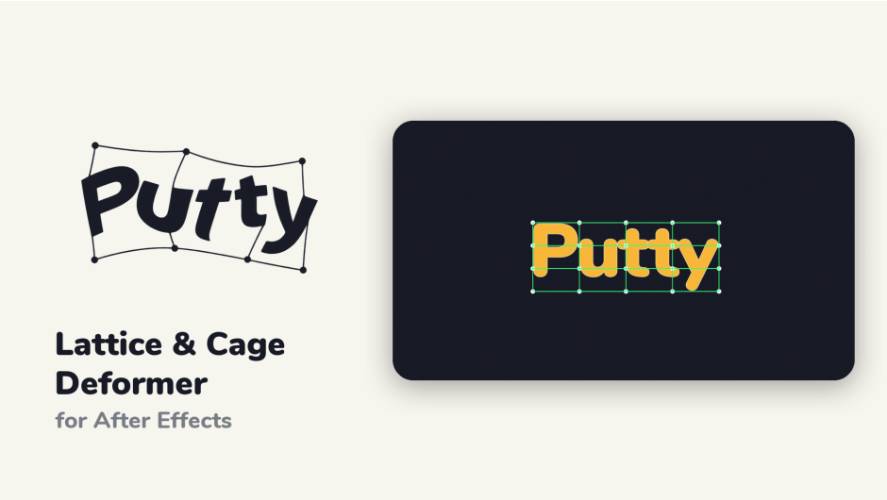
Putty’s Lattice mode creates a grid fitted around the artwork. The grid provides multiple control points that can be moved to reshape the element.
This approach can be useful when a larger portion of the artwork needs to bend or deform together. Moving several points across the lattice makes it possible to create broad curves, waves, bends, and other controlled distortions.
The Cage mode uses an outline around the artwork and provides a different approach to deformation. It can be particularly useful when working with separate elements such as individual letters or graphic shapes that need more localized control.
A Fit Offset control can also provide additional space around the artwork when positioning the deformation controls.
Smooth Deformation With Soft Selection
Moving one deformation point independently can produce an abrupt result. Putty includes Soft Selection to make surrounding points respond gradually to the movement.
The influence of the soft selection can be adjusted according to the desired deformation. A broader influence can create a smoother, more gradual bend, while a smaller influence can produce a more localized distortion.
Individual points can also be moved separately or pinned when certain areas of the artwork need to remain relatively fixed.
This makes Soft Selection useful for creating organic bends and flexible movements without producing unnecessarily sharp transitions.
Animate the Deformation Mesh
Putty can animate the deformation mesh directly. With Mesh Animation enabled, changes made to the mesh can be recorded as keyframes.
This allows a graphic to transition from one shape to another over time. For example, straight text can gradually bend into a curved shape, or a logo can flex during a motion graphics transition.
Because the deformation itself can be animated, users can create movement directly through the mesh rather than relying exclusively on standard layer transformations.
Control Mesh Points With Nulls
Putty also provides a workflow for connecting selected mesh points to Null objects.
Selected points can be grouped into a Cluster and controlled through a Null. Moving or animating the Null then influences the associated mesh points.
This can be useful when the deformation needs to interact with a larger animation system. Instead of manually animating several individual mesh points, a Null can provide a centralized control point.
The Cluster system also includes Soft Selection controls, and the Null can work with Mesh Animation.
Transform Artwork Through the Mesh
Putty includes Image Transform controls that allow the artwork to move, scale, and rotate through the deformation field while the mesh remains in place.
This provides another method of creating movement. Rather than continuously changing the deformation mesh, the artwork itself can be animated through an existing deformation structure.
This can create effects where different parts of an image pass through a curved or distorted region while retaining the underlying deformation setup.
Symmetry and Wiggle Controls
Putty includes Symmetry functionality for mirroring deformation edits. This can be useful when working with artwork where corresponding sides need to deform in a balanced manner.
The plugin also includes a Wiggle function for introducing movement into the deformation. This can add organic motion to otherwise static graphics and can be used for subtle flexible or irregular animation effects.
These controls provide additional options beyond manually positioning individual deformation points.
Deform Text, Logos, and Graphic Shapes
Putty can be used with various types of motion graphics artwork. Common applications include bending text, animating logos, reshaping icons, deforming illustrations, and creating organic movement in graphic elements.
Typography can be bent into waves or curves, while individual characters can be treated separately when a more detailed deformation is required.
For logos and graphic shapes, the lattice and cage systems provide control over how different sections of the artwork move. This makes the plugin suitable for both broad transformations and more localized distortions.
A Focused Workflow for Motion Graphics
Traditional deformation workflows can require multiple tools and considerable manual setup. Putty brings several deformation controls into one plugin, including the fitted mesh, Soft Selection, Mesh Animation, Null-driven Clusters, Image Transform, Symmetry, and Wiggle.
This provides a workflow where the user can start with a fitted deformation structure, modify individual points, and then animate the resulting shape directly or through additional controls.
The plugin is therefore focused on situations where an element needs to bend or deform rather than simply move, scale, or rotate.
Compatibility With After Effects and Premiere Pro
AEScripts Putty is available as a plugin for Adobe After Effects and Premiere Pro. Public product listings identify Putty as an AE/PR plugin, while the current version supplied for this article is v1.1.2.
For the latest compatibility information, installation instructions, licensing details, and current release information, visit the official AEScripts Putty product page.
Key Features of AEScripts Putty
- Lattice-based deformation
- Cage-based deformation
- Fitted deformation mesh
- Fit Offset control
- Soft Selection
- Individual point control
- Point pinning
- Animated deformation meshes
- Mesh Animation
- Null-driven Clusters
- Soft Selection for Cluster controls
- Image Transform
- Symmetry controls
- Wiggle deformation
- Suitable for text, logos, illustrations, icons, and graphic shapes
- Available for After Effects and Premiere Pro
Conclusion
AEScripts Putty v1.1.2 provides a dedicated deformation workflow for After Effects and Premiere Pro. Its Lattice and Cage systems allow users to reshape artwork through fitted control structures, while Soft Selection provides smoother transitions between affected and unaffected areas.
The plugin also extends beyond basic manual deformation through Mesh Animation, Null-driven Clusters, Image Transform, Symmetry, and Wiggle controls. These features allow deformation to become part of a larger motion graphics animation rather than remaining a static shape adjustment.
For projects involving bending typography, flexible logos, organic graphic movement, or controlled distortion, Putty provides a focused mesh-based approach to deformation inside the Adobe workflow.
Putty After Effects, AEScripts Putty, Putty Premiere Pro, After Effects deformer plugin, After Effects lattice deformer, After Effects cage deformer, After Effects mesh deformation, After Effects text deformation
AEScripts Putty v1.1.2 Plugin for After Effects, Premiere Pro Free Download
https://zeroupload.com/30dc2de234a0dcd950c1d25270a8cbc7
https://buzzheavier.com/ukcibvcyzryt
https://pixeldrain.com/u/xCQtieHp
https://filekeeper.net/d85c6ryhod0y/Putty1.1.2_DownloadPirate.com.zip