AEScripts Texto v1.0.0 for After Effects Script WIN/MAC Full Version Free Download
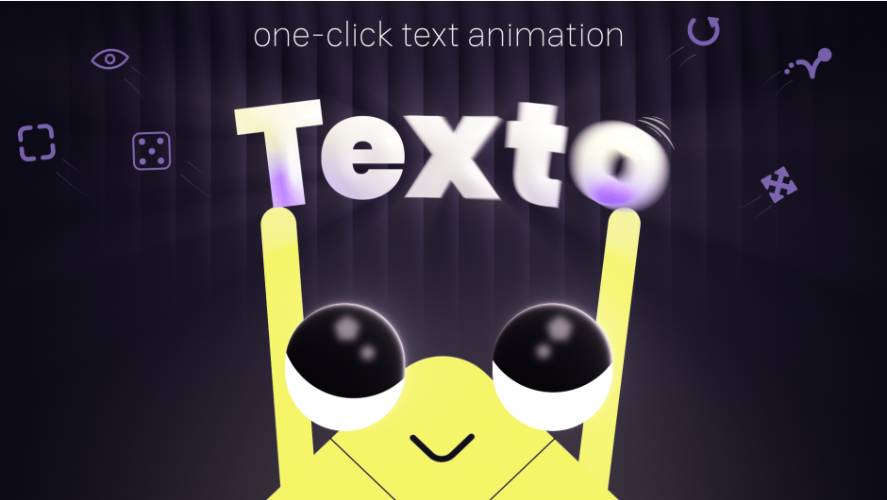
AEScripts Texto v1.0.0 is a lightweight text-animation assistant for Adobe After Effects designed to turn common text reveals into a one-click operation. Instead of manually building text animators, keyframes, easing, and timing, Texto lets you select a text layer, choose a direction, and generate an editable animation directly on the layer.
The plugin is particularly aimed at kinetic typography, title animation, lower thirds, social-media graphics, and general motion-design workflows where you repeatedly need clean text reveals.
What is Texto?
Texto simplifies the process of creating animated text reveals.
The basic workflow is:
Select text layer → Choose direction → Choose Letters/Words/Lines → Animate
The resulting animation remains editable, so you can continue adjusting its motion, timing, easing, and spacing after applying it.
It doesn’t require:
- Manual keyframing
- Precompositions
- Writing expressions
- Building text animators from scratch
That makes it primarily a workflow and productivity tool, rather than a collection of pre-rendered animation presets.
One-Click Text Animation
The central feature is the Diamond Pad.
You select a text layer and click a direction on the pad to determine where the text should enter or exit.
Left-clicking creates an In animation, while right-clicking creates an Out animation.
This provides quick directional animations such as:
- Left to right
- Right to left
- Top to bottom
- Bottom to top
- Directional reveals
The animation can be previewed immediately after applying it.
Animate by Letters, Words or Lines
Texto lets you choose the level at which the animation operates:
- Letters
- Words
- Lines
This is important because the same directional animation can produce very different results depending on the grouping.
For example:
By letter: individual characters progressively appear.
By word: complete words enter sequentially.
By line: entire lines animate together.
The grouping can also be changed after an animation has already been created, without rebuilding the animation.
Position, Scale, Rotation and Opacity
Texto provides direct controls for the main properties used in text reveals.
You can control:
- Position
- Scale
- Rotation
- Opacity
These settings can be adjusted by either scrubbing or entering values directly in the panel.
This means you aren’t locked into a single predefined animation.
For example, you could create:
Position + Opacity
for a conventional reveal, or:
Position + Rotation + Scale + Opacity
for a more energetic kinetic-typography entrance.
Live Editing
One of Texto’s useful characteristics is that the generated animation remains live and editable.
Timing, easing, spacing, and grouping remain available after applying the animation.
This is much better than a preset that simply dumps a bunch of difficult-to-understand keyframes onto a layer.
You can create a starting animation quickly and then customize it to fit the actual project.
Spring Bounce
Texto includes a Bounce option for adding a spring-like overshoot to the animation.
The bounce can be controlled using:
- Frequency
- Amplitude
- Decay
- Delay
This allows you to move between a subtle settling motion and a much more exaggerated spring effect.
For example:
Text enters → overshoots → settles into final position
This is useful for:
- Kinetic typography
- Social media titles
- UI-style animation
- Logo reveals
- Playful motion graphics
Reverse an Animation
The Swap function lets you reverse an existing animation from first-to-last into last-to-first.
This can be done directly on an existing animation without rebuilding it.
That’s particularly useful when you have a reveal you like but need the opposite direction.
Instead of creating another animation:
Right-click → Swap
and the animation flow is reversed.
Randomize
Texto includes a Randomize function represented by a dice button.
It generates a new combination of:
- Direction
- Motion
- Timing
This provides a quick way to explore variations instead of manually changing each parameter.
It’s useful during the initial design stage when you’re trying to find a motion style rather than already knowing exactly what you want.
Presets
Texto allows you to save your own animations as reusable presets.
The saved preset can retain:
- Animation settings
- Easing
- Spacing
- Grouping
Presets can be:
- Renamed
- Reordered
- Exported
- Imported
Texto uses JSON for exporting and importing presets, making it possible to move your animation libraries between machines or share them with other users.
Built-In Preset Library
Texto ships with 9 built-in presets distributed across three libraries:
- Smooth
- Clean
- Poppy
These presets provide starting points for common text-animation styles.
Each preset includes both In and Out animation configurations.
You can apply one and then continue adjusting it rather than being stuck with the preset’s original settings.
Multiple Text Layers
Texto can also be used across multiple text layers.
The official tutorial demonstrates workflows involving multiple layers and Randomize, making it suitable for compositions containing several independent text elements.
This is useful for:
- Title cards
- Lower thirds
- Multi-line graphics
- Social media layouts
- Infographics
- Kinetic typography compositions
No Precomps or Expressions
One of the strongest workflow benefits is that Texto doesn’t require you to build a complicated expression or precomposition setup.
The official product description specifically states that animations are generated directly on the text layers, with no need for keyframing, precomps, or writing expressions.
That makes it particularly attractive for fast production work.
Example Workflow
A typical Texto workflow could be:
Create text layer
↓
Select Texto
↓
Choose direction on Diamond Pad
↓
Select Letters / Words / Lines
↓
Adjust Position, Scale, Rotation and Opacity
↓
Enable Bounce if required
↓
Adjust timing and easing
↓
Save as preset if useful
This can reduce a repetitive text-animation setup to a few seconds.
Use Cases
Kinetic Typography
This is probably the primary use case.
Texto makes it easy to create:
- Character reveals
- Word reveals
- Line reveals
- Directional typography
- Bouncy text
- Fast-paced kinetic graphics
Social Media Videos
When producing many short videos, repeatedly building simple text animations manually is a waste of time. Texto is well suited to this type of repetitive work.
Lower Thirds
Directional entrances and exits can be created quickly while remaining editable.
Title Design
Texto can provide a fast starting point for title animation before you refine the motion manually.
Motion Graphics Templates
The ability to save and reuse animation presets makes Texto useful for building consistent animation systems across multiple projects.
Workflow Benefits
Texto v1.0.0 provides:
- One-click text animation
- Diamond Pad directional controls
- Letter-based animation
- Word-based animation
- Line-based animation
- Position controls
- Scale controls
- Rotation controls
- Opacity controls
- Spring bounce
- Frequency control
- Amplitude control
- Decay control
- Delay control
- Animation reversal
- Randomization
- Custom presets
- JSON preset export/import
- Built-in preset libraries
- Editable animations
- Multi-layer workflows
- No precomps
- No expressions
- No manual keyframing required
Who Should Use Texto?
Motion Designers
Definitely. This is exactly the kind of repetitive task Texto is designed to accelerate.
Kinetic Typography Artists
The letter, word, and line grouping options make it particularly useful for typography-heavy work.
Freelancers
If you’re producing multiple social posts, advertisements, titles, or client variations, saving your preferred animation styles as presets can save a lot of time.
After Effects Beginners
Texto gives beginners a much easier starting point for creating professional-looking text animation without immediately learning the entire After Effects text-animator system.
Experienced After Effects Users
Even experienced users can benefit from the speed. If you already know how to build these animations manually, Texto isn’t giving you something impossible. It’s giving you a much faster starting point.
What Texto Is Not
Texto isn’t a replacement for After Effects’ complete text-animation system.
It doesn’t attempt to provide:
- Advanced text deformation
- Character morphing
- Font animation
- Complex per-character procedural effects
- 3D typography systems
- Advanced expression-driven typography
Its focus is much narrower:
Fast, clean, editable text reveals.
That’s actually a strength. It doesn’t try to become another massive typography framework.
Compatibility
Texto v1.0.0 was initially released on August 13, 2026. The official listing currently supports:
- After Effects 2023
- After Effects 2024
- After Effects 2025
- After Effects 2026
The current official listing shows a regular price of $25, with a promotional price of $19 through August 28, 2026.
Final Thoughts
AEScripts Texto v1.0.0 is a straightforward productivity tool that targets one of the most repetitive tasks in After Effects: building basic text reveals.
Its strongest features are the Diamond Pad, letter/word/line animation, spring bounce, Swap, Randomize, and reusable JSON-based presets.
The important part is that Texto doesn’t simply slap a preset onto your text. It gives you live, editable controls directly on the text layer, so you can quickly generate an animation and then refine it.
For someone who frequently creates kinetic typography, social-media graphics, titles, lower thirds, or animated text, it’s a useful little tool. For complex typography work, you’ll still want After Effects’ native text animators and more specialized tools.
Bottom line: Texto is less about giving you effects you couldn’t create yourself and more about turning a 30-second repetitive setup into a few clicks.
- AEScripts Texto
- Texto After Effects
- Texto v1.0.0
- After Effects Text Animation
- After Effects Text Animator
- After Effects Kinetic Typography
- After Effects Text Reveal
- After Effects One Click Text Animation
- After Effects Letter Animation
- After Effects Word Animation
- After Effects Line Animation
- After Effects Text Presets
- After Effects Bounce Text
- After Effects Typography Tool
- Motion Graphics Text Animation
- Kinetic Typography After Effects
AEScripts Texto v1.0.0 for After Effects Script WIN/MAC Full Version Free Download
https://zeroupload.com/451b2dcf2bf763d9dbe49c8d3f5c9c45
https://buzzheavier.com/nwc45w3a12h4
https://filekeeper.net/euw8n2c9l78d/Texto1.0_DownloadPirate.com.rar
https://pixeldrain.com/u/i8HHdX2w
Those who sell pirated content are losers.
If you're paying for pirated content, you're the biggest loser.
Please read the FAQ if you need basic help.
Use VPN &
FDM if you have download problems.