AEScripts AiBow Grid v1.0 Plugin for After Effects Full Version Free Download
AEScripts AiBow Grid v1.0 is an After Effects plugin designed to generate dynamic construction lines, grids and registration marks directly from the boundaries of a selected layer. It creates rendered guide lines that extend from the content to the edges of the composition, making it useful for motion graphics, typography animation, editorial layouts and technical visualisations.
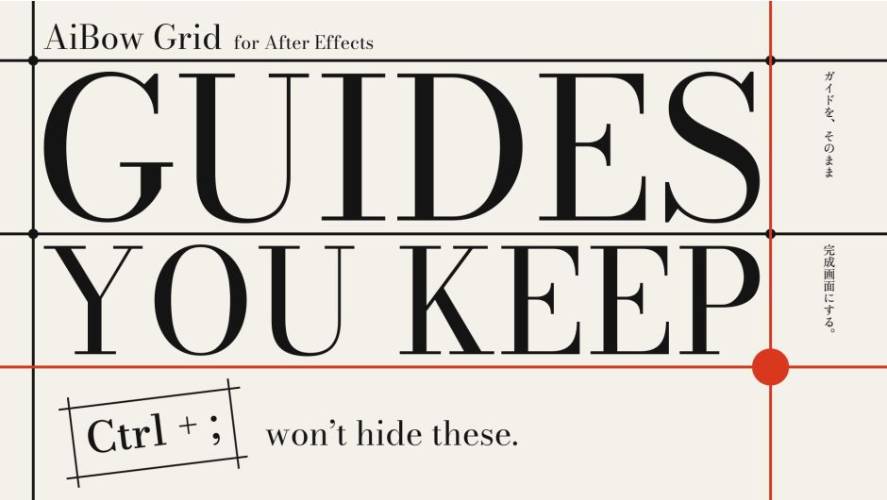
Developed by AiBow Tools, AiBow Grid turns traditional composition guides into actual rendered graphics. Unlike standard After Effects guides, which are only visible inside the editing workspace, these lines appear in the final render.
The plugin automatically follows the selected layer’s position, scale, rotation and parenting. It also includes adjustable columns, rows, intersection markers and a one-slider Draw On animation system.
What Is AiBow Grid?
AiBow Grid creates visual construction lines around images, footage, text and shape layers inside After Effects.
The plugin analyses the boundaries of the selected layer and generates lines connecting its content edges to the composition boundaries. These lines remain attached to the layer as it moves or transforms.
For typography, the plugin can measure the actual opaque letter shapes rather than simply using the dimensions of the text layer. This makes it particularly useful for creating animated typographic layouts and editorial-style graphics.
The generated grid can be placed behind the original layer, in front of it or displayed independently.
Key Features of AiBow Grid v1.0
1. Automatic Construction Lines
AiBow Grid generates lines from the boundaries of the selected content to the edges of the composition.
Instead of manually drawing multiple shape layers and adjusting their endpoints, users can apply the effect and generate the construction lines automatically.
The plugin supports:
- Lines extending from content edges to composition edges.
- Automatic tracking of layer transformations.
- Adjustable line colours and thickness.
- Independent horizontal and vertical divisions.
- Customisable grid boundaries.
These lines are rendered graphics, so they remain visible in the exported video.
2. Content-Based and Layer-Based Bounds
The plugin provides two methods for determining the boundaries of the grid.
- Content (Alpha): Detects the edges of opaque pixels, allowing the grid to follow the actual visible content.
- Layer Bounds: Uses the rectangular dimensions of the selected layer.
An adjustable Padding control expands the calculated boundaries outward.
The Content (Alpha) option is particularly useful for typography and irregularly shaped graphics because it measures the visible artwork rather than the entire layer rectangle.
3. Customisable Columns and Rows
AiBow Grid can divide the calculated bounding area into equal columns and rows.
Users can control the number of divisions and choose whether to display:
- Vertical lines.
- Horizontal lines.
- Both horizontal and vertical lines.
The generated lines can extend all the way to the composition edges or stop at a fixed length.
This makes it possible to create editorial grids, technical layouts, geometric compositions and animated infographic backgrounds.
4. Automatically Follows Layer Transformations
One of the most useful features is its ability to keep the construction lines attached to the selected layer.
AiBow Grid follows:
- Position.
- Scale.
- Rotation.
- Parenting.
This also works directly with text and shape layers without requiring precompositions.
As the source layer moves or transforms, the generated grid updates accordingly.
The Keep Width When Scaled option maintains a consistent line thickness in the composition even when the source layer is scaled up or down.
5. Intersection Marks
AiBow Grid can automatically add markers wherever horizontal and vertical construction lines intersect.
Users can choose between three marker shapes:
- Circles.
- Squares.
- Diamonds.
Markers can be filled or outlined, with either the same colour as the grid lines or a separate custom colour.
The Intersection Marks feature can also be used independently of the visible grid lines. By hiding the lines, users can create a dot-grid composition.
The markers also animate with the Draw On effect, appearing as their corresponding lines are drawn.
6. One-Slider Draw On Animation
The Draw On feature makes it possible to animate the construction lines using a single slider.
Users can animate the value from 0 to 100 to progressively reveal the grid.
Additional controls provide further timing flexibility:
- Draw Direction: Draw from the centre, from the ends or as a sweep.
- Stagger: Introduces timing offsets between individual lines.
- Order: Controls the sequence in which the lines appear.
- Ease Out: Adjusts the finishing behaviour of the animation.
This is particularly useful for animated typography, technical presentations, title sequences and infographic animations.
7. Corner Marks
For a lighter visual treatment, AiBow Grid includes a Corner Marks style.
Instead of displaying traditional intersection markers, it creates cross-shaped registration marks at grid intersections.
These marks grow into view using the same Draw On animation control.
The result is useful for creating technical diagrams, editorial layouts and minimal geometric motion graphics.
8. No Precomposition Required
AiBow Grid works directly on images, solids, footage, shape layers and text layers.
Users do not need to create separate precompositions to generate the grid or maintain its relationship with the original content.
This keeps the workflow straightforward and allows artists to continue editing the source layer normally.
How to Use AiBow Grid
The basic workflow is straightforward:
- Select an image, footage, solid, shape or text layer in After Effects.
- Apply Effect → AiBow Tools → AiBow Grid.
- Choose Content (Alpha) or Layer Bounds.
- Adjust Padding, Columns and Rows.
- Set the line colour, width and Composite mode.
- Enable Intersection Marks if required.
- Animate Draw On from 0 to 100 using keyframes.
The resulting grid follows the selected layer as it moves, scales, rotates or changes through parenting.
What’s New in AiBow Grid v1.0?
Version 1.0.0 was released on November 12, 2026, marking the initial release of the plugin.
The first version introduces:
- Automatic construction-line generation.
- Content-based and layer-based boundary detection.
- Adjustable padding.
- Customisable rows and columns.
- Horizontal and vertical grid lines.
- Automatic layer transformation tracking.
- Constant line width when scaling.
- Circle, square and diamond intersection markers.
- Corner Marks style.
- One-slider Draw On animation.
- Adjustable draw direction, stagger, order and easing.
- Multiple composite modes.
System Requirements and Compatibility
| Requirement | Details |
|---|---|
| Host application | Adobe After Effects |
| Compatible versions | After Effects 2025, 2026 and 2027 |
| Operating system | Windows 10/11, 64-bit |
| macOS | Not supported |
| Colour depth | 8-bit, 16-bit and 32-bit per channel |
| Plugin type | After Effects effect plugin |
Important: AiBow Grid is Windows-only according to its initial release listing. It also requires a Floating License Server licence, which should be considered separately when purchasing.
Who Should Use AiBow Grid?
AiBow Grid is particularly useful for artists who regularly create structured layouts, technical graphics and typography-based animations.
- Motion designers: Create animated construction lines and geometric compositions.
- Typography designers: Generate grids that follow the visible boundaries of text.
- Graphic designers: Build editorial-style layouts and registration-mark graphics.
- Infographic creators: Create structured visualisations and animated diagrams.
- Video editors: Add technical overlays and animated graphic elements to footage.
Conclusion
AEScripts AiBow Grid v1.0 transforms conventional composition guides into editable, renderable graphics inside Adobe After Effects. Its automatic boundary detection, layer-following behaviour, adjustable grid divisions and intersection markers make it a useful tool for structured motion graphics.
The one-slider Draw On animation is particularly convenient for creating animated construction lines without manually animating individual shape layers.
For motion designers working with typography, editorial layouts, technical graphics and geometric animations, AiBow Grid offers a straightforward way to create consistent grids that remain attached to their source artwork.
- AEScripts AiBow Grid
- AiBow Grid v1.0
- After Effects grid plugin
- Animated construction lines
- After Effects typography effects
- Motion graphics grid
- After Effects infographic tools
- Animated guide lines
- Geometric motion graphics
AEScripts AiBow Grid v1.0 Plugin for After Effects Full Version Free Download
https://zeroupload.com/d02f3376471dd1190e5c0a4e933626ee
https://pixeldrain.com/u/JoNLTkK5
https://buzzheavier.com/jq56fbqjrryw
https://filekeeper.net/ex9ogov6bsjr/AiBowGrid1.0_DownloadPirate.com.zip