AEScripts Find Intersections v1.0 Plugin for After Effects Full Version Free Download
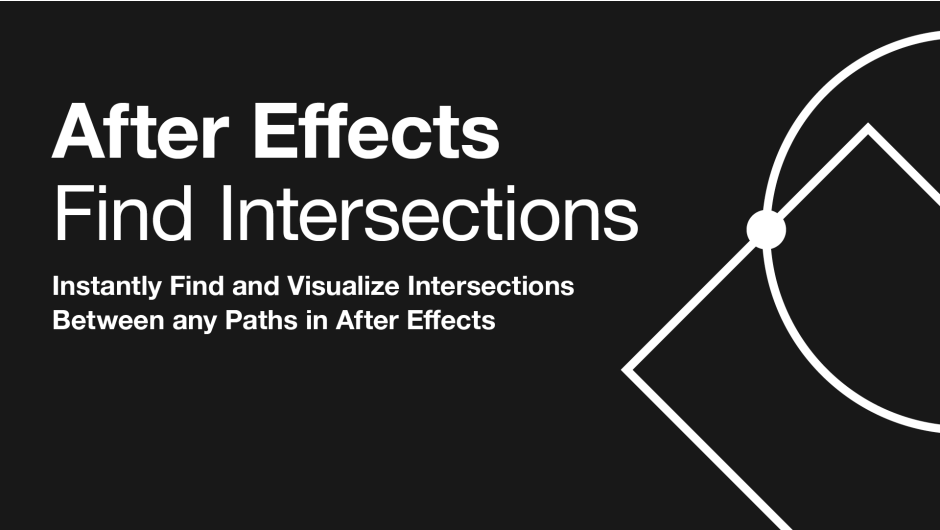
AEScripts Find Intersections v1.0 is a specialized After Effects plugin that detects every intersection between animated paths and can place selected layers directly at those crossing points. It works with masks, shape paths and parametric shapes, including paths modified by Shape Layer operators such as Trim Paths, Repeater, Merge Paths, Offset Paths, Round Corners, Zig Zag, Pucker & Bloat and Twist.
AEScripts Find Intersections official page
What is Find Intersections?
Finding the exact point where two animated paths cross sounds simple, but After Effects doesn’t provide a straightforward native tool for it.
Find Intersections is built specifically around that problem. It calculates the actual rendered Bezier geometry of the paths, identifies where those paths cross, and then uses those coordinates to render other layers at the intersections. The calculations happen live on every frame, so the intersection points continue to update as the paths animate.
That makes the plugin especially useful for procedural motion graphics where objects need to respond to relationships between animated paths rather than fixed coordinates.
Works With Multiple Types of Paths
Find Intersections isn’t restricted to one type of After Effects path.
It can work with masks on solid layers, paths on shape layers and parametric shapes including ellipses, rectangles and polystars. Paths can also come from different layers within the same composition, with each layer’s transform automatically taken into account.
This makes the workflow considerably more flexible than manually copying position values between layers.
You can essentially select the layers containing the paths and let the plugin establish the relationships automatically.
Shape Layer Operators
One of the strongest features is that Find Intersections can detect the geometry after Shape Layer operators have modified it.
This includes effects such as Trim Paths, Repeater, Merge Paths, Offset Paths, Round Corners, Zig Zag, Pucker & Bloat and Twist. The plugin computes the geometry visible on screen rather than relying only on the original path data.
This is important for procedural animation because the shape you’re seeing may be dramatically different from the original Bezier path.
A native workaround would often involve complicated expressions or manually reconstructing the transformed geometry. Find Intersections handles that calculation internally.
Automatic Intersection Detection
The default Use All Paths option makes the workflow extremely quick.
Apply the plugin, select the relevant artwork and the intersections are immediately calculated. You can also disable the automatic mode and choose specific paths when you need tighter control.
This makes it suitable for both quick experimentation and more deliberate production setups.
Render Layers at Every Intersection
The most interesting part is what the plugin does with the detected points.
You can choose up to five layers and have them rendered at every intersection. The layers can be cycled through in sequence or shuffled using a seed, and a single slider controls their scale.
For example, animated paths could cross and automatically generate:
Dots → Icons → Images → Text → Particles
at every crossing.
That opens up a lot of possibilities for procedural motion design.
Rotation Follows the Crossing
The generated instances don’t have to remain upright.
Find Intersections provides several rotation modes, including Crossing Bisector, Fixed, Random and Path Direction.
The Crossing Bisector option is particularly interesting because the generated object can orient itself according to the angle at which the paths intersect.
This makes it possible to create graphics that feel genuinely connected to the underlying path geometry rather than simply being positioned at the crossing.
Self-Intersections
The plugin can also detect self-intersections, meaning a single path can cross itself and produce intersection points.
This is useful for animated loops, scribbles, complex curves and procedural paths that repeatedly fold back over themselves.
You don’t need two separate layers for the plugin to find a crossing.
Dots Mode
You don’t actually need separate instance layers.
In Dots mode, the detected intersections become clean, colourable markers.
This makes the plugin useful as a procedural marker-generation system.
For example, a collection of animated paths could automatically produce small coloured dots wherever paths cross, creating the appearance of a network or data visualization.
Adjustment Layer Workflow
Find Intersections can also be applied from an adjustment layer, allowing the effect to operate above your existing artwork without modifying the underlying path layers.
This is particularly useful for non-destructive workflows.
You can keep your animation structure intact and let the intersection system sit independently above it.
Stackable Instances
The plugin is stackable, meaning multiple instances can be chained together on the same layer.
This gives you additional flexibility when different intersection systems need different settings.
For example, one instance could generate small dots, while another places a different layer at the same or another set of crossings.
Grow Bounds
Find Intersections includes Grow Bounds, which allows the generated result to extend beyond the normal layer boundaries.
That is useful when instances are being placed close to the edge of a composition or when large generated elements need to extend beyond the source layer.
Sub-Pixel Accuracy
The plugin calculates intersections from the true Bezier geometry of the paths with sub-pixel accuracy. The developer states that these calculations are performed in milliseconds per frame.
That matters because approximate intersection detection could produce visible errors, especially when paths are moving quickly or crossing at shallow angles.
For procedural animation, accurate coordinates are essential.
Multi-Frame Rendering and Bit Depth
Find Intersections supports 8, 16 and 32 bits per channel and is marked as Multi-Frame Rendering safe. It runs on both macOS and Windows, with support for Apple Silicon and Intel Macs.
This makes it suitable for modern After Effects production rather than being restricted to simple preview work.
Motion Graphics Applications
Find Intersections is particularly interesting for generative motion graphics.
Imagine several animated lines moving across the screen. Instead of manually animating dots where they happen to cross, Find Intersections can automatically place the dots exactly at those crossing points.
The same concept can be used for:
Data visualizations
Network diagrams
Technical graphics
Abstract animation
UI systems
Geometric logos
Kinetic typography
The animation can remain fully procedural because the generated elements follow the moving intersections.
Procedural Design
This is where the plugin becomes much more interesting than a simple utility.
The relationships between the paths drive the positions of the generated elements.
That means the final composition can react automatically when you change the source paths.
You can move a path, change its animation or modify a Shape Layer operator and the intersections update accordingly.
This is a much more flexible approach than manually keyframing the resulting objects.
Find Intersections vs Manual Expressions
You could theoretically attempt to calculate path intersections with expressions or custom scripting, but handling actual animated Bezier geometry, Shape Layer operators and transformed paths becomes significantly more complicated.
Find Intersections packages that functionality into a dedicated effect and handles the geometry calculation for you.
That is the main reason to use it.
It turns a technically complicated problem into a very simple workflow:
Animate paths → Apply plugin → Choose instances → Done
Who Should Use Find Intersections?
The strongest audience is motion designers working with procedural or geometric animation.
It is also useful for designers creating data-driven graphics, technical visualizations, network diagrams and abstract compositions.
VFX artists could use it for more specialized path-driven effects, but this is fundamentally a motion-design and procedural-graphics tool rather than a conventional VFX plugin.
Compatibility and Price
Find Intersections v1.0.0 was released on August 24, 2026. The official AEScripts page currently lists compatibility with After Effects 2020 through After Effects 2027.
The regular listed price is $39, with a special price of $29 through September 5, 2026. A free trial is available.
The official page also states that the plugin is available on macOS and Windows, supports Apple Silicon and Intel Macs, and is Multi-Frame Rendering safe.
Final Thoughts
AEScripts Find Intersections v1.0 is a very focused plugin, but it solves a problem that becomes surprisingly difficult once animations become complex.
Its ability to calculate actual animated path intersections, including geometry modified by Shape Layer operators, is the key feature. From there, it can turn those points into dots or automatically position and rotate up to five chosen layers at every crossing.
The result is a highly procedural workflow. Change the paths and the intersection-driven graphics update automatically.
For conventional animation, you probably won’t need it often. For geometric motion graphics, data visualization, procedural design and path-based animation, however, this is a genuinely interesting utility.
Bottom line: Find Intersections turns path crossings into usable animation data. It lets you say, essentially, “wherever these paths meet, do something”, and After Effects can handle the rest.
AEScripts Find Intersections, Find Intersections After Effects, Find Intersections v1.0, After Effects path intersections, After Effects intersection plugin, After Effects shape path intersections, After Effects procedural animation, After Effects path animation, After Effects shape layer tools, After Effects motion graphics plugin, After Effects path generator, After Effects animated paths, After Effects geometric animation, After Effects procedural graphics, After Effects dots on paths
AEScripts Find Intersections v1.0 Plugin for After Effects Full Version Free Download
https://zeroupload.com/1c11cc1a1dcbf2a94dc253dbed0e7a44
https://pixeldrain.com/u/2pVwU2rz
https://filekeeper.net/gqm8goclfil6/FindIntersections1.0_DownloadPirate.com.zip
https://buzzheavier.com/bgd5wn46onh2
Those who sell pirated content are losers.
If you're paying for pirated content, you're the biggest loser.
Please read the FAQ if you need basic help.
Use VPN &
FDM if you have download problems.