AEScripts Gulp v1.0.11 for After Effects Script WIN/MAC Full Version Free Download
AEScripts Gulp v1.0.11 is a professional media browser and CGI shot-building tool for Adobe After Effects, designed specifically for artists working with rendered multipass and multichannel image sequences. Instead of manually hunting through render folders, importing EXRs and setting up EXtractoR layers for every AOV, Gulp lets you browse renders, inspect their contents and build an organized After Effects composite with a single click.
What is Gulp?
Gulp addresses one of the most repetitive parts of a 3D-to-After-Effects pipeline: bringing rendered CGI shots into compositing.
A typical workflow involves locating the correct render version, importing the EXR sequence, checking which passes are included, creating layers, configuring EXtractoR or IDentifier, assigning blend modes, handling depth and mattes, and repeating the process for every shot.
Gulp turns that into a render-browser workflow. You point it at a render folder, browse the available shots, inspect their passes and then build the composite automatically.
Render Browser
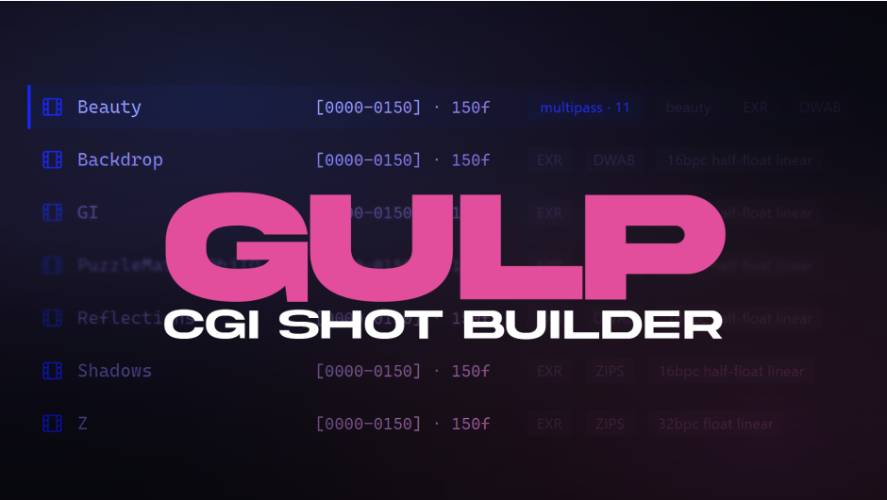
Gulp replaces the traditional file dialog with a dedicated render browser. Image sequences are presented as single entries showing their actual frame ranges, while multichannel EXRs receive a multipass indicator showing what is contained inside the file.
You can filter by filename or extension, use negative search terms to exclude unwanted results and drag folders directly from Explorer or Finder into the panel. Frequently used folders can also be favourited globally or on a per-project basis.
This makes it much easier to navigate projects containing hundreds or thousands of renders.
Inspect EXRs Before Importing
One of Gulp’s strongest features is that it reads the EXR header before importing anything into After Effects.
The browser can show the available passes, channel layout, bit depth, frame rate, detected colourspace and frame gaps. It supports both 16-bit half-float and 32-bit float EXRs. Missing frames are identified individually rather than simply displaying a generic warning.
That gives you a much better understanding of what you’re importing before committing to a comp.
One-Click Multipass Compositing
The central Gulp workflow is Build Comp.
It takes a multipass EXR and any separate pass sequences sitting alongside it, then creates a named After Effects composition with the passes organized into clearly labelled layers and project folders.
Lighting passes can automatically receive additive blend modes, while data passes such as depth are kept disabled so they don’t accidentally affect the beauty image. Gulp also configures the EXtractoR and IDentifier channel selections for you.
If a beauty pass exists, the comp starts with the beauty active and the other passes switched off, giving you a clean starting point.
Depth and Puzzle Mattes
Gulp handles common utility passes instead of leaving the compositor to configure them manually.
A depth pass can arrive as a single layer with its Z channel routed into RGB and its black and white points set using near and far values. Where available, those values can be populated from render-camera metadata, including metadata written by Redshift.
PuzzleMattes are also split into individual luma-matte layers that are ready to use as track mattes.
That is a substantial time saver in complex CGI composites.
Live Render Watching
Gulp can recognize when a render is still being produced.
The browser displays a completeness bar showing the expected frame range versus the frames currently available. You can enable Watch this shot for renders, after which Gulp automatically extends the composition and its pass layers as new frames arrive.
You therefore don’t need to repeatedly re-import a render from a farm simply because more frames have finished.
This is particularly useful for long-running overnight or distributed renders.
Cloud Storage Support
Gulp works with Dropbox, OneDrive and iCloud.
Online-only files are clearly marked, and inspecting an EXR header does not automatically download the entire file. When you do choose to download something, Gulp tells you the expected data cost before starting.
That’s a sensible feature for large CGI projects where a single render sequence can consume tens of gigabytes.
Split Multipass EXRs
Gulp can also work in the opposite direction.
Right-clicking a multipass EXR allows you to split its individual passes into separate EXR sequences on disk. You can choose the compression format from DWAB, DWAA, ZIP or PIZ, with the process handled by the bundled OpenImageIO oiiotool.
This is useful when a compositor, colourist or another application needs access to a specific pass as a standalone sequence.
Relinking Missing Footage
Gulp includes a bulk relinking system for broken projects.
You point it at a folder, select how deeply it should search and Gulp scans the After Effects project for missing sequences, stills and movies. Ambiguous matches are presented for manual confirmation rather than silently choosing the wrong file.
For large projects where render versions have been moved or reorganized, this can save a huge amount of manual relinking.
Colour Management
Gulp also pays unusual attention to colour management.
It asks what colour space the render was actually created in instead of pretending that an EXR contains enough information to determine the full pipeline automatically. It can inspect the current After Effects colour-management state and guide the user toward an appropriate setup.
For ACEScg workflows, Gulp can also patch the OCIO configuration supplied with After Effects so EXRs import as scene-linear ACEScg rather than the default ACES2065-1 assumption. The modification is reversible and backed up.
Renderer Compatibility
Gulp is designed to work with multipass and multichannel EXRs from Redshift, Octane, Arnold, V-Ray and Cinema 4D’s own renderers. The important point is that Gulp reads the actual file structure rather than requiring a renderer-specific plugin.
It can also build shots from separate image sequences including EXR, DPX, TIFF and PNG.
Quick Import and Premiere
Not every file requires full multipass assembly.
Gulp includes a Quick Import workflow with controls for frame rate, Project-panel destination, naming and whether the footage should be inserted directly into the active composition. Movies and stills can also be used to create compositions sized and timed according to the source footage.
There is also one-click Dynamic Link export to Premiere Pro, allowing the active After Effects composition to be sent into an open Premiere project, optionally placing it at the current playhead.
Who Should Use Gulp?
Gulp is primarily for CG compositors and motion designers who regularly receive rendered passes from 3D applications.
It is particularly valuable if your workflow involves Blender, Cinema 4D, Houdini, 3ds Max or other renderers feeding multipass EXRs into After Effects.
For someone who mostly works with ordinary video footage, Gulp is probably unnecessary. Its real value appears when you have folders full of render versions, AOVs, depth passes, mattes and utility passes.
Compatibility
Gulp v1.0.11 was released on August 25, 2026 as the initial release on aescripts.com. The official listing supports After Effects 2023, 2024, 2025 and 2026 on Windows and macOS.
The current regular price is $69.99, with a promotional price of $52.49 through September 12, 2026. A free trial is available through the aescripts + aeplugins Manager.
Final Thoughts
AEScripts Gulp v1.0.11 is a production-focused tool that targets a very real problem in CGI compositing: the enormous amount of repetitive work involved in turning rendered passes into a usable After Effects comp.
Its render browser, EXR inspection, automatic pass routing, depth handling, PuzzleMatte splitting, live render watching, cloud-storage support, EXR splitting and bulk relinking make it considerably more than an import utility.
For a 3D-heavy After Effects workflow, the biggest advantage is simple: you stop treating every render as a new manual setup.
Point Gulp at the render folder, find the shot, inspect what is inside and build the comp.
Bottom line: Gulp is essentially a CG render-management and multipass-comp assembly system for After Effects, and it can eliminate a lot of boring work from a 3D compositing pipeline.
AEScripts Gulp, Gulp After Effects, Gulp v1.0.11, After Effects multipass compositing, After Effects EXR workflow, After Effects AOV workflow, After Effects render browser, After Effects EXR importer, After Effects render pass automation, After Effects PuzzleMatte, After Effects depth pass, After Effects relink tool, After Effects CGI compositing, After Effects Redshift EXR, After Effects Octane EXR, After Effects Arnold EXR, After Effects V-Ray EXR
AEScripts Gulp v1.0.11 for After Effects Script WIN/MAC Full Version Free Download
https://zeroupload.com/fb6592bb4f693f9adbf912aef3bd1e4b
https://filekeeper.net/nablnmika5bt/Gulp1.0.11_DownloadPirate.com.zip
https://buzzheavier.com/eolke26by3x9
https://pixeldrain.com/u/jEr2ckmc
Those who sell pirated content are losers.
If you're paying for pirated content, you're the biggest loser.
Please read the FAQ if you need basic help.
Use VPN &
FDM if you have download problems.