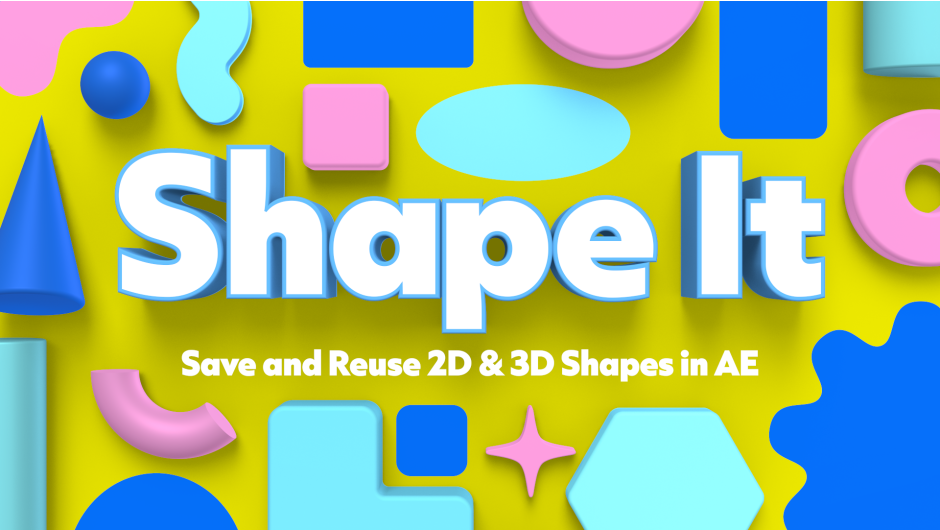
AEScripts Shape It v1.0 for After Effects Script WIN/MAC Full Version Free Download
AEScripts Shape It v1.0 is a shape-library and preset-management script for Adobe After Effects, created by Adam Sacks. It is designed for motion designers who repeatedly recreate the same shapes and want a fast way to save, reuse, animate and organize 2D and 3D shapes directly inside After Effects. The panel supports both traditional shape layers and newer parametric 3D meshes.
AEScripts Shape It official page
What is Shape It?
Shape It solves a very ordinary After Effects problem: repeatedly rebuilding the same shapes.
A motion designer may have a favourite collection of circles, arrows, panels, stars, decorative objects or 3D shapes that appear across many projects. Normally, those assets have to be copied from an older composition, imported from another project or recreated manually.
Shape It turns that collection into a visual, customizable button library.
You can save a shape to a button and then recreate it whenever you need it. The panel can contain up to 75 buttons, allowing you to build a substantial personal library without relying on a separate project file.
Save Shapes With Their Settings
The important part is that Shape It doesn’t merely remember the basic outline.
Saved shape layers retain their fill, stroke, gradients, Pucker & Bloat, Trim Paths, Repeater, Twist, Merge Paths, 3D geometry, material settings and animation.
That makes the system far more useful than a simple shape preset.
For example, you could create a stylized animated badge with a particular gradient, repeater setup and Trim Paths animation, save it once, and reuse that complete setup in another composition.
Dynamic Button Icons
When you save a shape layer to a button, the button’s icon automatically updates to represent the saved shape.
This makes the panel much easier to navigate visually.
Instead of remembering preset names such as Shape_07_Final or Circle_Glow_02, you can identify your assets from their thumbnails.
Each button can also have its own default settings for the supported shape types, and those defaults can be edited independently.
Fully Customizable Panel
Shape It isn’t locked to a fixed interface.
Buttons can be added, moved, resized, recoloured, remapped and removed, with as many as 75 buttons in a single panel.
That means you can organize the library around your own workflow.
A motion designer could create one layout for UI graphics, another for geometric animation and another for frequently used presentation elements.
The panel itself therefore becomes a customizable production toolbox rather than merely a preset list.
Save Multi-Shape Layers
Shape It can also save a shape layer containing multiple shapes and Merge Paths as a single button.
This is especially useful for more complicated graphic elements.
Instead of saving each component individually, you can treat the entire construction as one reusable object.
That could be a complex icon, decorative graphic, logo element or multi-part animated shape.
Animation Presets
A major advantage is that animation is saved along with the shape.
If the properties or effects contain animation, Shape It preserves that animation when the shape is saved and reused.
This means Shape It can function as a small animation-library system.
You aren’t limited to storing static geometry. You can save a shape that already has its motion behaviour configured and bring that complete setup into another composition.
For motion-design production, this can save much more time than a basic shape library.
Parametric 3D Meshes
Shape It also supports After Effects’ parametric meshes, making it relevant to newer 3D workflows.
Parametric mesh presets can retain mesh settings, bevel options, compositing options, transforms, default material assignments and animation.
There is one important limitation: Shape It requires After Effects 26.3 or later when working with parametric meshes.
The button thumbnails for parametric meshes also do not dynamically update to represent the unique geometry in the same way as regular shape-layer buttons.
Preset Library
Shapes and parametric meshes can also be saved independently as presets stored in the Shape It library.
This provides another level of organization.
Buttons are useful for quick access to frequently used designs, while the underlying preset library provides a broader repository of saved shapes.
That makes Shape It useful both for everyday work and for maintaining a long-term collection of reusable assets.
Multiple Panel Layouts
Another useful feature is the ability to save complete panel layouts.
Each saved layout can have its own buttons, defaults and presets, and layouts can be renamed, edited, saved or deleted independently.
This is particularly useful for artists who work across different types of projects.
You could maintain a dedicated layout for a client’s brand, another for general motion graphics and another for a personal library of experimental shapes.
Import and Export
Shape It also allows presets and entire panel layouts to be exported and imported.
This makes it easier to share a shape library between computers or with other artists.
For a studio, the functionality could also be used to distribute a standardized set of frequently used graphic elements.
Shape It vs After Effects’ Native Shapes
After Effects already has excellent shape-layer tools, so Shape It isn’t trying to replace them.
Its value comes from reusability.
Creating a basic circle or rectangle in After Effects takes seconds. The advantage appears when you’ve built something more complicated and know you’ll need it again.
Instead of recreating that construction repeatedly, Shape It turns the finished result into a reusable asset.
The distinction is simple:
After Effects creates the shape. Shape It remembers it.
Who Should Use Shape It?
Shape It is particularly useful for motion designers, title artists, UI animators and graphic designers who rely heavily on reusable shape systems.
It’s also interesting for teams creating brand animation systems, because common visual components can be saved and distributed as presets or complete panel layouts.
For an artist who rarely reuses shapes, the benefit is obviously smaller.
Version and Compatibility
Shape It v1.0.0 was released on August 26, 2026 as the initial release. The official compatibility list currently includes After Effects 2024, 2025, 2026 and 2027.
The regular price is $15, with a promotional price of $12 through September 12, 2026. A free trial is available.
Final Thoughts
AEScripts Shape It v1.0 is a straightforward productivity tool built around one idea: stop rebuilding shapes you’ve already made.
Its usefulness goes beyond basic presets because it can remember the actual construction, including fills, strokes, gradients, operators, 3D settings and animation. Multi-shape layers can be stored as single buttons, while parametric 3D meshes can also be saved for newer After Effects workflows.
The customizable panel and multiple layout system make it particularly appealing to professionals who develop their own recurring design language.
At $12 promotional pricing, it’s inexpensive enough to be attractive even for individual freelancers.
Bottom line: Shape It is essentially a personal shape and animation library inside After Effects. It won’t replace Blender, Cinema 4D or After Effects’ native shape tools, but it can save a lot of repetitive work when you keep using the same visual building blocks.
AEScripts Shape It, Shape It After Effects, Shape It v1.0, After Effects shape library, After Effects shape presets, After Effects reusable shapes, After Effects animation presets, After Effects 3D shapes, After Effects parametric meshes, After Effects shape layer presets, After Effects motion graphics library, After Effects shape workflow, After Effects design tools, After Effects shape automation
AEScripts Shape It v1.0 for After Effects Script WIN/MAC Full Version Free Download
https://zeroupload.com/26689287ccee8a3708654b232b494611
https://pixeldrain.com/u/GCuG8UVn
https://buzzheavier.com/djrjoeh18wwj
https://filekeeper.net/rbzc4tf1wzup/ShapeIt1.0_DownloadPirate.com.zip