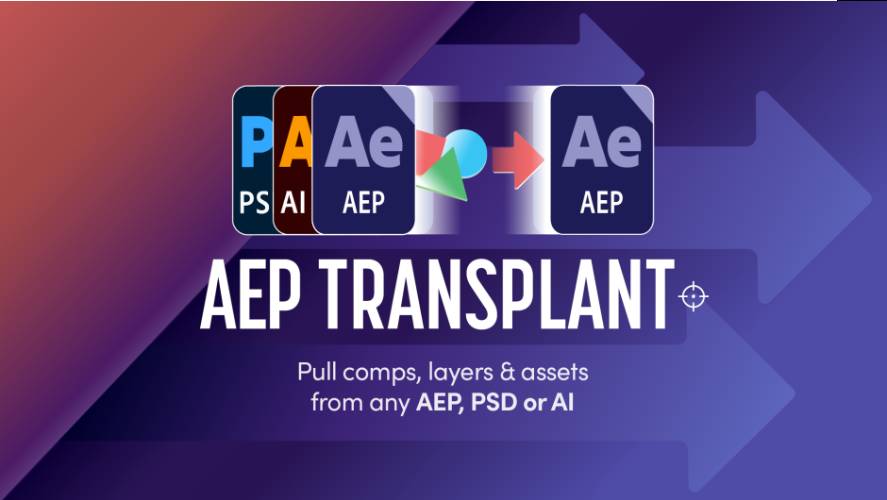
AEScripts AEP Transplant v1.1.1 for After Effects Script WIN/MAC Full Version Free Download
AEScripts AEP Transplant v1.1.1 is an After Effects project-management and asset-transfer script designed to make it much easier to move compositions, layers and assets between AEP, PSD, PSB and AI files. Instead of importing an entire project and then spending time cleaning duplicated folders, fixing dependencies and reconnecting assets, AEP Transplant lets you selectively bring over exactly what you need and handles much of the project restructuring automatically.
AEScripts AEP Transplant official page
What is AEP Transplant?
AEP Transplant is essentially a surgical project-transfer utility for After Effects.
The normal approach to reusing something from another AEP can be surprisingly messy. You import the project, obtain its entire folder hierarchy, end up with duplicate assets, then start hunting through the imported material to find the one composition you actually wanted.
AEP Transplant takes a more selective approach. It reads the source project, lets you choose the compositions or layers you need, identifies their dependencies and then merges the selected material into your current project.
That makes it particularly useful for artists who maintain large libraries of reusable animation systems, title designs, character rigs and motion-graphics templates.
Surgical Composition Imports
The main feature is the ability to import individual compositions without bringing the entire source AEP along with them.
You select the composition you want, and AEP Transplant works out what that composition depends on. The necessary assets and supporting items are imported alongside it rather than forcing you to manually reconstruct the dependency chain.
This is extremely useful when an old After Effects project contains dozens or hundreds of compositions but you’re interested in only one.
For example, you might have a large motion-graphics library containing dozens of title animations. Instead of importing that entire project, you can transplant only the specific title you need.
Import Individual Layers
Sometimes even an entire composition is more than you need.
AEP Transplant can open a source composition and let you select individual layers. It then handles important relationships such as parenting, track mattes, effects and expression targets when bringing those layers into the destination project.
This opens up a much more flexible workflow.
You could take just a character controller, one animated graphic, a particular title element or a small group of layers from another composition and place them directly into the current project while maintaining their stacking order and relevant relationships.
That is far cleaner than manually copying layers and discovering later that half the expressions or parenting relationships are broken.
Smart Folder Merging
Project organization is another major part of AEP Transplant.
When material is imported from several projects, After Effects can quickly produce duplicated folder structures. You might end up with folders such as Assets, Precomps and Footage repeated several times even though they essentially contain the same kinds of material.
AEP Transplant can attempt to merge imported folders with matching folders already present in the destination project. It can compare exact names, fuzzy names and folder contents to determine whether a source folder corresponds to an existing one.
The system also supports editable synonym lists and includes built-in multilingual synonyms for languages including English, Chinese, French, German, Italian, Japanese, Korean, Portuguese, Russian and Spanish.
That is a thoughtful feature for artists working with projects that have inconsistent folder naming.
Duplicate Asset Control
Duplicate assets are another common problem when combining After Effects projects.
Suppose the destination already contains a footage item called Character.png, while the incoming project contains another file with the same name. Instead of silently creating another confusing duplicate, AEP Transplant lets you make a deliberate choice.
Depending on the situation, you can Replace, Use Current or Keep Both.
This gives you control over what the final project should contain rather than leaving you to sort out duplicates later.
Targeted Replacement
AEP Transplant can also work in reverse.
Instead of simply adding new material, you can target an existing item and replace it with incoming content. The tool is designed to preserve relevant references and expressions when performing these swaps.
This makes it particularly useful for updating old projects.
For example, an established animation may already be perfect, but the artwork needs to be changed. Rather than rebuilding the animation around new assets, you can target the existing project elements and swap the incoming material into the appropriate locations.
Swap Source for PSD, PSB and AI
One of the most interesting workflows is Swap Source.
AEP Transplant can inspect layered Photoshop PSD/PSB files and Illustrator AI files and let you select individual source layers. Those layers can then replace the corresponding artwork used throughout an After Effects project.
This has obvious applications in character rigs.
Imagine you have an animated character built from a layered PSD. The animation is already finished, but you need a redesigned character outfit or a completely different character skin.
Rather than manually replacing every Photoshop layer, you can swap the source artwork across the project while preserving the animation structure.
That’s a serious time saver for character re-skinning, branding changes, localization and alternate creative versions.
External Asset Management
AEP Transplant also gives you control over external footage.
When imported material references files outside the destination project, you can choose whether those files should remain linked to their original locations or be copied into the current project structure.
This is useful when consolidating a project for delivery or preparing a file to move to another workstation.
It also helps avoid the classic problem of opening a project on another machine and discovering that half of the footage is missing.
Search and Filtering
Large source projects can be difficult to navigate.
AEP Transplant includes name-based searching and asset-type filtering, allowing you to narrow down the source project before deciding what to transplant.
This becomes particularly useful when working with old production libraries that contain hundreds of compositions and assets.
Instead of manually expanding folders until you find the correct item, you can search directly for it.
Recent Files and Change Detection
The extension also keeps track of recently opened source files for faster access.
It can detect when a source project has changed and indicate that update with a visual marker. This is useful when you’re regularly pulling material from an evolving library rather than a project that never changes.
That makes AEP Transplant especially useful for teams maintaining shared libraries of reusable animation content.
Where It Fits in an After Effects Workflow
AEP Transplant belongs firmly in the project-management and asset-reuse category.
It isn’t an animation effect and it doesn’t change the visual appearance of your artwork. Its value comes from making complex project transfers cleaner and faster.
A typical workflow could be:
Source AEP / PSD / AI → Search → Select content → Resolve dependencies → Merge folders → Handle duplicates → Transplant → Continue working
That is considerably cleaner than importing everything and cleaning up the mess afterward.
AEP Transplant vs Import AEP
After Effects’ standard Import command is fine when you’re bringing in an entire project intentionally.
The problem appears when you only want a small part of it.
AEP Transplant is designed for precisely that situation. It lets you cherry-pick content instead of treating the source project as an all-or-nothing import.
This is particularly valuable when your archive of old projects doubles as a library of reusable assets.
AEP Transplant vs Reduce Project
After Effects’ Reduce Project command can be useful for stripping a project down to material needed by selected compositions.
But that is a different workflow.
Reduce Project operates on a project you’re already working inside. AEP Transplant is designed to bring selected content from an external project into your current one, while resolving dependencies, merging folders and controlling duplicates during the transfer.
In other words, it addresses the problem before the imported project becomes a mess.
Who Should Use AEP Transplant?
AEP Transplant is especially valuable for motion designers, template creators, character-rig artists, agencies and studios that frequently reuse material from previous projects.
It is particularly useful when you maintain large libraries of compositions and assets and need to pull individual pieces out without importing unnecessary material.
For someone who rarely works with multiple AEP files, its value will obviously be lower. But for a professional who constantly reuses and repurposes existing After Effects work, it can become a core workflow utility.
Version 1.1.1
You’re cataloguing AEP Transplant v1.1.1. The publicly indexed product information currently identifies the 1.1.0 release, so I would not attribute undocumented changes specifically to 1.1.1.
The documented 1.1 generation already includes the major functionality that defines the tool: selective composition and layer imports, dependency handling, folder merging, duplicate control, Swap Source, targeted replacement, external asset management and search/filtering.
Compatibility
The publicly indexed listings identify AEP Transplant as an After Effects workflow tool and place its current release in the 2026 product generation.
Because the exact v1.1.1 compatibility table isn’t exposed in the indexed official material I could verify, I wouldn’t invent a precise list of After Effects versions here.
Final Thoughts
AEScripts AEP Transplant v1.1.1 is the kind of tool that becomes more valuable as your After Effects projects become larger and your archive becomes more extensive.
Its biggest strength is that it treats an old AEP, PSD or AI file as a source of reusable components, rather than forcing you to import the whole thing.
You can pull in individual compositions, individual layers or supporting assets, while AEP Transplant handles the annoying parts such as dependencies, folder merging, duplicate assets and references.
The Swap Source workflow is particularly useful for character rigs and branded animation systems because you can change the artwork without rebuilding the animation around it.
For heavy After Effects users, this is exactly the sort of productivity tool that can save far more time than a flashy effect plugin.
Bottom line: AEP Transplant turns After Effects project reuse into a controlled, selective import process. Instead of importing an entire old project and cleaning up the aftermath, you take exactly what you need and let the script handle the tedious project surgery.
AEP Transplant After Effects, AEScripts AEP Transplant, AEP Transplant v1.1.1, After Effects project transfer, After Effects AEP import, After Effects composition import, After Effects layer import, After Effects asset management, After Effects project merging, After Effects duplicate assets, After Effects folder merging, After Effects PSD replacement, After Effects AI replacement, After Effects character reskinning, After Effects project workflow, After Effects productivity script
AEScripts AEP Transplant v1.1.1 for After Effects Script WIN/MAC Full Version Free Download
https://zeroupload.com/7db2aab2b54d745149cb96b9efbdeb64
https://filekeeper.net/tb883vx20z9r/AEPTransplant1.1.1_DownloadPirate.com.zip
https://buzzheavier.com/plf3afzvmfom