AEScripts Conca v1.0 Plugin for After Effects Full Version Free Download
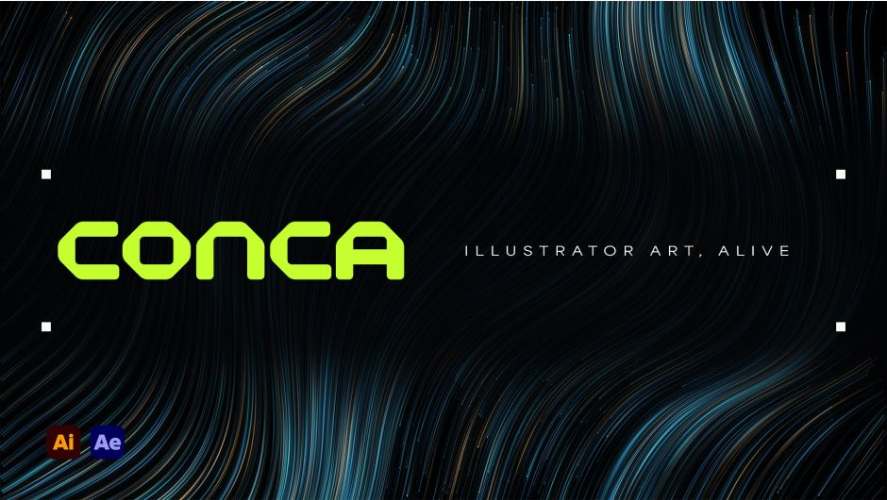
AEScripts Conca v1.0 is an Adobe After Effects plugin designed to bring Adobe Illustrator drawings to life through animated lines, flowing effects, and glowing visual treatments. Developed by Ti Nyain, this Conca After Effects plugin simplifies the process of transforming existing vector illustrations into motion graphics without requiring artists to manually recreate their drawings inside After Effects.
The plugin uses a straightforward import workflow that transfers selected Illustrator artwork directly into After Effects while preserving the original line positions, colours, and thickness. Once imported, users can apply different animation styles, control drawing sequences, customise colour schemes, and introduce lighting effects to create distinctive animated illustrations.
For motion designers working with vector-based artwork, Conca offers a convenient Illustrator to After Effects workflow that reduces repetitive setup work and provides multiple animation possibilities from a single drawing.
Import Illustrator Drawings into After Effects
One of the main features of Conca is its ability to transfer vector artwork from Adobe Illustrator into After Effects without manually reconstructing individual paths.
Users can select their desired drawing in Illustrator and use the Import Selection function in After Effects. The plugin transfers the selected artwork while retaining the original drawing’s appearance, including individual line positions, colours, and thickness.
This approach is particularly useful when working with detailed illustrations containing numerous paths, shapes, and dots. Instead of recreating each element using After Effects shape layers, artists can bring their existing artwork directly into their composition.
Conca also stores the imported drawing within the After Effects project itself. Consequently, the project can be reopened, played, and exported on another computer without requiring Adobe Illustrator to be installed. Illustrator is only necessary when importing new drawings or updating existing artwork.
Ten Animation Styles for Vector Illustrations
Conca includes ten animation styles that allow users to transform the same illustration into different visual treatments. These styles can be switched through a single menu, while the existing animation timing remains unchanged.
The available animation styles include:
- Light Trace: Creates a luminous tracing effect along the original drawing paths.
- Liquid Pour: Introduces a flowing visual treatment to the illustrated lines.
- Signal: Produces a signal-inspired animated appearance.
- Classic Flow: Creates flowing movement along the original vector paths.
- Light Streams: Adds travelling streams of light along the drawing.
- Fiber Waves: Introduces wave-like movement to the illustrated lines.
- Binary Stream: Creates a digital, binary-inspired animation.
- Data Packets: Produces visual movement resembling data packets travelling along paths.
- Classic 2: Provides an alternative classic animation treatment.
- Auto: Automatically selects an animation style.
These animation options make Conca a versatile After Effects animation plugin for creating different visual treatments without rebuilding the source illustration. Artists can experiment with multiple styles while keeping the original vector artwork intact.
Draw-On and Draw-Off Animation Controls
Conca provides controls for determining how an illustration appears, disappears, and moves over time.
The Draw-On functionality progressively reveals the illustration line by line, creating the appearance of the artwork being drawn onto the screen. Conversely, Draw-Off reverses the process, allowing the lines to disappear progressively.
Users can also choose between continuous flowing movement and a stationary appearance, depending on the requirements of their composition.
Additional timing controls allow artists to determine when an animation begins and how long it takes to complete. Individual lines can also start at slightly different times, producing a more natural animation rather than having every element appear simultaneously.
Another feature allows users to introduce small flashes of light travelling along the illustrated paths. These flashes can be added on top of any animation style to introduce additional movement and visual detail.
These controls are particularly useful for creating animated line effects in logo animations, technical illustrations, abstract sequences, and other vector-based motion graphics.
Custom Colours, Lighting and Glow Effects
Conca includes several predefined colour sets that allow users to change the visual appearance of their illustrations without manually adjusting every element.
The available colour presets include:
- Teal & Gold
- Cyber Neon
- Sunset
- Ice
- Emerald
- Mono
- Deep Blue
- Data Violet
Users can also customise individual colours or preserve the original colours from their Illustrator artwork.
Beyond colour adjustments, Conca provides additional appearance controls for soft lighting, shadows, depth, glow, and plain backgrounds. These options allow artists to create different visual treatments, ranging from subtle illuminated illustrations to more prominent neon-inspired graphics.
The plugin also automatically disables settings that are not applicable to the selected animation style. This helps keep the interface relevant to the current effect and prevents users from adjusting parameters that would not influence the final appearance.
For artists looking for a vector animation plugin with integrated lighting and appearance controls, these features provide additional creative flexibility without requiring separate effects for every visual treatment.
Motion Graphics Applications
Conca is designed for artists who regularly work with vector illustrations and line-based animation. Its ability to preserve existing artwork while applying different motion treatments makes it suitable for several types of creative projects.
Some potential applications include:
- Animated Logos: Reveal logo illustrations progressively using Draw-On and flowing line effects.
- Technical Illustrations: Animate diagrams, connected paths, and detailed line drawings.
- Digital Interfaces: Create animated signals, data streams, and illuminated interface elements.
- Abstract Motion Graphics: Produce flowing lines, wave patterns, and experimental visual sequences.
- Visual Presentations: Introduce movement to static illustrations used in presentations and promotional content.
- Creative Explainer Videos: Animate vector drawings to support visual explanations and storytelling.
As a motion graphics plugin, Conca is particularly useful when the source artwork already exists in Illustrator and needs to be animated without rebuilding its individual components in After Effects.
Performance and Project Compatibility
Conca is designed to produce clean, sharp output, including for high-quality projects. According to its developer, the plugin uses the computer’s available processing resources during export to help accelerate rendering.
Another practical advantage is that the imported artwork remains embedded within the After Effects project. This makes project transfer and collaboration easier because the original Illustrator file does not need to remain available for playback or rendering.
The plugin supports both newer and older Mac computers, along with Windows PCs. However, Windows laptops powered by Snapdragon processors, including some Microsoft Surface models, are currently not supported.
System Requirements and Compatibility
The following are the official system requirements listed for Conca:
| Component | Requirement |
|---|---|
| Adobe After Effects | 2024 or newer |
| Supported After Effects versions | 2024, 2025, 2026 and 2027 |
| macOS | macOS 11 or newer |
| Windows | Windows 10 or Windows 11 |
| Adobe Illustrator | Required for importing and updating artwork |
| Snapdragon Windows laptops | Not supported |
Adobe Illustrator does not need to remain installed or open when playing or exporting an existing After Effects project. It is only required when importing new drawings or updating previously imported artwork.
Free Trial and Licensing
Conca offers a free trial that allows users to explore its Classic 2 animation style. The trial version includes a watermark, while the purchased version removes this limitation.
Projects created using the trial can be opened in the full version without rebuilding the animations. After purchasing the plugin, users can download the full version through their aescripts account.
The listed price is $59.99, with a 25% discount advertised at checkout. Different licence types are available through the official aescripts product page.
Conca also supports licence transfers between computers. Users can remove the existing activation through the plugin’s licence settings on the old computer and enter their licence on the new machine.
Conclusion
AEScripts Conca v1.0 offers a straightforward solution for transforming static Illustrator drawings into animated vector artwork inside Adobe After Effects. Its one-click import workflow, ten animation styles, Draw-On and Draw-Off controls, custom colour presets, and integrated lighting effects provide a range of creative possibilities for motion designers.
Rather than manually reconstructing vector paths or creating individual animations from scratch, artists can reuse their existing illustrations and experiment with different motion treatments. For anyone regularly working with Illustrator artwork, animated lines, and vector-based motion graphics, Conca provides a practical addition to an After Effects workflow.
For additional information, compatibility details, and licensing options, visit the official AEScripts Conca product page.
This is a trial version with watermark removed, the presets inside cannot be used.
AEScripts Conca v1.0 Plugin for After Effects Full Version Free Download
https://zeroupload.com/0de8b9969ef30bdbddc1de6d3fade658
https://pixeldrain.com/u/hfxTekGG
https://filekeeper.net/czizp144qvzz/Conca1.0_DownloadPirate.com.rar