AEScripts Diffracta Pinhole v1.0 Plugin for After Effects Full Version Free Download
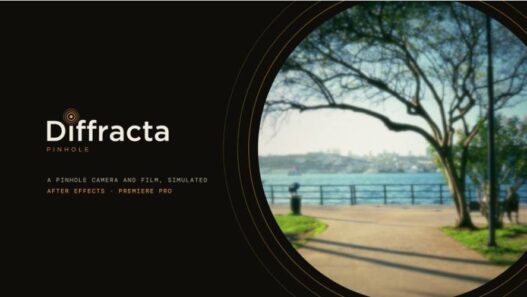
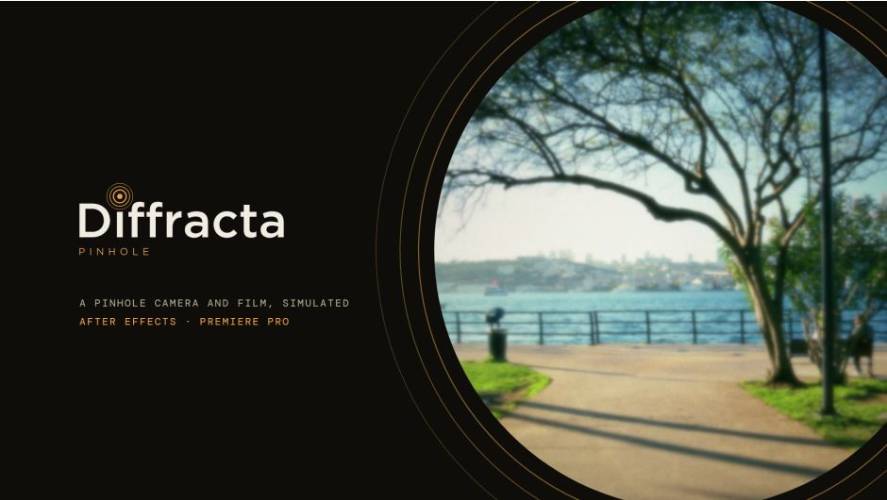
AEScripts Diffracta Pinhole v1.0 is a camera and film simulation plugin for Adobe After Effects and Premiere Pro. Developed by nebulaf, it recreates the photographic process of a pinhole camera, from light passing through a small aperture to exposure on film, negative processing and the final photographic print.
Unlike conventional retro filters that simply overlay grain, scratches or colour effects, Diffracta Pinhole calculates how light interacts with the simulated camera and film. The resulting image responds to the original footage, including its lighting conditions, moving subjects and scene composition.
The plugin is designed for motion designers, video editors and visual artists working with experimental cinematography, vintage photography, music videos, cinematic titles and creative visual effects.
Pinhole Camera Simulation and Optical Behaviour
The central feature of Diffracta Pinhole is its pinhole camera simulation. A traditional pinhole camera uses a small opening instead of a conventional glass lens. Light passes through this opening and projects an inverted image onto the film.
Diffracta recreates this optical process by calculating aperture size, camera geometry, exposure time and film response.
Users can adjust the pinhole diameter to change image sharpness and light transmission. Smaller apertures produce greater diffraction blur, while larger openings allow more light through but create wider, softer image details.
The plugin also demonstrates the Rayleigh optimum, the aperture size that balances diffraction and image sharpness for a given camera configuration.
Camera Types and Optical Modifications
Diffracta Pinhole provides several camera configurations that affect how the image is formed.
- Matchbox: Simulates a traditional homemade pinhole camera with flat film positioned behind a small opening.
- Film Canister: Uses curved film geometry, producing wider images where horizontal straight lines can bend.
- Zone Plate: Replaces the conventional pinhole with concentric clear and dark rings that focus light through diffraction.
- Simple Lens: Adds a basic plastic meniscus lens, introducing focus control and different sharpness characteristics.
The Simple Lens modification allows users to animate focus distance. It can produce a sharper central image while retaining softer edges, creating an optical appearance different from a conventional pinhole camera.
Additional front-filter options include glass wedges, thin prisms and diffraction gratings. These can separate colours and create rainbow-like light effects around bright sources.
Film Stock, Exposure and Darkroom Printing
The plugin simulates more than the camera itself. Its analog film effects include the stages between capturing an image and producing a final print.
Supported film and output configurations include:
- Colour negative film
- Black-and-white negative film
- Paper negative
- Digital sensor
- Darkroom print
- Minilab scan
Film characteristics affect the final appearance through grain, colour response, exposure behaviour and aging. Users can also simulate expired film, including colour shifts, increased grain, fogging and reduced sensitivity.
Light leaks are generated through the simulated camera body, while halation and grain are associated with the film itself.
This approach provides a more integrated vintage film emulation workflow than applying separate texture and colour overlays.
Still, Movie and Stop-Motion Exposure Modes
Diffracta Pinhole includes three shooting modes for different types of footage.
| Mode | Function |
|---|---|
| Still | Simulates long exposure by keeping the shutter open for seconds |
| Movie | Simulates a cinematic shutter with motion blur calculated per frame |
| Stop-Motion | Creates one sharp exposure for each frame |
The Still mode can produce long-exposure motion trails. Moving people and objects gradually fade or leave streaks while stationary elements remain visible.
A dedicated Motion Trail control adjusts the length of moving-subject streaks without changing the exposure time, reciprocity correction or film colour.
The plugin also includes exposure controls that allow users to simulate how light accumulates on the film. This makes it possible to explore underexposed, correctly exposed and overly dense images.
Randomisation and Creative Camera Effects
Diffracta Pinhole includes a Randomize function that generates a complete camera configuration automatically. It can combine camera format, focal length, aperture size, film stock, film aging, light leaks and print settings.
An additional Randomize Mods option includes camera modifications such as the Simple Lens, Front Filter and Sun Glint.
Other creative controls include:
- Sun Glint: Produces distinctive light patterns based on the shape of the pinhole.
- Motion Trail: Controls the apparent movement trails in long-exposure footage.
- Light Leaks: Simulates light entering through the camera body.
- Front Filter: Adds prism and diffraction-grating effects.
- Animated Camera Geometry: Allows camera configurations and box geometry to change during a shot.
Because the camera components are simulated independently, users can combine configurations that would not normally be possible with a physical camera.
GPU Acceleration and After Effects Integration
Diffracta Pinhole is GPU-accelerated for video playback in both After Effects and Premiere Pro. It supports 8-bit, 16-bit and 32-bit colour depths in After Effects, while Premiere Pro supports 8-bit and 32-bit float sequences.
The plugin also supports depth-related inputs, although certain capabilities differ between the two host applications. After Effects can directly read depth information from the 3D channel (Z), while Premiere Pro does not offer that same Z-channel functionality.
Still mode is more computationally demanding than Movie and Stop-Motion because it processes multiple frames for each output frame.
The plugin is installed through the aescripts + aeplugins Manager and includes a PDF user guide. A fully functional trial is available with a watermark.
System Requirements and Compatibility
Diffracta Pinhole v1.0.0 was initially released on November 24, 2026. Its official compatibility list includes:
| Software | Supported versions |
|---|---|
| Adobe After Effects | 2025, 2026, 2027 |
| Adobe Premiere Pro | 2025, 2026, 2027 |
Windows requirements:
- Windows 10 or Windows 11 (64-bit)
- NVIDIA GPU acceleration through CUDA
- DirectX 12 acceleration on other supported GPUs
- Automatic CPU fallback
macOS requirements:
- macOS 12 or later
- Apple Silicon and Intel processors
- Metal GPU acceleration
The plugin is listed at $79.90, with a 25% discount displayed at checkout. A free trial is available for testing the effect with your own footage.
For complete product information, trial access and licensing details, visit the official AEScripts Diffracta Pinhole product page.
Conclusion
AEScripts Diffracta Pinhole v1.0 introduces a detailed pinhole camera and analog film simulation workflow for After Effects and Premiere Pro. Its optical calculations, camera configurations, film processing, exposure modes and customisable camera modifications provide tools for creating distinctive photographic effects.
With GPU acceleration and controls for aperture, exposure, film response, light leaks, diffraction and motion trails, the plugin offers an integrated approach to vintage camera effects in After Effects and experimental film-style video production.
AEScripts Diffracta Pinhole v1.0 Plugin for After Effects Full Version Free Download
https://zeroupload.com/9288f3376b853c2244ba071de8cadec3
https://buzzheavier.com/tc5er9s2w0aj
https://pixeldrain.com/u/DwPKAq2f
https://filekeeper.net/8y90ll2tafyz/DiffractaPinhole1.0_DownloadPirate.com.rar