AEScripts Furikake v1.0.8 Plugin for After Effects Full Version Free Download
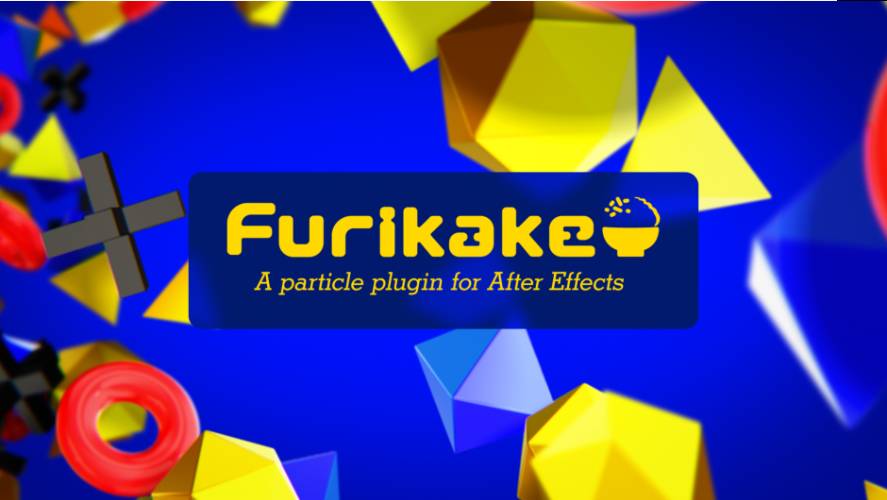
Furikake v1.0.8 is a high-performance particle-generation plugin for Adobe After Effects, designed to create large particle systems while making heavy use of modern CPU processing. It supports Multi-Frame Rendering, 3D cameras, depth of field, 32-bit colour, textures, physics, lighting and child particles.
AEScripts Furikake official page
What is Furikake?
Furikake is essentially a dedicated particle system for After Effects.
Instead of relying on several separate effects and expressions to create particles, Furikake provides an integrated system for emitting, controlling, simulating and rendering particles directly inside AE. Its renderer is optimized for multi-core CPUs and is designed to handle large particle counts efficiently.
The plugin is aimed at motion graphics, VFX, abstract animation, simulations and game-style effects where you need a substantial number of particles without leaving After Effects.
Particle Emitters
Furikake provides several emitter types, including:
Point
Box
Sphere
Grid
and other emission configurations.
You can control the direction and speed of emitted particles, giving you a basic system for constructing everything from controlled streams to chaotic particle explosions.
This makes it suitable for effects such as:
Dust
Sparks
Smoke-like particles
Debris
Fireworks
Floating particles
Energy effects
Abstract motion graphics
Particle Types
Furikake isn’t limited to simple dots or spheres.
Particles can use 2D textures, including animated image sequences, as well as 3D textures.
This significantly expands what the system can produce.
You could use a particle texture representing a spark, leaf, snowflake, star, logo, smoke element or other graphic and then distribute thousands of instances throughout a scene.
Particle properties such as size, opacity and colour can change throughout the particle’s lifetime, allowing more sophisticated animation than a static particle sprite.
Physics
Furikake includes several built-in physical behaviours.
These include:
Gravity
Wind
Bounce
Turbulence
These forces can be combined to create more natural particle movement without having to construct complex expressions manually.
For example, gravity and turbulence can produce falling debris, while wind and turbulence can create drifting particles.
Deformation
The plugin also provides particle deformation controls, giving you additional ways to manipulate the behaviour and appearance of the generated particles.
This makes the system more useful for stylized motion graphics where physically accurate simulation isn’t necessarily the goal.
Child Particle System
One of Furikake’s more interesting features is its Child Particle System.
This allows particles to generate additional particles, effectively creating secondary particle effects.
This can be useful for effects such as:
Sparks from an explosion
Trails
Particle bursts
Secondary debris
Firework fragments
Instead of treating every particle as an independent object, you can build a hierarchy of primary and secondary particles.
Textures and Normal Maps
Furikake supports double-sided textures and normal maps, which can be used to create more advanced lighting and shading effects.
This is particularly useful when particles aren’t simply glowing dots.
For example, textured particles representing leaves, cards, debris or other 3D-looking elements can react more convincingly to lighting.
3D Camera Support
Furikake works with After Effects’ 3D camera system.
This allows particle systems to exist within a 3D composition and respond to camera movement.
You can therefore create camera fly-throughs, particle fields and depth-heavy compositions rather than being restricted to a flat 2D effect.
Depth of Field
The plugin supports Depth of Field, allowing particles at different distances from the camera to appear differently focused.
This is particularly useful for large particle environments.
A foreground particle can appear soft and defocused while particles near the focal plane remain sharp, creating a much stronger sense of depth.
Lighting and Shadows
Furikake can use After Effects native lights to drive particle lighting and shadows.
That means the particle system can respond to the same lighting setup already being used elsewhere in an AE composition.
This is useful for integrating particles into existing 3D scenes rather than having them look like a separate overlay.
32-bit Colour
Furikake supports 32-bit colour, which is important for high-quality compositing and effects involving intense highlights or glow.
This allows the particle system to fit more comfortably into higher-end compositing workflows.
Multi-Frame Rendering
One of Furikake’s biggest technical advantages is its support for After Effects Multi-Frame Rendering.
MFR allows After Effects to process multiple frames simultaneously using available CPU resources.
Furikake’s renderer is designed to take advantage of modern multi-core processors, which is particularly valuable for particle systems because large particle counts can otherwise become computationally expensive.
This is a major part of the plugin’s performance-oriented design.
Performance
The developer describes Furikake as a lightweight, high-performance particle plugin with a rendering engine optimized for modern processors.
That doesn’t mean particle simulations become free of performance limitations.
Millions of particles, complex textures, DOF, lighting and child-particle systems will still consume significant resources.
The important point is that Furikake is designed specifically to make large particle systems more practical inside After Effects.
Graphical User Interface
Furikake uses a dedicated graphical interface rather than forcing users to construct everything through standard AE effect controls.
The interface is intended to make the particle system easier to manipulate while providing access to the emitter, particle and physics settings.
That is important for artists who want an interactive particle workflow rather than spending most of their time building expressions.
Fireworks
The official product page includes a fireworks tutorial, which demonstrates one of the more obvious applications of the particle system.
Fireworks are actually a good demonstration because they require:
Emission
Velocity
Gravity
Secondary particles
Colour variation
Lifetime
Motion
Furikake’s combination of these systems makes this type of effect possible without relying on multiple unrelated plugins.
Motion Graphics
Furikake can also be used for less physically realistic effects.
For motion graphics, particles can represent:
Dots
Geometric elements
Letters
Logos
Icons
Abstract shapes
The ability to use 2D textures and animated sequences means you can turn the particle system into something closer to a motion-graphics instancing system.
VFX
For VFX work, Furikake can be useful for relatively lightweight particle effects such as:
Sparks
Dust
Debris
Falling objects
Particle impacts
Atmospheric particles
It is not intended to replace a dedicated simulation environment such as Houdini for complex fluid, destruction or large-scale physical simulations.
Its strength is getting these kinds of effects directly into After Effects quickly.
Furikake vs Particular
Furikake is entering a category historically dominated by tools such as Trapcode Particular.
The difference is that Furikake is a newer plugin built around modern CPU performance and After Effects Multi-Frame Rendering.
Particular has a much longer development history and a very mature ecosystem, while Furikake is a more recent alternative focused heavily on performance and a streamlined workflow.
For someone already invested in the Trapcode ecosystem, switching isn’t automatically necessary.
For someone looking for a modern particle option inside AE, Furikake is worth considering.
Furikake vs Native After Effects Particles
After Effects includes particle-related functionality, but Furikake is considerably more specialized.
The advantage is having a dedicated particle system with:
Multiple emitter types
Texture particles
Physics
Child particles
Normal maps
3D cameras
DOF
Native-light integration
MFR support
That’s a considerably more complete system than trying to construct the same effect from basic AE tools.
Version 1.0.8
You listed Furikake v1.0.8.
There is an important discrepancy here: the official AEScripts page currently exposes v1.0.6, dated March 21, 2026, as the latest version in its public version history. That update contains bug fixes and optimizations involving Child Particles, particle visibility, DOF texture noise and Track Mattes.
A third-party listing does currently identify Furikake v1.0.8 as a Windows/macOS build, but I would not attribute specific changes to 1.0.8 without an official changelog.
For your catalogue, I’d keep the supplied version number 1.0.8, while avoiding claims about changes specific to that build.
Compatibility
The official AEScripts listing currently supports:
After Effects 2018
After Effects 2019
After Effects 2020
After Effects 2021
After Effects 2022
After Effects 2023
After Effects 2024
After Effects 2025
After Effects 2026.
The current listed price is $239, and AEScripts provides a free trial.
Who Should Use Furikake?
Furikake is most useful for After Effects artists who regularly create particle-heavy effects.
It makes particular sense for:
Motion designers
VFX artists
Title designers
Broadcast designers
Abstract animation artists
Game-trailer artists
Music-video artists
If you only occasionally need a few particles, the native AE tools may be enough.
If particles are a regular part of your work, a dedicated system becomes much more valuable.
Final Thoughts
Furikake v1.0.8 is an interesting modern particle option for After Effects because it focuses heavily on performance.
Its multi-core renderer, Multi-Frame Rendering support, 3D camera integration, DOF, native-light support, texture particles and child-particle system give it enough depth for serious motion-graphics and VFX work.
The most important feature isn’t any individual emitter or physics parameter. It’s the combination of a dedicated particle workflow with a renderer designed around modern CPUs.
That makes Furikake particularly attractive if you work on a modern multi-core workstation and want to keep particle-heavy work inside After Effects rather than moving to Houdini or another simulation package.
The main question is whether $239 makes sense for your workflow. If you frequently create particle effects, it can be a useful addition. If particles are only an occasional requirement, it’s probably overkill.
Bottom line: Furikake is a modern, performance-focused particle system for After Effects, designed to handle large particle counts while retaining the convenience of working directly inside AE.
AEScripts Furikake, Furikake After Effects, Furikake v1.0.8, After Effects particle plugin, After Effects particle system, After Effects particles, After Effects VFX particles, After Effects physics simulation, After Effects fireworks plugin, After Effects particle generator, After Effects child particles, After Effects texture particles, After Effects 3D particles, After Effects MFR particles, After Effects Multi-Frame Rendering, After Effects particle effects
AEScripts Furikake v1.0.8 Plugin for After Effects Full Version Free Download
https://zeroupload.com/496904e3fe094f0fce0517def306254f
https://pixeldrain.com/u/YYMFuz7J
https://buzzheavier.com/93cu4p7uw0ut
https://filekeeper.net/0gbdtgt7f1ba/Furikake1.0.8_DownloadPirate.com.rar
Those who sell pirated content are losers.
If you're paying for pirated content, you're the biggest loser.
Please read the FAQ if you need basic help.
Use VPN &
FDM if you have download problems.